@plutomaniac
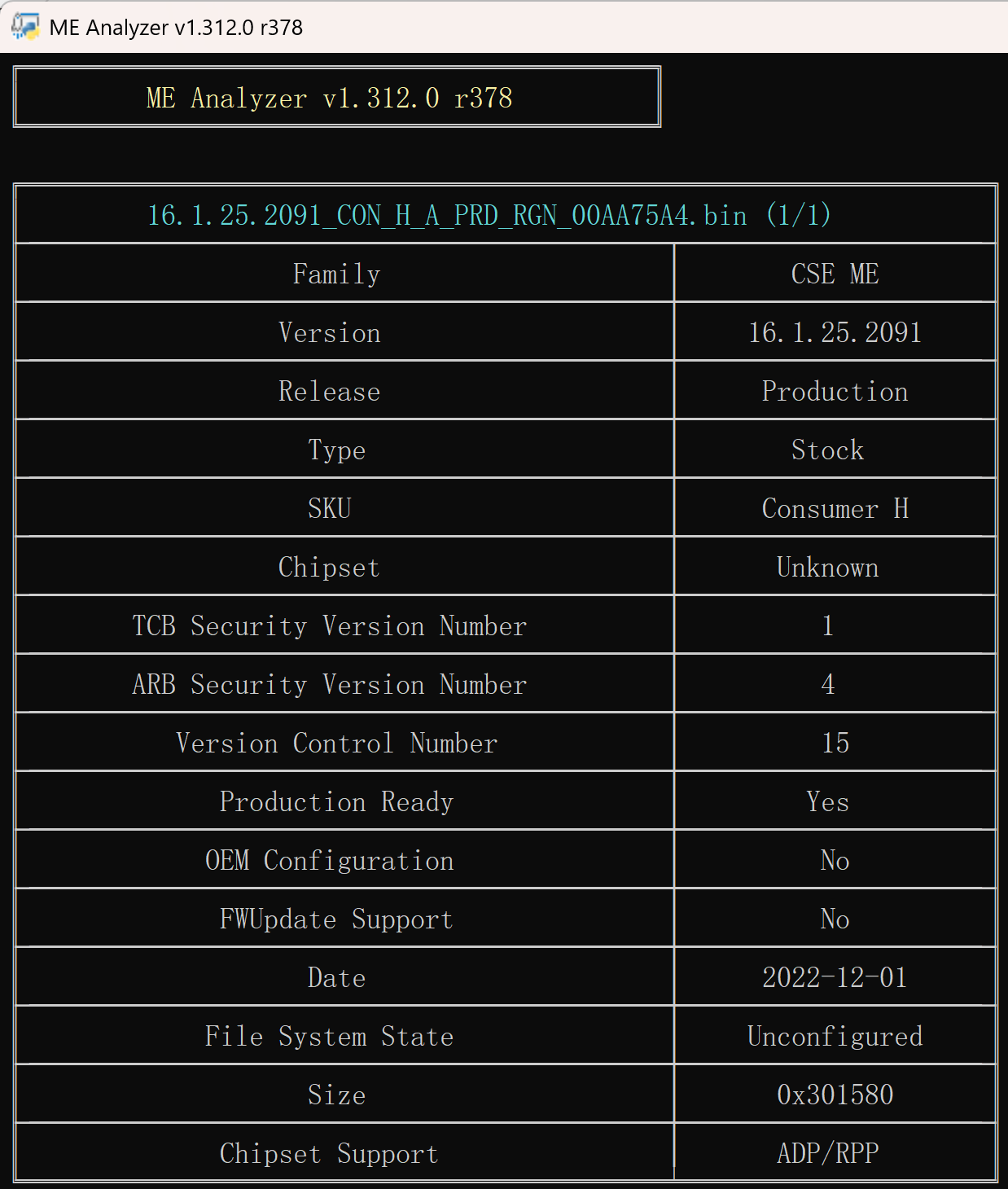
1.As we all know, the RGN type refers to the factory stock ME image provided by Intel for OEMs, which can be used to compile a clean BIOS without any problem.
And if you feed this RGN file directly into MEA, MEA shows several signature fields:
Type→Stock
File System State→Unconfigured(This field only appears in ME 11 and newer firmware versions)
Flash Image Tool→no
2.However, EXTR images come from several different sources.
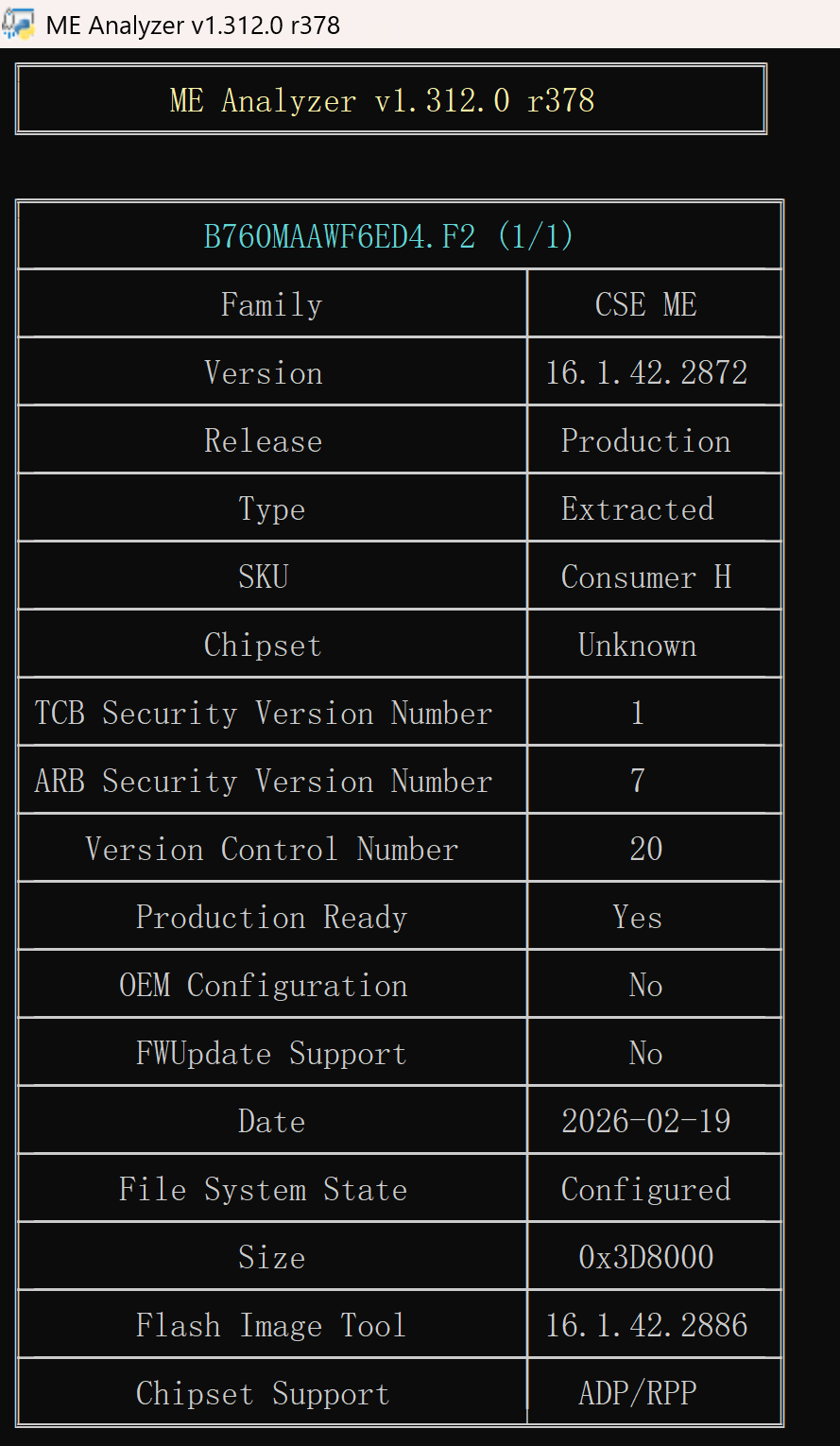
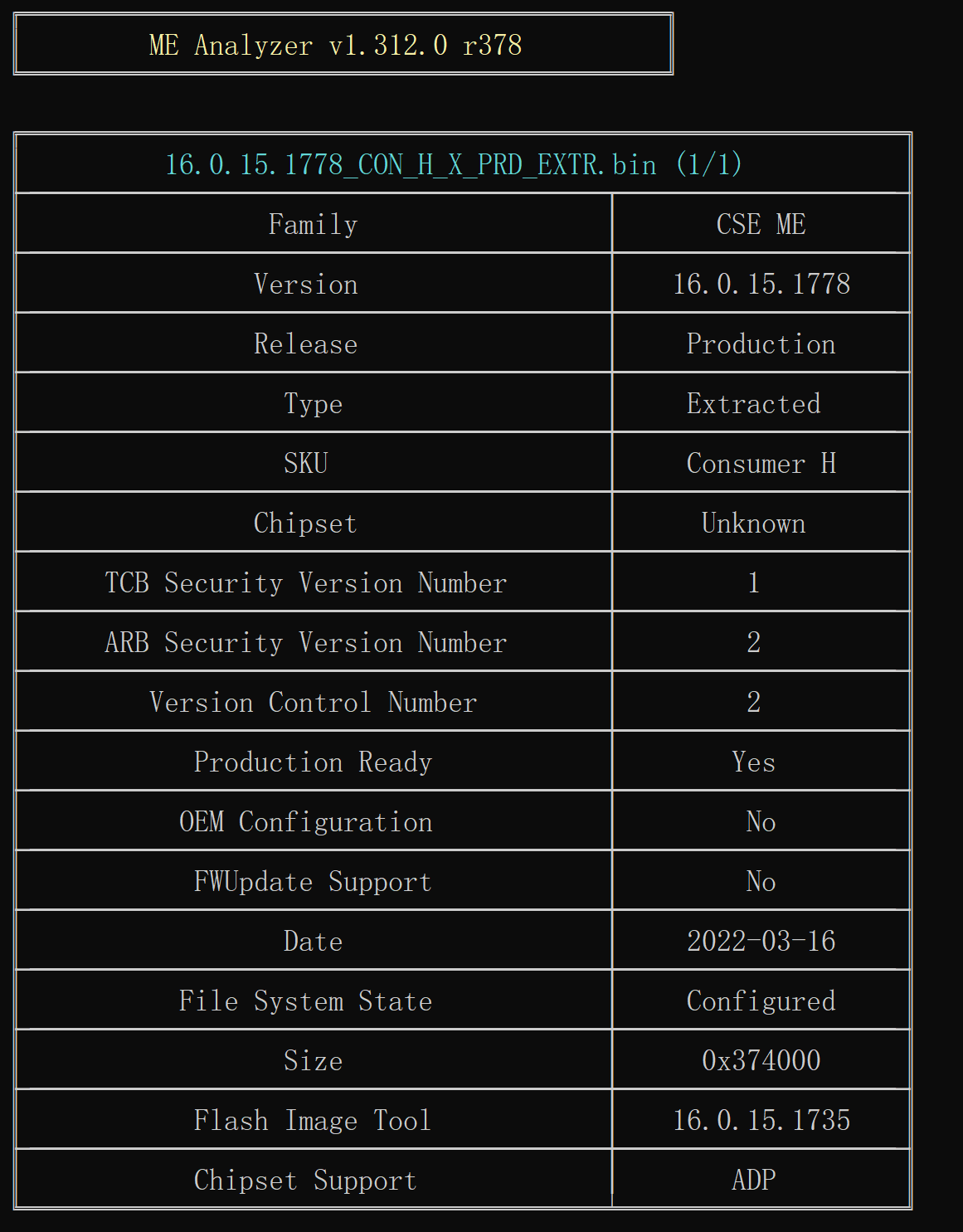
2.1 One source(Type A) is extracted directly from motherboard OEM official BIOS update packages. For this type of EXTR, the NVM region contains OEM preset platform parameters, but it is not bound to the unique identifiers of any physical PCH. It has a relatively low failure rate when used to build a clean BIOS.
And if you feed this EXTR file directly into MEA, MEA shows several signature fields:
Type→Extracted
File System State→Configured(This field only appears in ME 11 and newer firmware versions)
Flash Image Tool→The software version used to compile this file.
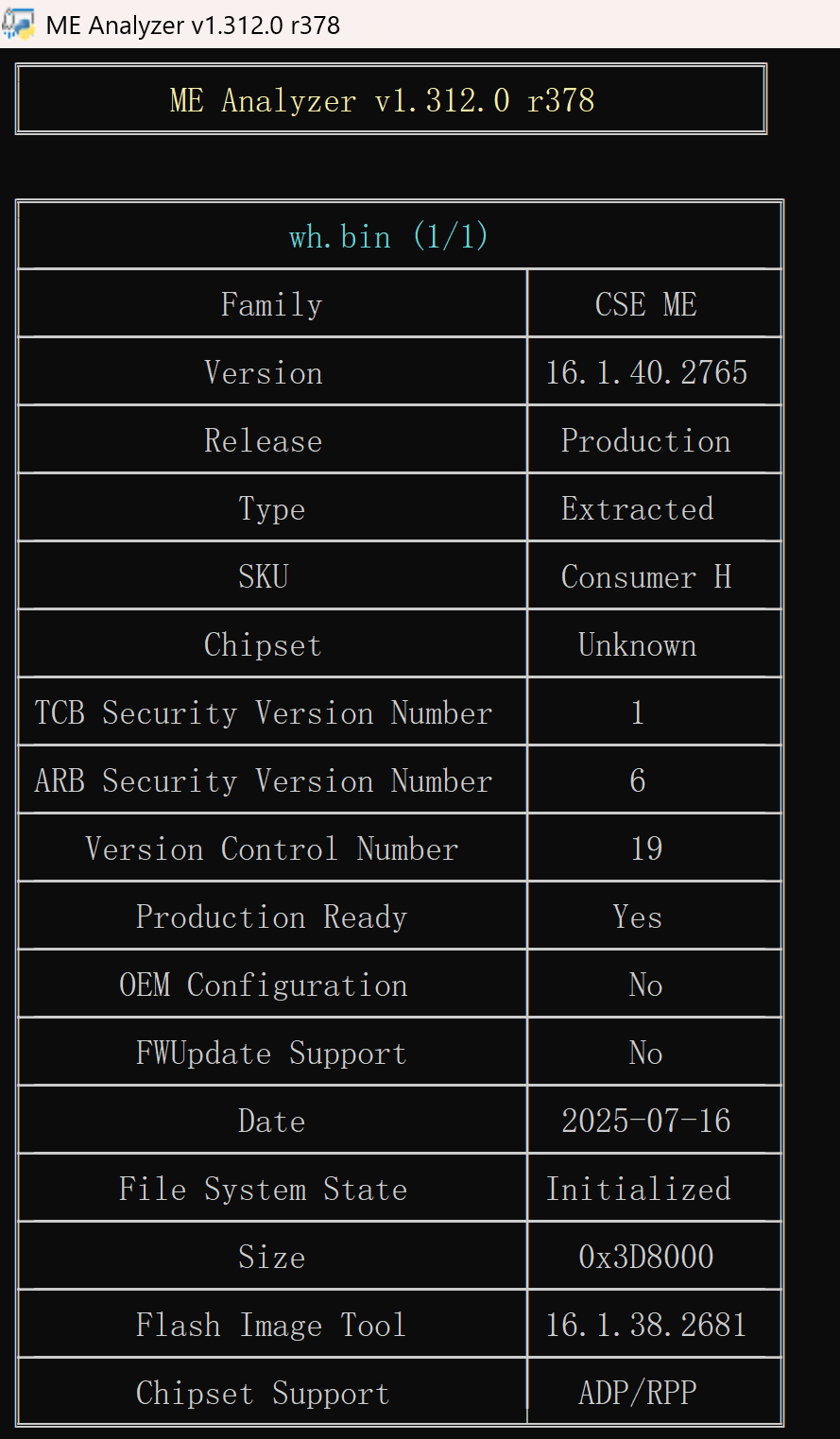
2.2 The other source(Type B) is obtained by reading the SPI chip of a previously powered-on and used motherboard, either via a programmer or software. The NVM of this EXTR has the full unique hardware information of that PCH written in, such as the PCH serial number, UUID, AMT configuration, platform event logs, error history and so on. When used to build a clean BIOS, it has a high chance of causing issues like second-boot problems and sleep failures.
And if you feed this EXTR file directly into MEA, MEA shows several signature fields:
Type→Extracted
File System State→Initialized(This field only appears in ME 11 and newer firmware versions)
Flash Image Tool→The software version used to compile this file.
3.However, the current version of MEA does not display the File System State field for ME 10 and older firmware. Therefore, we cannot distinguish between Type A and Type B of EXTR. It remains to be seen whether this feature can be improved in later MEA releases.