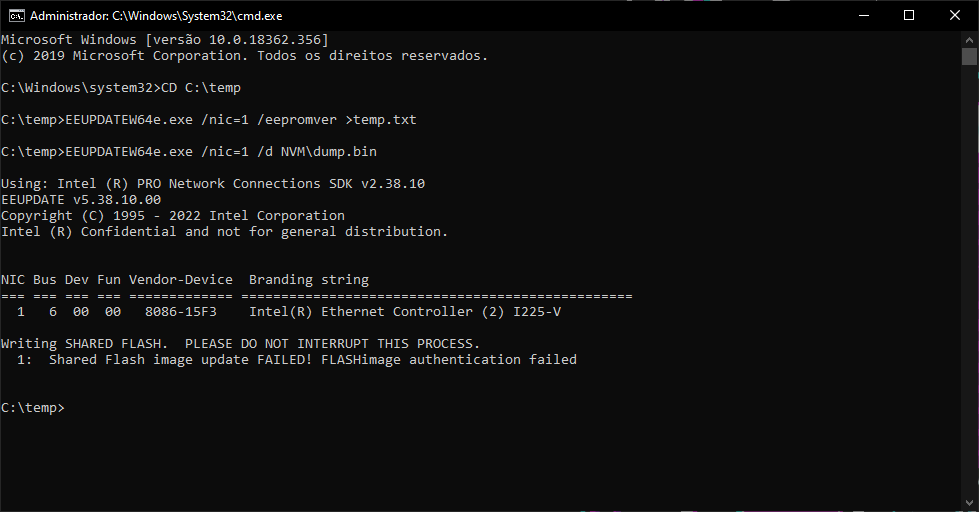
How to downgrade the firmware to the original version?
My current version is 1.89.
I would not advice to update to the modified firmware/EEPROM v1.94 for the i225-V 15F3 model.
Every time the system freezes after approx. 10 minutes watching YouTube streams in the Chromium browsers Edge or Chrome when the Graphic Acceleration was switch on in the browser system setting. Switching this off did resolve the problem, but the video stream was not as optimal. So, when I did go back to firmware v1.89 for the i225-V 15F3 model the problem was completely resolved and I could watch the YouTube video streams without any freezing in the Chromium browsers with Graphic Acceleration switch On in browsers settings.
Yes…seems incoherent the reports of users around the web about FW’s on this PHY’s, some have experienced issues with 1.89 some with 1.94.
From my side Rev.2, using the 1.94 since last July…no issues at all and didn’t have to set any of the Intel recommendations
Intel® Ethernet Controller I225-V Suddenly Stops Working with Error:…
Intel® Ethernet Controller I225-V Does Not Detect a Working Cable
How to Fix Intel® Ethernet Controller I225-V Getting Disconnected in…
Intel® Ethernet Controller I225-V Random Slow Connection
Network Issues with Intel® Ethernet Controller I225-V
Yesterday just popped out a user on MSI forum with a 2.1.5.3 driver for W11, from 10/2024.