Folks, i have recently updated the BIOS on the MSI Z370-A PRO motherboard to the latest. Ever since then the ME version shows up as 0.0.0.0. The computer still boots but takes longer and shows the following error message:
"The ME FW of system was found abnormal" "it is recommended to re-flash system BIOS by M-Flash to ensure normal system operation"
So far it seems that the following operations are no longer properly working: - computer does not wake up from sleep - computer does not restart when requested needing a hard power down - slow boot and error message at the beginning of the boot sequence
I tried flashing the same BIOS again, but the situation did not get any better.
Is there any advice someone can offer in regards to how to go about recovering from this issue?
@apara Seems your ME filesystem got corrupted. Offer the complete results of meinfo* -fwsts (and possibly a complete bios dump). Tools (and description for creating a clean ME region) are pinned and can be easily found within the Intel Management Engine subforum.
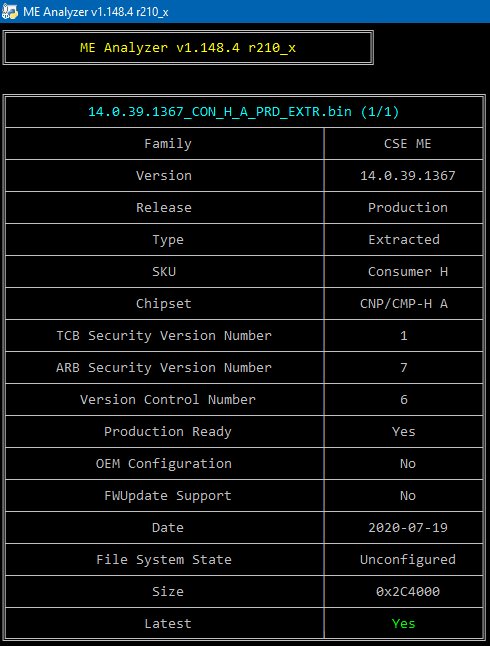
I have tried updating to this new 14.0.39.1367 firmware but I get the message "Error 619: Update of partition between engineering build vs regular build is not allowed." I’m currently on 14.0.39.1339
Intel (R) MEInfo Version: 14.0.39.1367 Copyright (C) 2005 - 2020, Intel Corporation. All rights reserved.
Windows OS Version : 10.0
LPC Device Id: 685. Platform: Cometlake Platform General FW Information FW Status Register1: 0x90000245 FW Status Register2: 0x66000506 FW Status Register3: 0x00000020 FW Status Register4: 0x00004800 FW Status Register5: 0x00000000 FW Status Register6: 0x40000000
CurrentState: Normal ManufacturingMode: Disabled FlashPartition: Valid OperationalState: CM0 with UMA InitComplete: Complete BUPLoadState: Success ErrorCode: No Error ModeOfOperation: Normal SPI Flash Log: Not Present Phase: HOSTCOMM Module PhaseStatus: UNKNOWN ME File System Corrupted: No FPF and ME Config Status: Committed RPMC status: OK FW Capabilities value is 0x31119140 Feature enablement is 0x11119140 Platform type is 0x72000392
Platform Type Desktop FW Type Production Last ME Reset Reason Other BIOS boot State Post Boot Boot critical code redundancy Disabled Current Boot Partition 1 CSME Measured Boot to TPM Disabled Capability Licensing Service State Enabled Crypto HW Support Enabled FWUpdLcl Enabled Firmware Update OEM ID 00000000-0000-0000-0000-000000000000 Integrated Sensor Hub Initial Power State Disabled Intel(R) PTT State Disabled Intel(R) PTT initial power-up state Disabled OEM Tag 0x00 TLS State Disabled
Intel(R) ME code versions: BIOS Version 0707 GbE Version 0.4 Vendor ID 8086 FW Version 14.0.39.1339 H Consumer LMS Version 2026.14.0.1682 MEI Driver Version 2021.14.0.1615
IUPs Information PMC FW Version 140.2.1.1011 PCHC FW Version 14.0.0.7002 SAMF FW Version 0.0.0.0000 PPHY FW Version 0.0.0.0000
PCH Information PCH Version 0 PCH Device ID 685 PCH Step Data A0 PCH SKU Type Production PRQ Revenue PCH Replacement State Disabled PCH Replacement Counter 0 PCH Unlocked State Disabled
Flash Information Storage Device Type SPI SPI Flash ID 1 EF4019 SPI Flash ID 2 Not Available RPMC Replay Protection Unsupported RPMC Replay Protection Bind Counter 0 RPMC Replay Protection Bind Status Pre-bind RPMC Replay Protection Rebind Unsupported RPMC Replay Protection Max Rebind 1 Host Read Access to ME Enabled Host Write Access to ME Disabled Host Read Access to EC Disabled Host Write Access to EC Disabled
FW Capabilities 0x31119140 Protect Audio Video Path - PRESENT/ENABLED Intel(R) Dynamic Application Loader - PRESENT/ENABLED Intel(R) Platform Trust Technology - PRESENT/DISABLED Service Advertisement & Discovery - NOT PRESENT Persistent RTC and Memory - PRESENT/ENABLED
End Of Manufacturing Post Manufacturing NVAR Config Yes HW Binding Enabled End of Manufacturing Enable Yes
Intel(R) Protected Audio Video Path Keybox Not Provisioned EPID Group ID 0x355F Re-key needed False PAVP State Yes
Security Version Numbers Trusted Computing Base SVN 1 Minimum Allowed Anti Rollback SVN 1 Image Anti Rollback SVN 7
OEM Public Key Hash FPF 0000000000000000000000000000000000000000000000000000000000000000 OEM Public Key Hash UEP 0000000000000000000000000000000000000000000000000000000000000000 OEM Public Key Hash ME FW 0000000000000000000000000000000000000000000000000000000000000000
I made a FWupdate using: Intel CSME 14.0 Consumer PCH-H A Firmware v14.0.39.1367 Intel PMC CMP PCH-H A Firmware v140.2.01.1011 Intel PCHC CMP PCH-H/LP Firmware v14.0.0.1002
Ok, this is due to Intel stupidity. PCHC 14.0.0.1002 and 14.0.0.7002 are identical. The difference is that Builds 7xxx are Engineering ones. For PCHC CMP, Intel released 7001 instead of 1001 so all systems that have shipped so far use the Engineering build version which starts with 7xxx instead of 1xxx. FWUpdate tool has a check for that so that’s why it fails when trying to upgrade/downgrade to 1xxx versions, even if they are newer. Thus, I need to include both 7xxx and 1xxx Builds and the user will have to choose the proper one based on their current PCHC build, as detected by MEInfo. Re-download the PCHC archive and read the instructions inside to properly update your CSME 14.0 firmware.
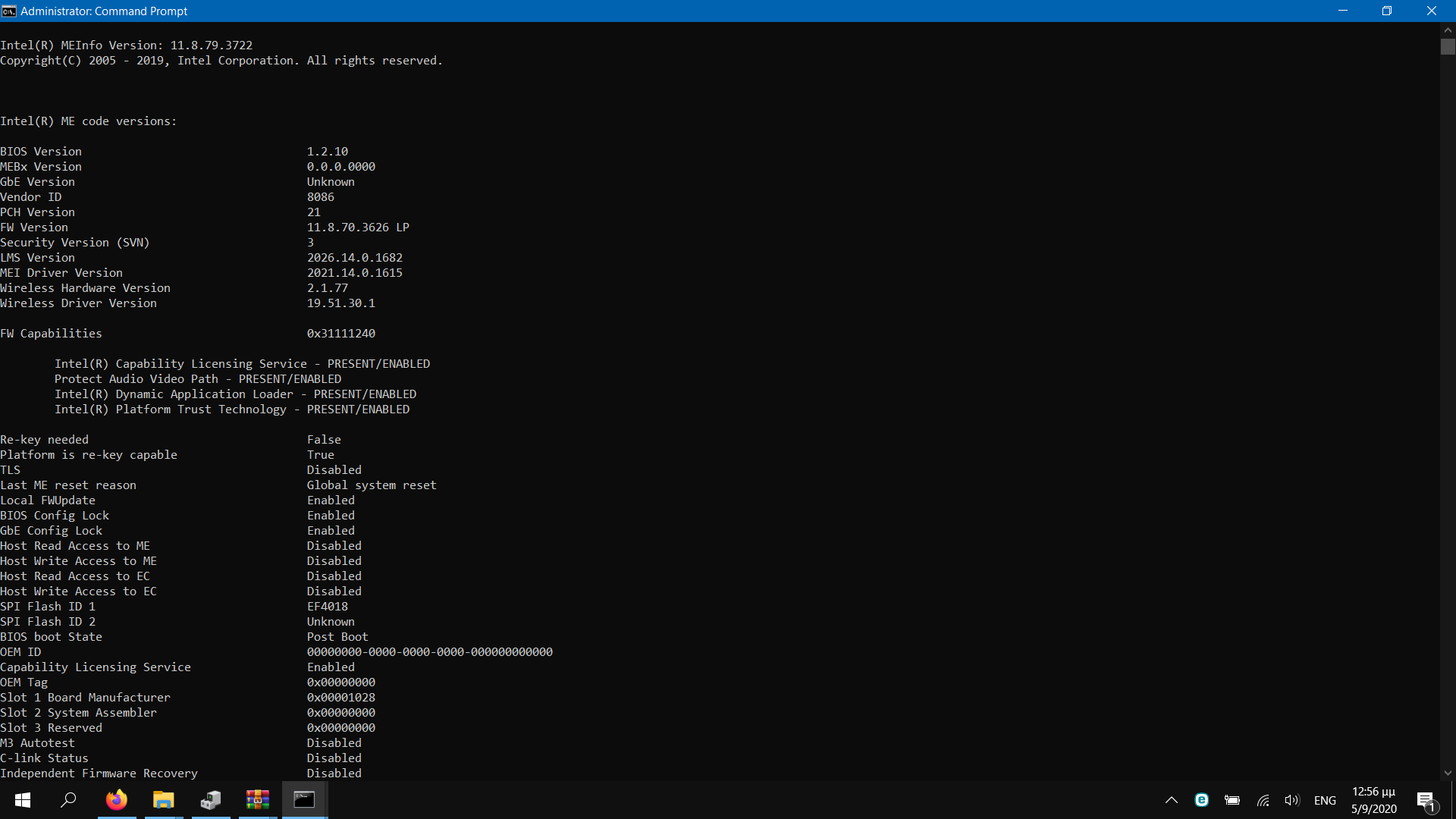
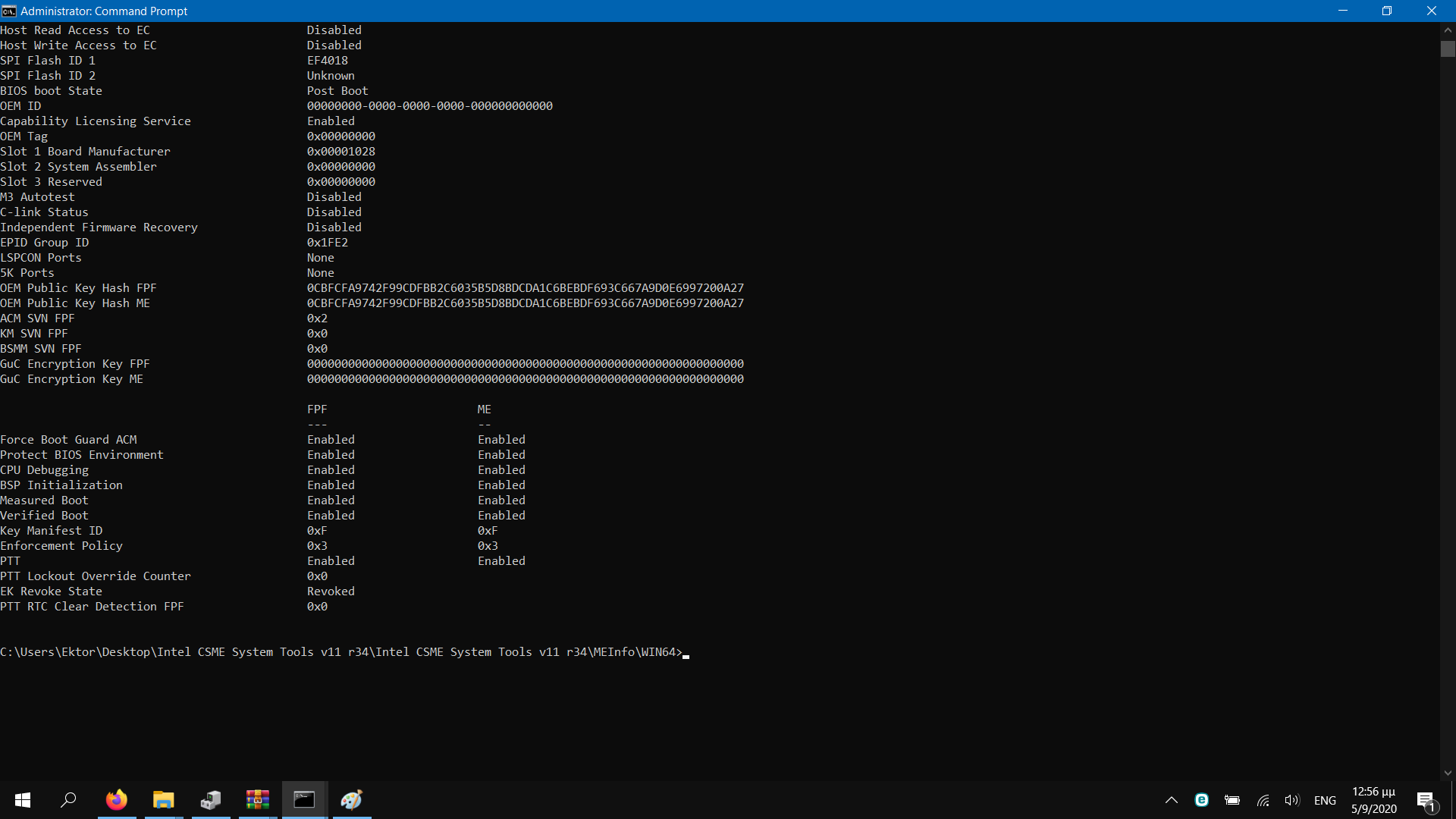
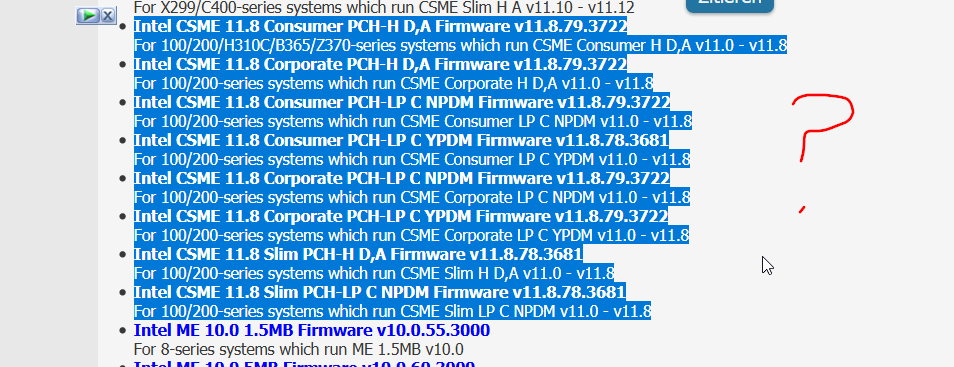
Hello guys i have a dell inspiron 5567 and i dont know which version i am suppose to choose from intel me firmware to update my system. I have attached my system info: