*credit to @steve79 for the screenshot.
List of updated modules:
ME Firmware Ver: 9.1.25.1005 → 9.1.40.1000
Disk Controller
- EFI Intel RST for SATA - 13.0.0.2075 → 13.5.0.2164
- OROM Intel RST for SATA - 13.0.0.2075 → 13.5.0.2164
Video OnBoard
- EFI GOP Driver HSW-BDW - 5.5.1032 → 5.5.1034
- OROM VBIOS HSW-BDW - 1038 → 1044
Network
- EFI Intel PRO1000 UNDI - 6.1.14 → 6.6.04
- OROM Intel Boot Agent GE - 1.5.50 → 1.5.62
Inserted Modules:
- ReBarDxe v0.3
- NvStrapsRebar v0.4-rc1
Misc:
- All Microcodes updated to the latest
- Bios is based off bios ver 2.60A, so this should support TPM2.0 Dedicated Module
How To Enable Resizable Bar
- Normal Resizable Bar: Use ReBarSate from here, And Run as Admin.
- Nvidia Turing (GTX 1600/RTX 2000): Use this, And Run as Admin.
You need to enable Above 4G Decoding for Resizable Bar and Disable CSM/Legacy (boot to UEFI only). To enable it, go to bios → Advanced → PCI Subsystem Settings → Above 4G Decoding and enable it.
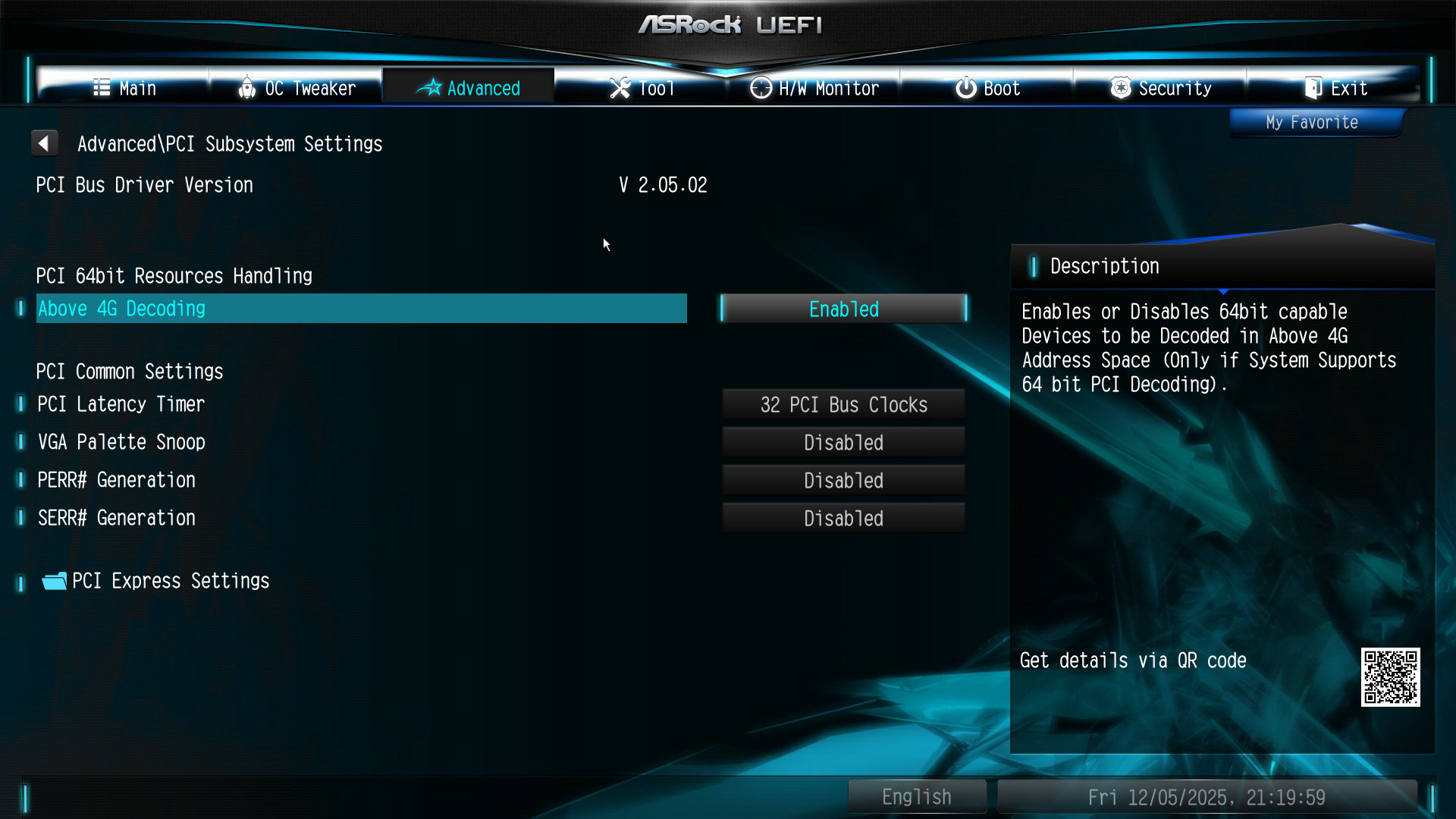
*image credit to @Onikabuto
Download: H97PERF_Complete.rar (5.5 MB) (I recommend to downgrade to 1-2 versions lower than 2.60/2.60A, and then update using this modified bios).