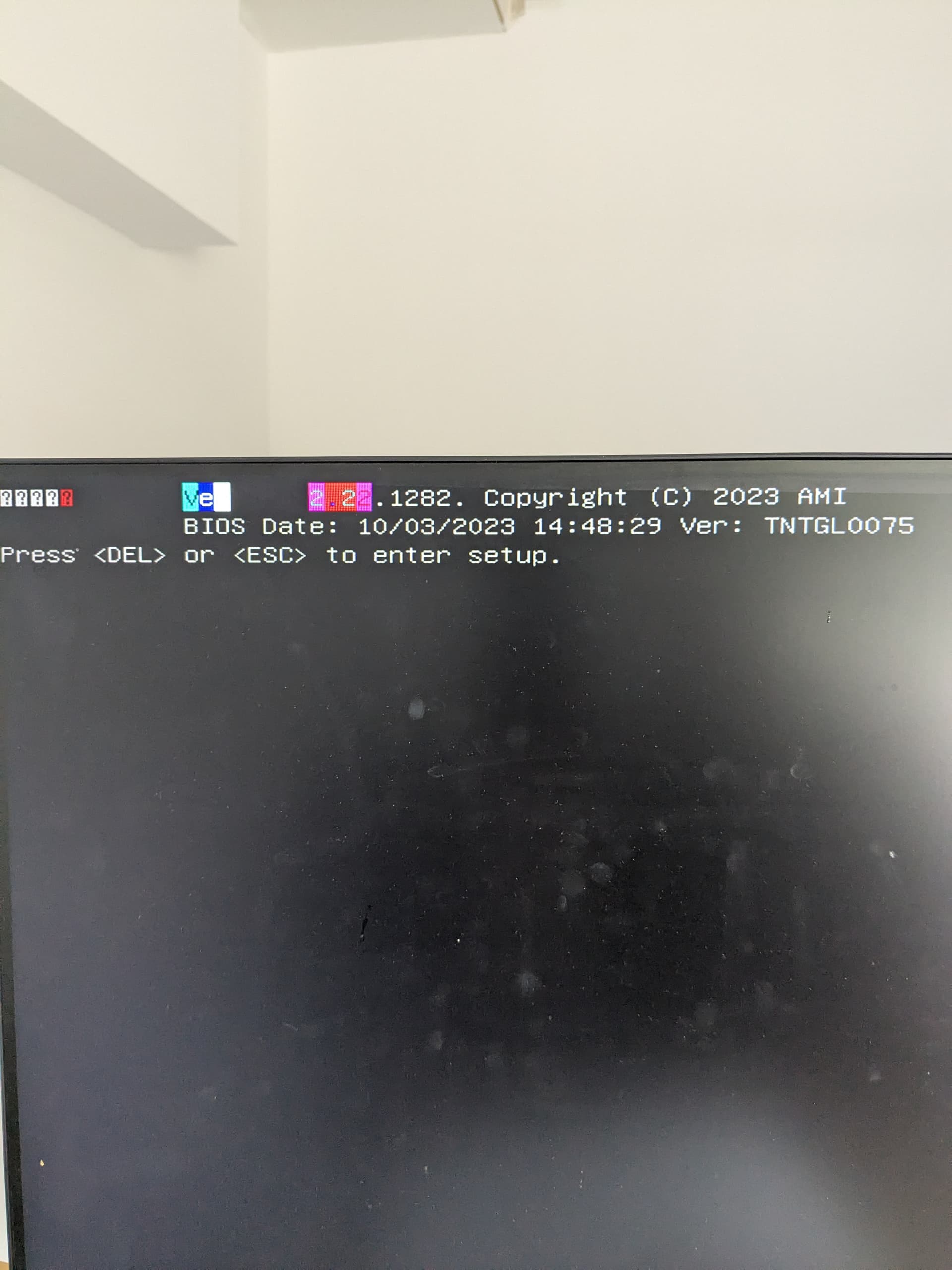
Hi guys I have a problem with an Intel Nuc 11 TNK. After bios update I get this boot screen as shown in the picture. Bios recovery doesn’t help either, I keep coming back to this screen. CMOS reset has also been tried.
I bought a 341A programmer and want to reflash the chip. What do I need ?
You need to correctly identify model/board model, ICs present and how many, bios version used and the respective bios file to use on the programmer, some bios update files are not complete images to program, in this case you’ll need a complete bios dump from a donor… not an easy task for a newcomer or to pass the “experience”/teaching to…
Can u try to teach me ? It´s okay if the nuc breaks complete.
i found bios binary files under the following link on the asus website https://dlcdnets.asus.com/pub/ASUS/NUC/NUC_11_Pro_Kit/TNTGL357.0071.zip?model=NUC11TNKV5
The picture below is my mainboard:
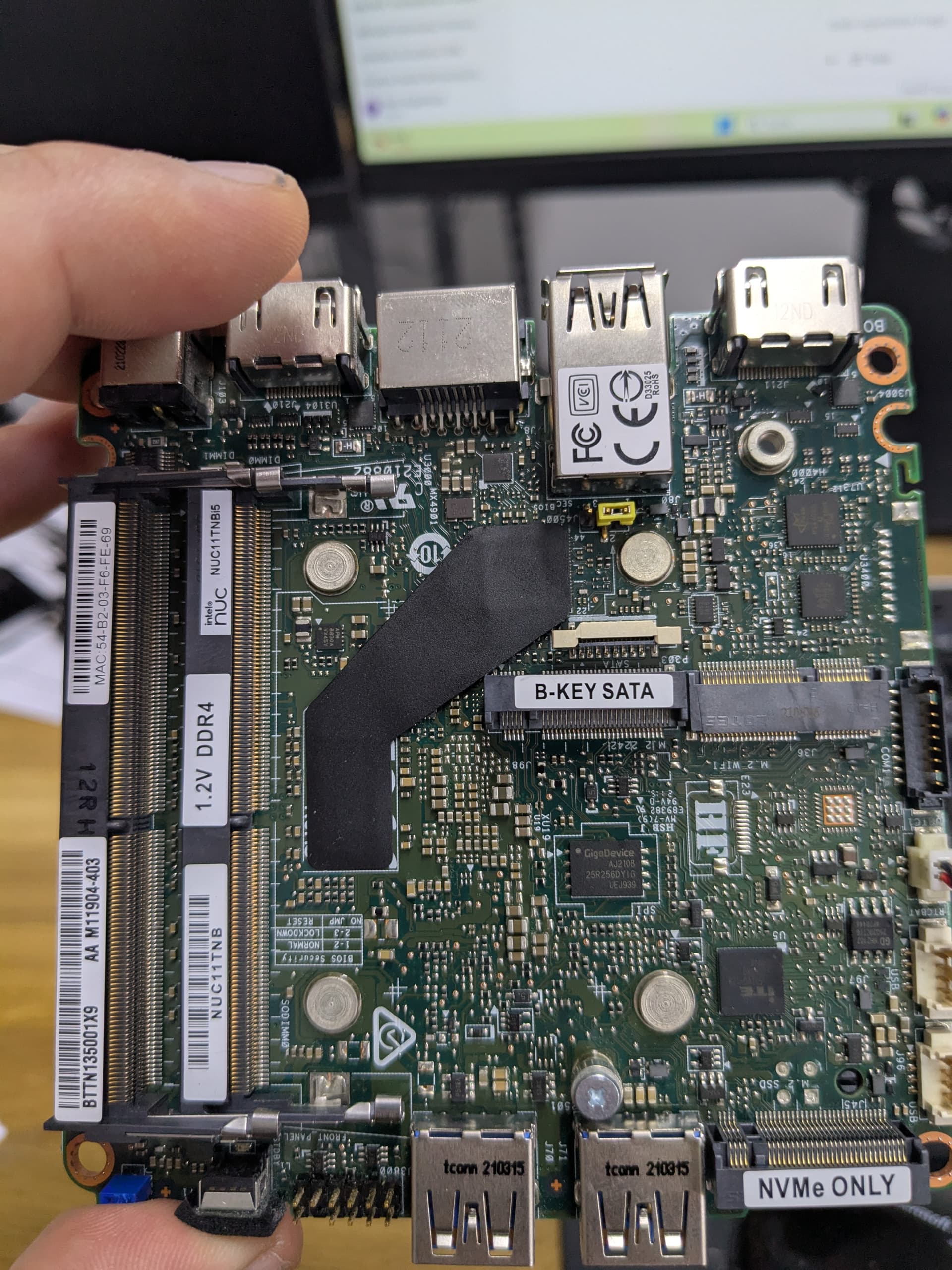
Get the POGO needle clip ilustrated here, for the programmer and read/save the contents of the GD25R256D
The file in folder “BIOS Binary File” shoud be correct for programer use.
The system still has boot block working…it seems, hard to believe that the bios RECOVERY doesnt work…
You should use same original verison to recover and not latest.
Latest version seems to be [0078]
BIOS Update 0078 for NUC11TNBv5 / NUC11TNBv7 / NUC11TNHv5 / NUC11TNHv7 / NUC11TNKv5 / NUC11TNKv7(https://www.asus.com/supportonly/nuc11tnkv5/helpdesk_bios/)
TNTGL357.xxxx is not the same as TNTGLV57.xxxx… pay attention to what your doing and the correct ID/correct files to the system board…
Guides using CH341A:
[Guide] Using CH341A-based programmer to flash SPI EEPROM - BIOS/UEFI Modding / BIOS Modding Guides and Problems - Win-Raid Forum
That’s all from me and what’s possible to help from a remote forum thread, nothing more to add, good luck.
I tried the bios recovery again and found out that the USB ports are not getting power or cannot be accessed. Test via a USB stick with LED can i get them working again ? Any Idea ?
Hello can anyone tell me if I need to change the ch341a programmer volt mode from 5Volt to 3.3V. I have read that there are problems with this programmer.
On the latest ones sold, they seem not needed.
Hi do you have an BIOS dump for me ?
Hello Guys anyone who can help me ? I need a Clean Bios for an Intel NUC11TNK/TNB.
If you are sure that the ME firmware was corrupted, could you provide your own bios dump and shar it here (or via transfer.it)?
@Koekieezz not 100% sure but i can provide the bios dump. Transfer.it
@schoen12312 @MeatWar @Koekieezz
Since it doesn’t make much sense to have 2 threads abour the same topic, I have merged them.
1 Like
@schoen12312 @Accessmoking Did either of you ever figure out the problem? I have the exact same issue as the original image at the top. I wasn’t the one who bricked it, so I’m not sure exactly what the initial cause was. Was the 0078 bios flash enough to fix it?
I was able to flash it to get it out of the no-POST issue, using the base asus bios bin (I did 0078 first, then went back to 0071 trying to chase a fix for another issue below). However, it does wipe all system information using that method. Also, I’m not sure if it’s a bios issue or not, but after getting it flashed, I’ve noticed that the NVMe slot does not work at all. Since I received this device broken, I have no way of knowing if that was an existing issue or not. I can now boot from a Linux live usb, and running lspci does not show the M.2 NVMe at all. Interestingly enough, it does show the SATA driver, so I’m going to try a B-Key 2242 drive. The TNK unfortunately is the slim, not the tall, otherwise I would try a 2.5” SSD.
If anyone has a donor dump for the NUC11TNK for me to try, I would still like to give that a go and see if it fixes the issue.