Hello, I purchased a SOYO SY-YL B550M ARGB motherboard from a well-known overseas website.
It’s a bit of a ghost board, and I’m not entirely sure if it’s the same version: SY-Yanlong B550M
After reading the BIOS dump from my motherboard and comparing it to the version on this site, both are significantly different, including the included DXE drivers.
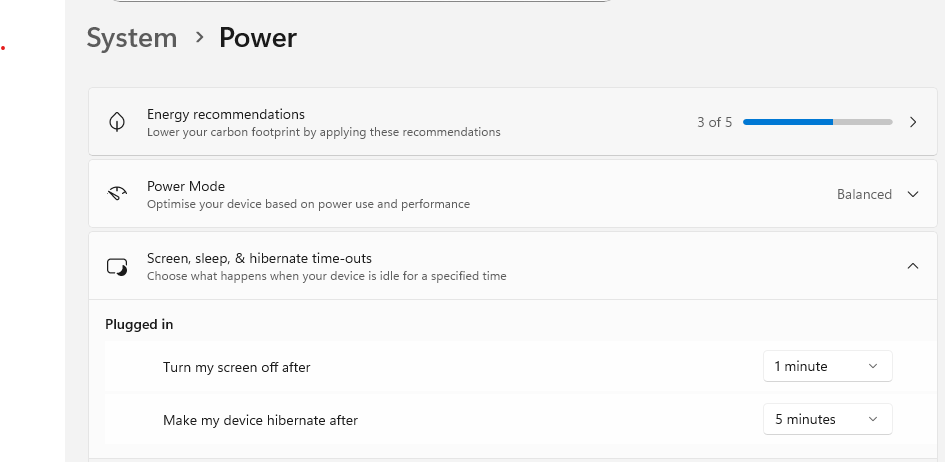
Unfortunately, the BIOS installed on it doesn’t support system sleep or hibernation, which is unacceptable to me.
I updated my dump via UBU; I’m attaching the file I’m currently using.
System sleep/hibernation has a lot more to due with bios settings, a lot related to drivers on OS and OS core integrity…more than internal EFI drivers used by bios, since they are mainly used in hw initialization/post.
Besides no mention if the UBU bios mod was flashed already or not, my PoV only.
And if the bios is so different…this means a costumized one so no point to compare it…
Maybe a cross flash can work for you, if you have the skills.
I have purchased also the motherboard Soyo SY-YL B550M ARGB, the motherboard is white color, very nice.
The official manufacturer website that contains the BIOS , the AMD Drivers for the socket B550, Realtek audio drivers and the Software to control the ARGB headers.
To download the files, you need to register in Baidu disk via SMS.I upload here all the Software in Gdrive if you need it.
I was able to fix my own SY-YL B550M ARGB by purchasing a 2nd unit of the motherboard, then I read the BIOS with a CH341A programmer (Bios chip works at 3.3V, so you need the voltage adaptor), and then I flashed my broken motherboard and revived it . I upload the BIOS file that can be flashed via CH341A in the Gdrive folder with the name: “SOYO_B550M_ARGB_Segunda_Placa.Bin”
My PC was not going into sleep mode aswell, I managed to fix it after 3-4 hours of troubleshooting.
My PC is: W11 25H2
BIOS settings:
CSM is Disabled
Secure Boot Enabled.
Advanced > ACPI Settings > Enabled
To troubleshoot your PC to understand the reason of not going into sleep:
Type in CMD this 3 commands:
powercfg /lastwake
powercfg /waketimers
powercfg /sleepstudy
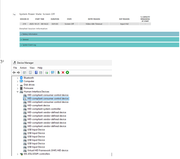
In my case, I found out that my PC was not sleeping because of “Input HID“. I think it has something to do with the ARGB headers of the motherboard, because after disabling it from Device Manager, the ARGB lights went off, and the PC starts to sleep well. To my surprise, on the next reboot, the ARGB lights will become alive again, and the PC still is able to go to sleep succesfully.
Hi,
Thank you for sharing the files and making me aware that this is a different motherboard than the one I linked.
I flashed the BIOS you shared to my board and changed the BIOS settings you mentioned, but it didn’t help. The platform still doesn’t support sleep mode.
powercfg /a
The following sleep states are available on this system:
Fast Startup
The following sleep states are not available on this system:
Standby (S1)
The system firmware does not support this standby state.
Standby (S2)
The system firmware does not support this standby state.
Standby (S3)
The system firmware does not support this standby state.
Hibernate
The hiberfile type does not support hibernation.
Standby (S0 Low Power Idle)
The system firmware does not support this standby state.
Hybrid Sleep
Standby (S3) is not available.
Hibernation is not available.
Does anyone have any suggestions on what might be causing this? I don’t see any sleep or power management options in the BIOS.
Already told you guys…if NOT a shxxx motherboard/oem bios, then as you already noticed by the ARGB example, it’s due to hw devices or poorly written drivers used by them, shared system resources/interrupt requests.
Other users sometimes solve it… by a new clean OS install.
CMD admin: powercfg /systempowerreport is the reliable report, not /a.