Okay, I beat it. The final engineering BIOS, F14e really fixes the issue where the system freezes when entering the BIOS on Xeon CPU.
As for the 3D BIOS, there was a major misunderstanding: BIOS versions up to F12 use the old legacy BIOS, whereas F13w and F14e are already UEFI.
I patched F14e myself: added the latest microcodes and removed unnecessary ones, updated the SATA/AHCI modules, and everything works well. I did not add an NVMe module because I was not sure whether it might cause problems with the pad so I did’t fully understand that part. But I do not need NVMe at the moment, so everything is fine.
I also found out that the motherboard supports server memory, but only Non-ECC, whereas mine is ECC. So there is definitely room for an upgrade later with my Xeon, or I may buy the high-end Xeon in the future. For now, though, everything is working great as it is.
Also, the slow UEFI performance has been fixed: previously on F13w the screens redrew very slowly when navigating through them while Secure Boot mode enabled. If anyone needs my BIOS files, I can share them, although I don’t think it’s actual stuff.
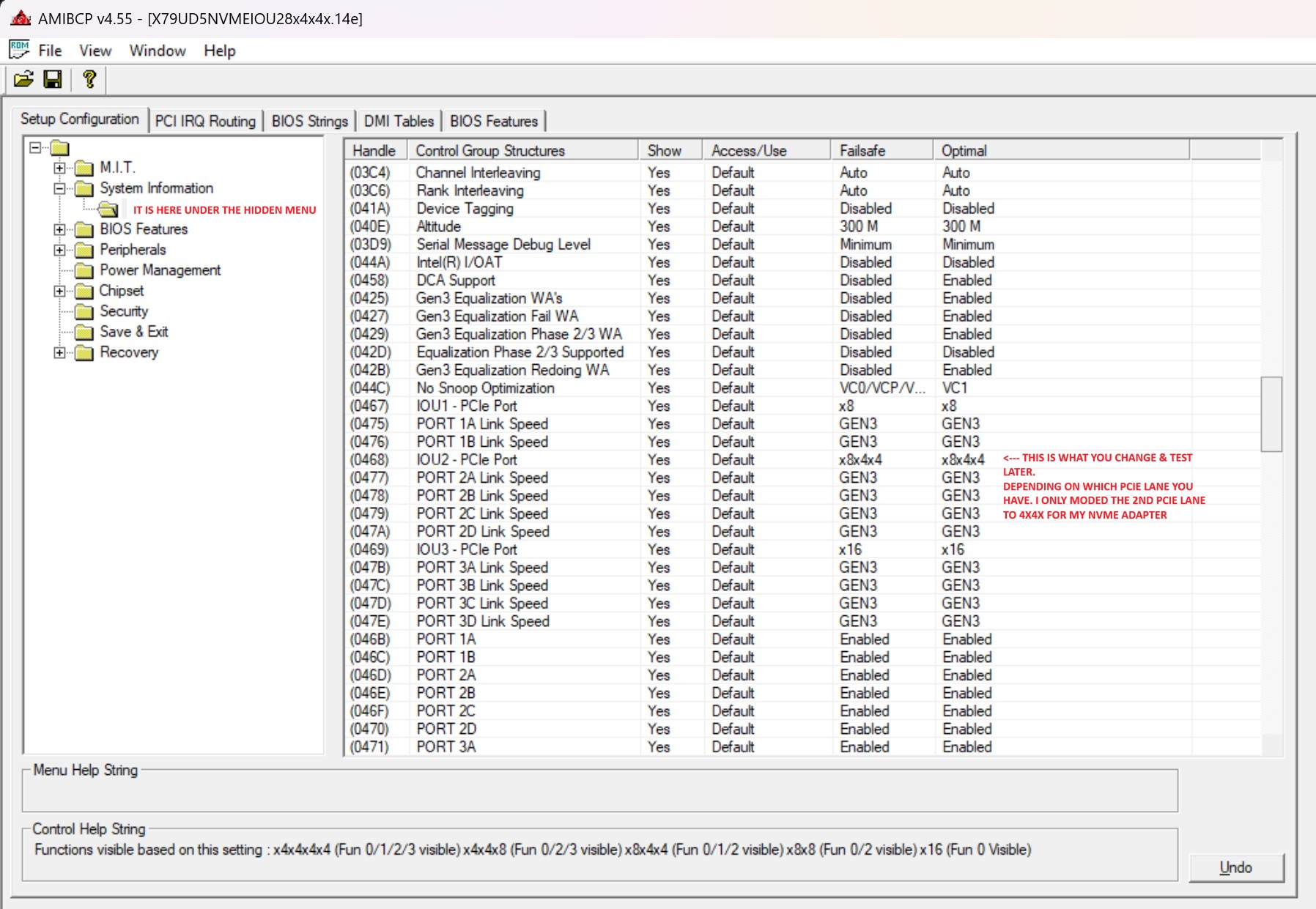
Great, I`m happy you solved it. I did not have this many issues with the BIOS as it just worked. If you ever need nvme you can easily bifurcate/split the 2nd slot into 4x4x through the hidden menu and use and add-on card. Adding this module did not cause any problems on my end.
I`d say that this motherboard does not support RDIMM as it says under spec. that only DDR3 DIMM is supported. But you can always try There is another type od these motherboards with a different server based chipset based on the C600 series IIRC.
@pawx Well I remod BIOS coz i’ve found that when I revome microcodes I did padding. Lucky it boots well. But ok I did all from scratch with UEFITool and HxD. Remove and update microcodes, Intel and Marvell SATA/RAID modules as well as NVMe and ReBar. Did visible IOU, Port Speed and Ports items as USER in AMIBCP. But I not get how to make it visible in BIOS - I can’t find those items in BIOS on boot.
 There is another type od these motherboards with a different server based chipset based on the C600 series IIRC.