Got it to work, thanks so much!
Hi there. ReBar worked for A750 GPU, but with a RTX 3090, it fails to boot. Any one know anything about this? Thanks guys~
if you use 32gb ram and set the rebar size to unlimited, usually it wont work with bar size above 8GB++, probably due to unpolished code left from ivy bridge era.
Alright, thanks man! what is the maximum rebar size to set? and if set so low, would it even have any gains?
Anything lower than 16GiB ig when u use 32gb of ram. Prolly start with 8GiB (13).
Aye captain. Typed in 13, but got this. is this correct?
Update: Yeah 13 was correct. Tried 16GiB (14) and that failed. so I guess max is 8GiB.
13
Writing value of 13 / 8192 MB to ReBarStateSuccessfully wrote ReBarState UEFI variable
1 Like
I had a lot of trouble getting the rebar option to be enabled in Adrenalin settings for my Vega 56.
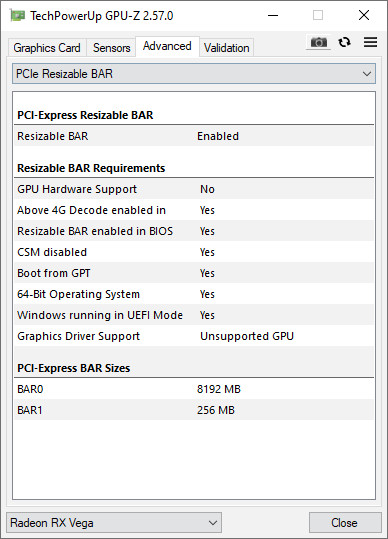
GPU-Z said it was fine, apart from the GPU hardware & driver support, so I know I followed the BIOS, modgrub & rebarstate instructions properly.
Turns out that the regedit file to enable legacy hardware to use rebar doesn’t apply to everyone.
As not everyone has a registry path of 0000.
Turns out my 2D Driver File Path was 0001
Just had to change the numbers at the end of
HKEY_LOCAL_MACHINE\SYSTEM\ControlSet001\Control\Class{4d36e968-e325-11ce-bfc1-08002be10318}\0000
Windows Registry Editor Version 5.00

[HKEY_LOCAL_MACHINE\SYSTEM\ControlSet001\Control\Class\{4d36e968-e325-11ce-bfc1-08002be10318}\0000]
"KMD_EnableReBarForLegacyASIC"=dword:00000001
"KMD_RebarControlMode"=dword:00000001
"KMD_RebarControlSupport"=dword:00000001
Also, is it a problem to have BAR 0 & BAR 1 of different values?
Will my GPU automatically use the 8GB one or will it use the 256mb one by default?
Hi, i am not pretty sure what you have done with asrock z97 fatal1ty killer bios, but could you do same thing with 2.60A versión? this one enables tpm support, it is hosted here:
https://www.dropbox.com/s/xgv7tig3qlhx2bc/Z97Kill2.60a?dl=0
i picked it from this post:
and it is working fine for me, but i would like to try xcuri0 rebar thing, please.
hi, @Koekieezz
could you please do whatever you do with your Z97Kill2v2 version, but with the one i posted in previous message? i have downloader yours and tried to extract dsdt … and decompile and… tried to undertand what have u done but i have 0 knowledge on this…
And the point is that 2.60A works fine with TPM2.0 modules which are not working on 2.60.
It would be pleasant if you could do it. Many thanks in advance.
I might do it later, i’ll try to figure out what i did on that bios.
1 Like
hi, did u find out what u did?
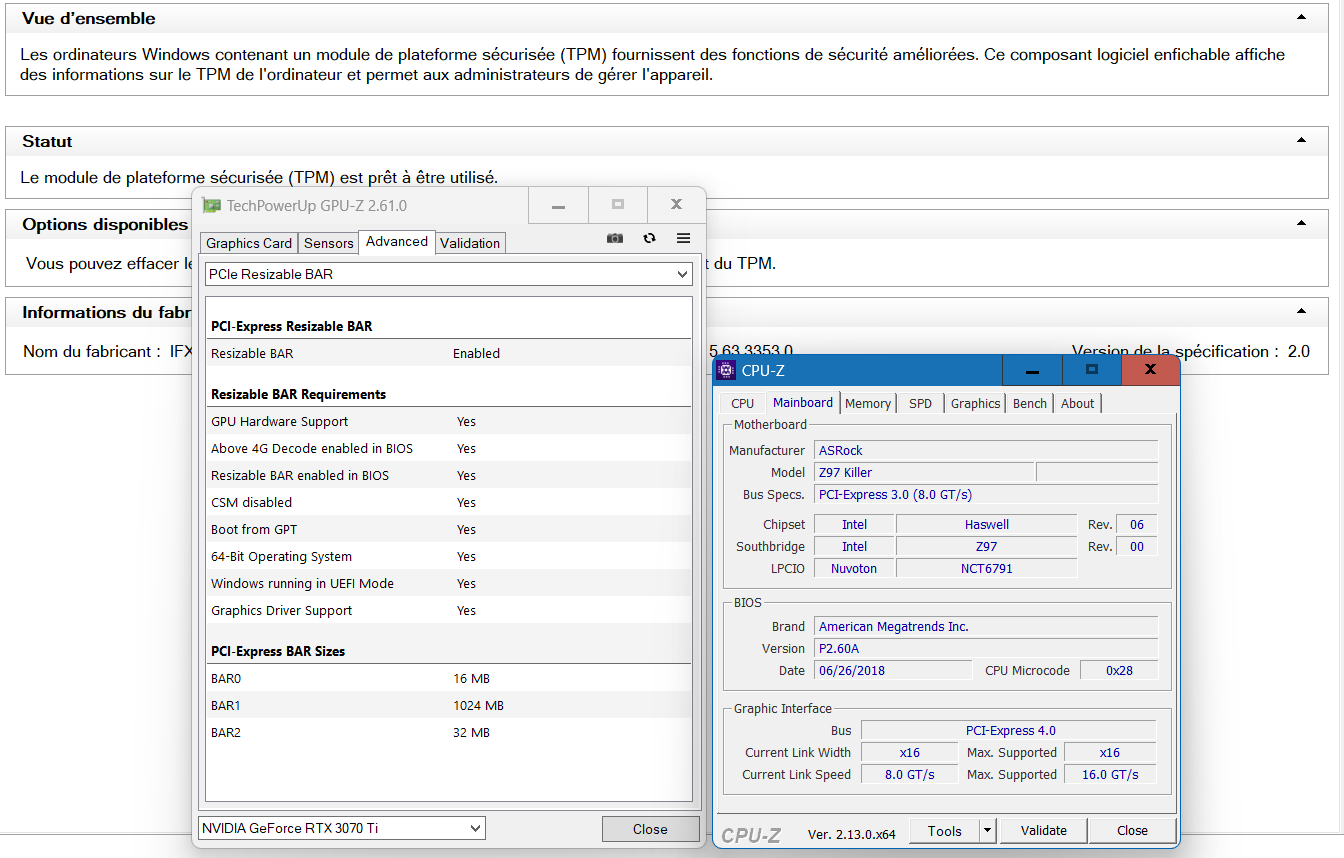
Hello,
I have modified the 2.60a bios to enable resize bar, to not introduce too many variables, i have set it to 1 gig as a test base/proof.
link ; Z97Kill2.rar - Google Drive
Feel free to test it and report what works and doesn’t for you.
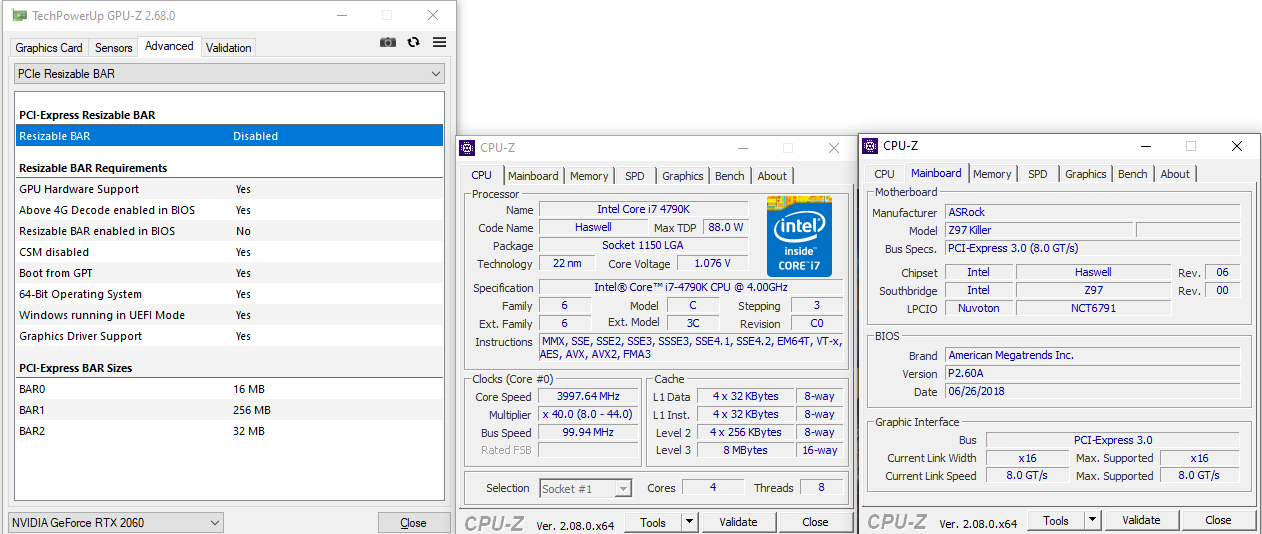
To read and learn…
[Release] Resizable BAR BIOS EFI Module - BIOS/UEFI Modding / BIOS modules (PCI ROM, EFI and others) - Win-Raid Forum
xCuri0/ReBarUEFI: Resizable BAR for (almost) any UEFI system
Both the 2.60 and 2.60a modded BIOS sadly isn’t compatible with 1600/2000 series Nvidia cards. Those cards need the NvStrapsReBar.ffs and NvStrapsReBar instead of ReBarDxe.ffs and ReBarUEFI in order to work. I tried to make the BIOS myself but I am stuck at compiling the DSDTmod.aml since there’s errors I don’t have the knowhow on how to fix in order to continue DSDT patching.
Intel ACPI Component Architecture
ASL+ Optimizing Compiler/Disassembler version 20251212
Copyright (c) 2000 - 2025 Intel Corporation

Error    6126 -  Compiler aborting due to parser-detected syntax error(s)


DSDTMod.dsl  13316:         }
Error    6126 -            ^ syntax error, unexpected '}'

DSDTMod.dsl  18167:
Error    6126 - syntax error, unexpected $end and premature End-Of-File

Error    6126 -  Compiler aborting due to parser-detected syntax error(s)


DSDTMod.dsl  13316:         }
Error    6126 -            ^ syntax error, unexpected '}'

DSDTMod.dsl  18167:
Error    6126 - syntax error, unexpected $end and premature End-Of-File

Input file:    DSDTMod.dsl - Compilation aborted due to parser-detected syntax error(s)

Compilation failed. 3 Errors, 0 Warnings, 0 Remarks
No AML files were generated due to syntax error(s)
Also tried doing the common DSDT errors and fixes from DSDT Patching · xCuri0/ReBarUEFI Wiki · GitHub but deleting the “Arg” lines just adds more errors.
@KingCarnage It is true that if you’re not used to use iASL, you would stuck on trying to compile it. Sometimes, the simplest solution through hundreds of error from the least change you did, was indeed a simple, but silly, line in the dsdt. Most of the times when im doing asrock dsdt for 9 series chipset motherboards, it took me hours to figure out which is which causes the massive errors, since asrock intel 9 series motherboard dsdt’s are either similiar, or different in some parts.
Anyway, try this: Z97Kill_RebarFull.rar (5.3 MB) (from bios 2.60a, flash using instant flash)
To enable rebar, you can read my post here (it should be similiar)
It currently freezes on the bios boot screen after trying to enable 4g decoding (CSAM is disabled and booting into Windows). Tested it a couple of times just to be sure and it doesn’t go past the boot screen. Thank you for your work though and apologies for the delay in testing.
So, with above 4g decoding enabled (already save and exit after you enable it), can you still go to bios?
No, after enable 4g decoding and restarting it freezes on the bios boot screen for me. Keyboard inputs doesn’t get recognized and I can’t get into the bios proper.