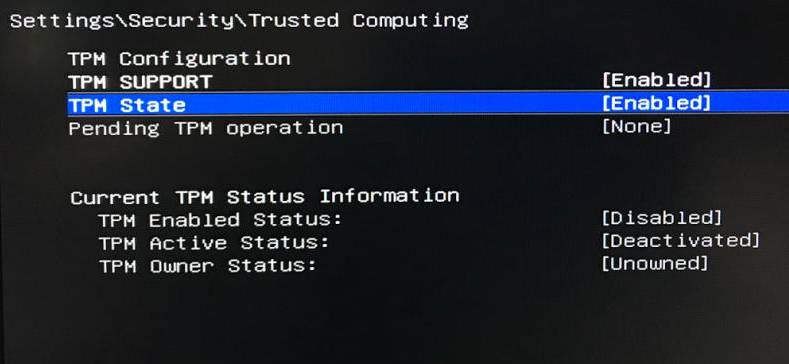
My board is a MSI 970A-G43 PLUS. I bought a 14-1 pin TPM 2.0 module. BIOS see it, but not windows. MSI’s not shows very clear if the board is TPM 2.0 compatible or not.
There is an option to make a mod in the BIOS and get it working?
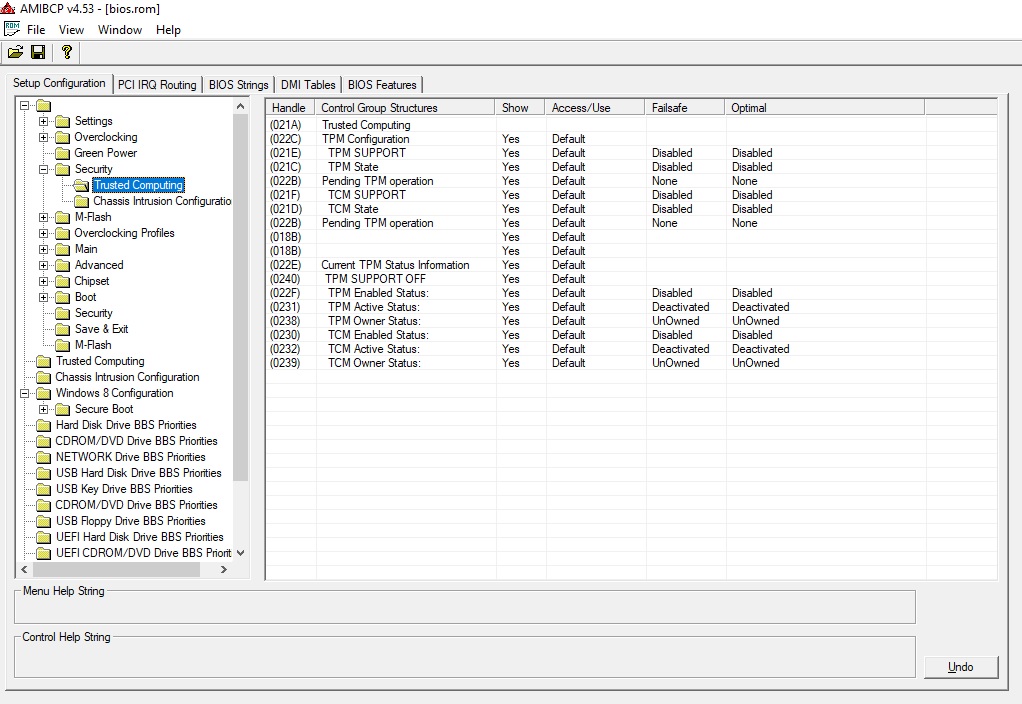
Bottom options (see BIOS attachment photo) can’t modified, but AMIBCP shows options (activated, owned…) to mod the file. I don’t know how to modify, it’s risky to me.
Of course it sells… like all other vendors, for recent chipsets or didnt u read the the product description, does i t says it supports older chipsets? Or u just like to ignore provided info and bet that it will work on AMD900??? It may work only to Intel 100 Series.
EDIT: Yes TPM 1.2 modules are rare in market by now… there is nothing on manual because there was no TPM2.0 specs on the time. As u see with AMIBCP, those are settings for TPM1,X support only. OverNout.
Wot bios detects is the presence of a module… why the surprise if u take it out? I see death people…lol Bios mod and flash have always risks… urs only to take it and no one can assure u nothing. With AMIBCP u can change related TPM menu under Advanced to USER instead of default. Flashing always as possible with M-Flash.
@MeatWar : Sorry, on my board product description/manual it doesn’t say nothing. No version mentioned. Not in the user manual, not in the web specs. I can’t find TPM 1.2 module for it, not in MSI website. On the web not TPM 1.2 14-1 pin version…
@MeatWar : But… If I move away the TPM 2.0 module, then it is not visible on BIOS, all TPM options disappear. So BIOS see it, system see it… There is not a remote possibility to make it working? I’m not an expert on BIOS programming, I know the basic… And… can you make me a BIOS mod with the other three options enabled by default? It is risky to flash with a mod with this options enabled? Thanks again
I’m thinking on search similar UEFI BIOS from MSI (other AMD board or similar) and extract the TPM module, but I don’t know how to do… I will read more on the forum…
Maybe the TPM firmware version is incompatible, try to use the above Infineon TPM Firmware Update Tools if your TPM moudle use Infineon TPM SLB 9665 TPM2.0 FW5.51.2098.0 or FW5.60.2677.0 or FW5.61.2785.0 or FW5.61.2789.0 or FW5.62.3126.0
@snowind : this is TPM firmware,you can downgrade firmware to 1.2 via efi shell or winPE. Infineon 9665 firmware included. We haven’t found a way to make the legacy motherboard compatible with tpm2.0
EDIT: I’m working on it with your info! Thanks EDIT2: Flashed from TPM20_5.0.1089.2_to_TPM20_5.62.3126.2.BIN but now can’t upgrade with TPM20_latest.cfg (Error Code: 0xE0295518 Message: Could not find a firmware image to update the configured target firmware version.) So can’t downgrade too… any help?
Once the TPM has been updated to the FIPS firmware the TPM firmware can no longer be updated to a Common Criteria certified version. Return your module as soon as possible, unless you can get firmware supporting tpm2.0 from MSI.
Hello, I’m thinking of adapting a tpm infinion SLB9665TT2.0 in ASUS rock Z97 anniversary.
The board only supports TPM 1.2, what is the best way to adapt TPM SLB9665TT2.0? It will update firmware 2.0 or firmware 1.2. Thanks
To the moment there is no report of successful mods (at least to my knowledge) on bioses with TPM1.2 for supporting 2.0, only a report from a Gigabyte user that Gigabyte passed him a bios for it on his H97.
EDIT: It means exactly what the user says… that bios was given by Asrock to him, what dont you understand…english? Then read it again…slowly this time.
It means that as rock provided me an bios that support tpm2.0 module.
If you have a module that is compatible with the pins of the motherboard. You can check the pdf, it will work.