Hi Lost_N_BIOS
is there any chance you can help me with my bios unlock?
i have created a post but not had any reply’s
i can provide rom file
model VPCF23B9E
BIOS Version R1190V3
any help is appreciated
thanks
Hello,
Any chance of reuploading?
The user Lost_N_BIOS is not active in the forum anymore, since January 2021, his private links are not recoverable and the tinyupload domain was put down.
I hope someone with the file here sees it.
I need UEFI for R2150v3. @alzcore397
Hello,
yes it is compatible with your vpcf2. Because I also installed the modded bios on vpcf23l1e and it was fine.
I contacted @alzcore397 from another forum and thankfully he forwarded the file to me.
R2150V3 modded bios: Dropbox - biosreg1.bin - Simplify your life
Result:
@holisticmax
Hello, the file has been deleted and I need the same bios file.
Thank you.
Hi,
I found the folder for this work in my archive.
Believe me, I don’t remember what it is compatible with.
The backups I took from the current laptop and the bios files mentioned here are available in the folder.
I would like to state that I do not accept responsibility for possible problems.
Hello friend, I backed up the bios. If there is a problem, I will return the old bios. My laptop version is Sony VAIO VPCF23L1E
1 Like
Hi, I have same bios, but for PCG-81313m Vpcf23N1E and visibly you made mod here of my identical bios. Coul you be able to help me with same mod for my laptop?
@holisticmax @heromen12 Also desperately need the aforementioned files as none of the links work anymore. I tried to search for alzcore and find him on another forum but no luck. Really appreciate the help and upload if it can happen.
PS Can I run the windows 32/64 flash tools within a LIVECD environment (like WinPE or Hirams BootCD?)
Hi, you can download it here. R2150V3
I do not remember how to flash it. But flash tool, modded and backup biosses are also in the .zip .file.
YES! You’re the best. Assuming I’m successful, I’ll repost files with flashing instructions.
1 Like
The pics on ibb.com are dead now. Could you tell if the modded file adds second Advanced tab and Chipset tab?
@MrRedPants
There’s another mod laying around since Dec 2021. Downloaded 25 times but users posted no result.
1 Like
You are welcome. I would like to state that I do not accept responsibility for possible problems.
I have that other ROM (yours?) but I couldn’t get it to take using AFUDOS.exe. I wasn’t sure if I had the wrong version. I booted into dos, ran the install, it would start, fan would kick on, then indefinite flashing cursor.
I’ll post my results for sure.
@holisticmax So stated, understood, motioned, seconded, voted on, passed and ratified 
I was pretty close to throwing this thing in the shredder as it was.
Thanks again guys.
1 Like
Good news is, I successfully flashed the bios and will report here. Bad news, I didn’t solve my problem (that’s a whole different rabbit hole). OK, so as far as these ROMs
- The version that @Sweet_Kitten posted has TWO advanced tabs, but DOESN’T have the extra options in boot menu (which is what I was looking for for UFEI)
- The version that @holisticmax posted (which goes back to what @alzcore397 and Lost_N_BIOS were working on, that one has the extra boot menu options but that’s it, no advanced tabs.
I spent FAR too much time trying to accomplish this simple task of flashing this bios, including using AFUDOS in MS-DOS environment, trying to run afuwin.exe off Hirams live boot CD (64 bit, didn’t work), from burned CDs to USB drives. When I finally did it, it was silly easy.
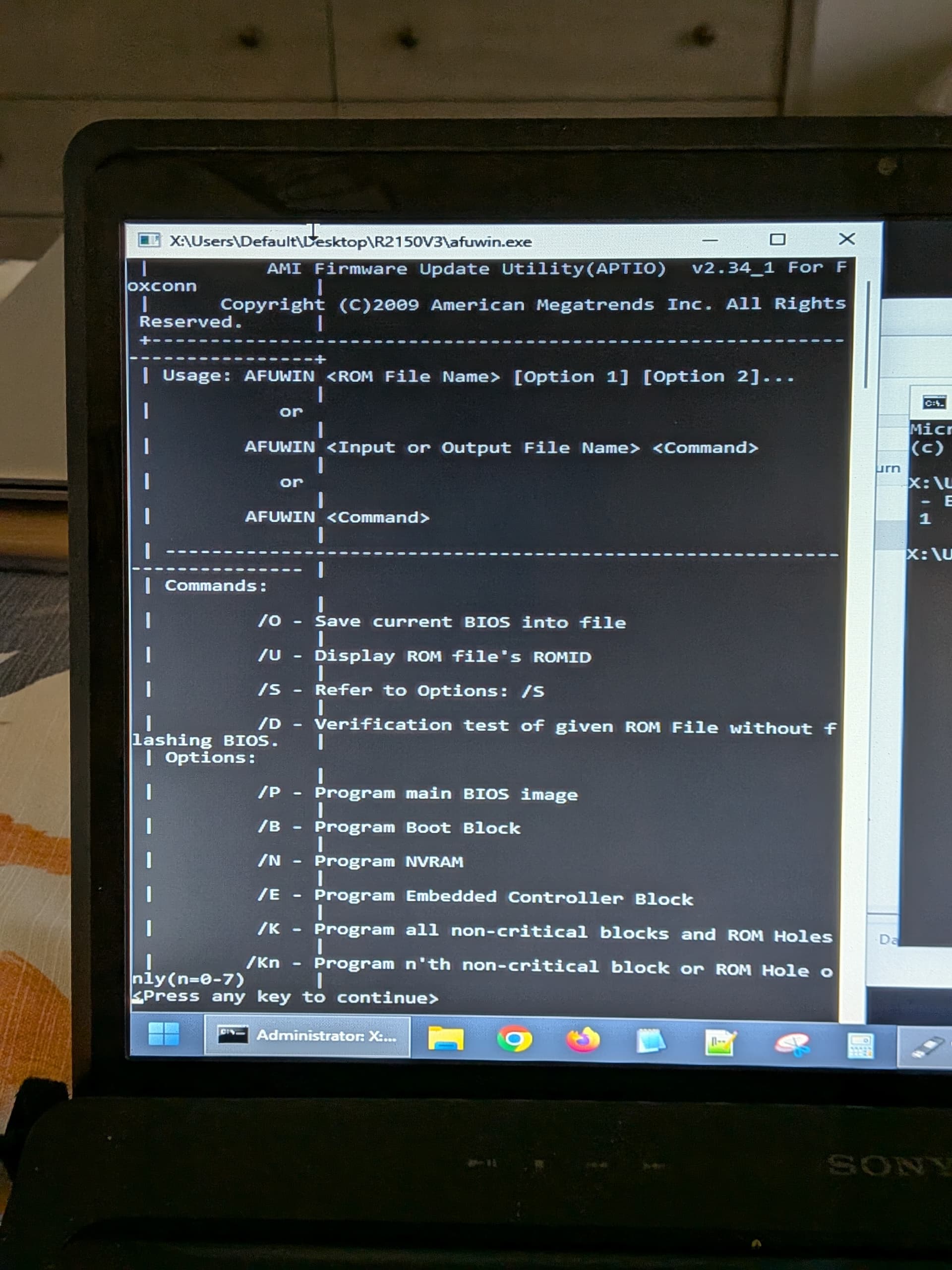
What works is afuwin.exe - which is a 32bit program and it’s in both of the zipped downloads. My laptop had fedora 42 on it (which wouldn’t boot, this is where this rabbit hole started - UFEI vs Legacy). If you have a 32bit os already installed on the laptop, then you’re fine.
ULTIMATELY, I used rufus to make a windows 7 32 bit installer USB. I copied relevant tools and rom files to this USB. I booted to this USB on the Vaio. At setup screen for windows 7, I hit SHIFT-F10 to bring up command prompt. From there, I browsed to where the files were stored and ran afuwin.exe “romname.rom” (no quotes, insert actual rom name) and hit enter. I did add the switches that were in @Sweet_Kitten ‘s FLASH.BAT – /p /n /b /d26. If you run afuwin.exe only in command prompt and hit enter, it will show you all the switches and there meanings. Flashing went very quickly and without issue.
I’m not sure the best way to share screenshots for long term so that they are here in the future. I’m going to play around with the post and I’ll edit it fully when I’m done.
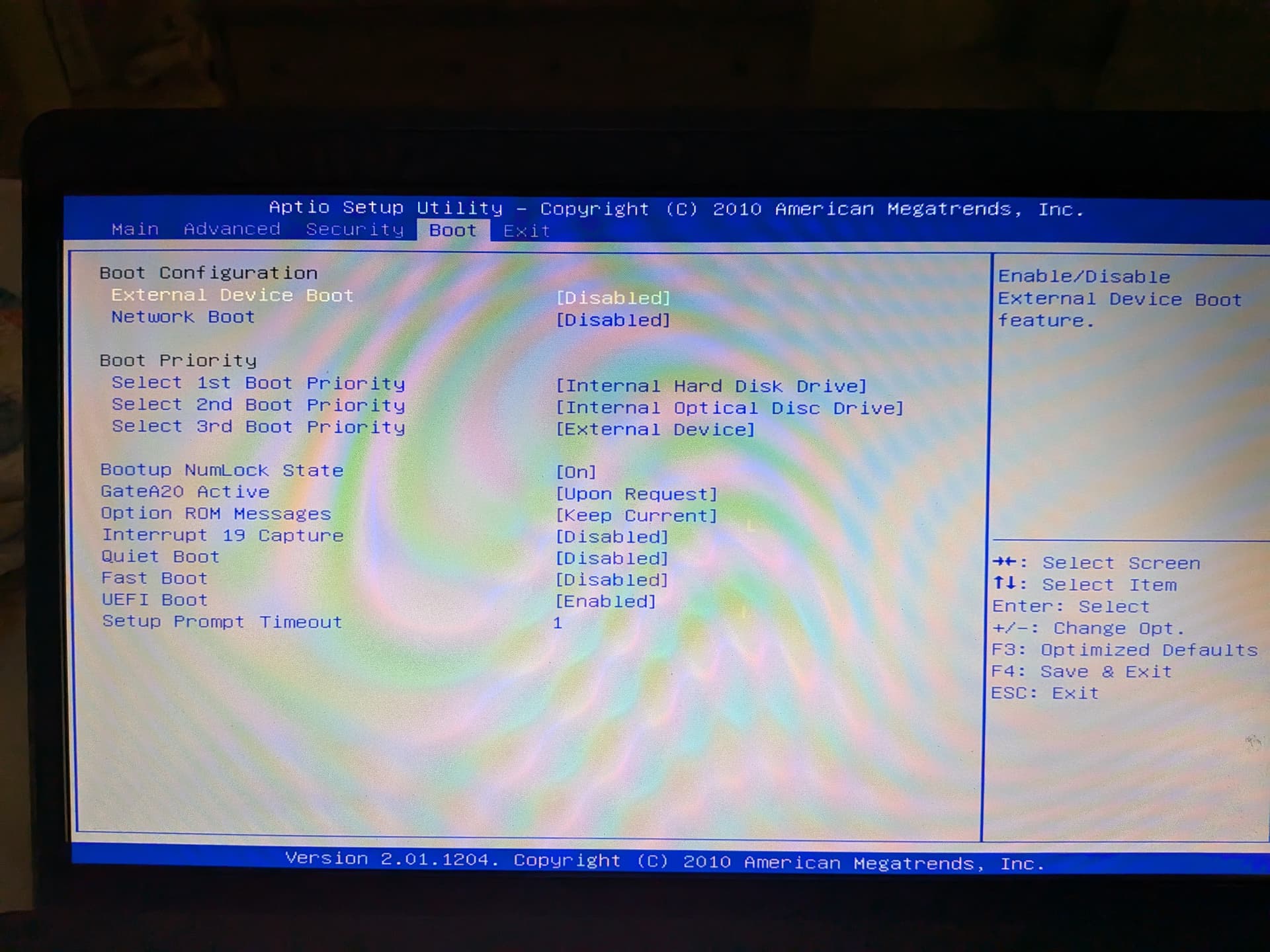
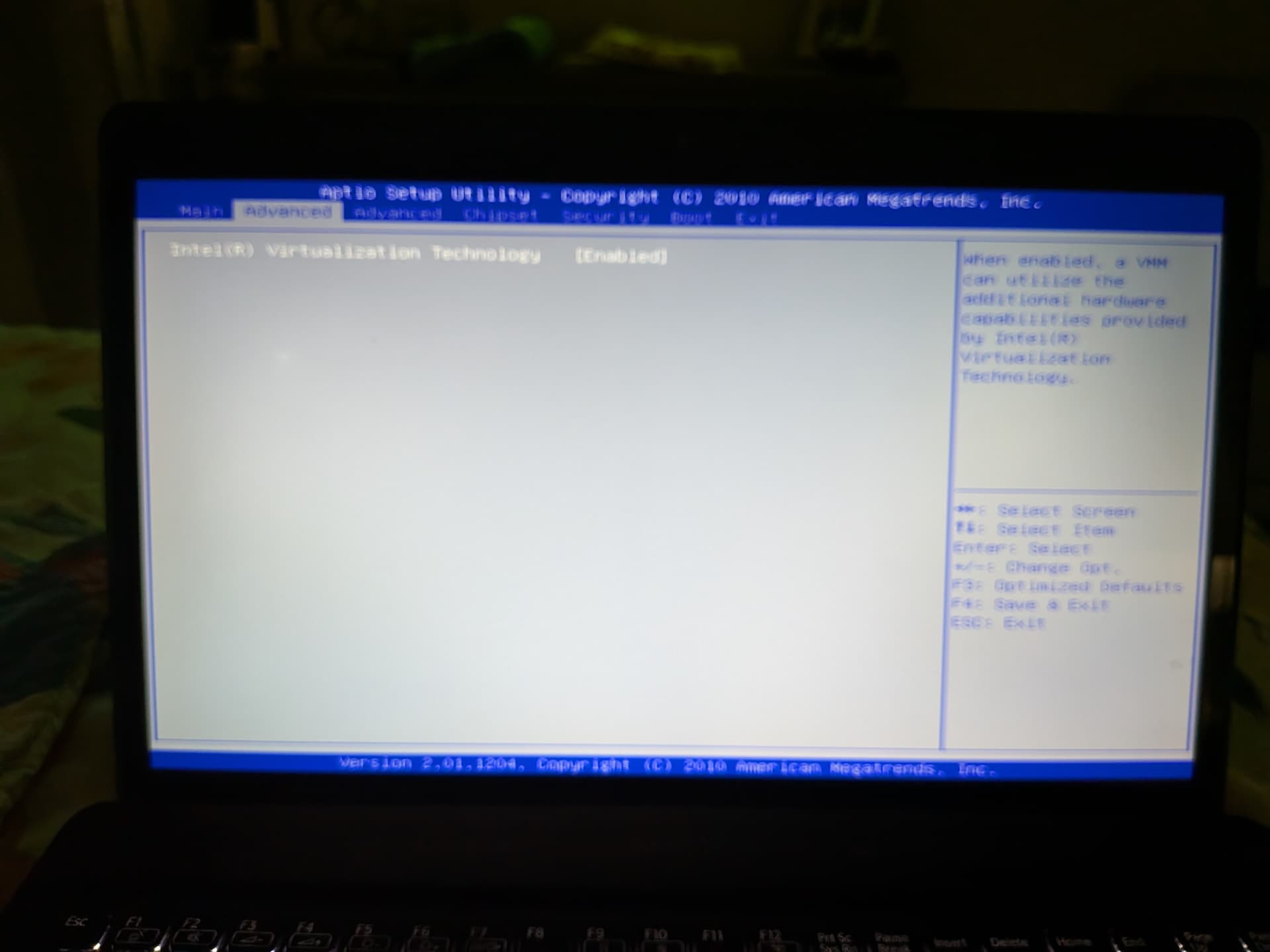
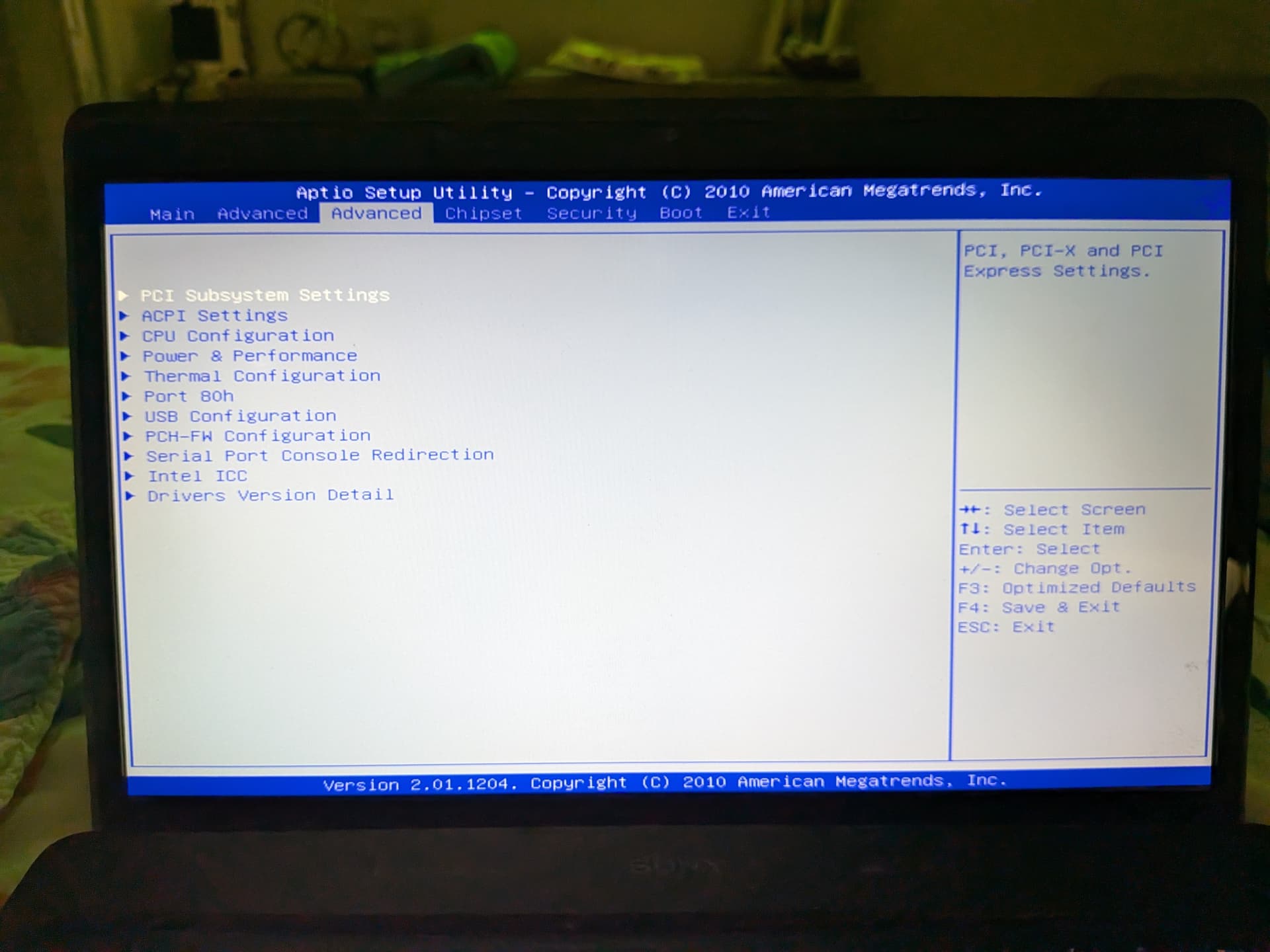
1 Like