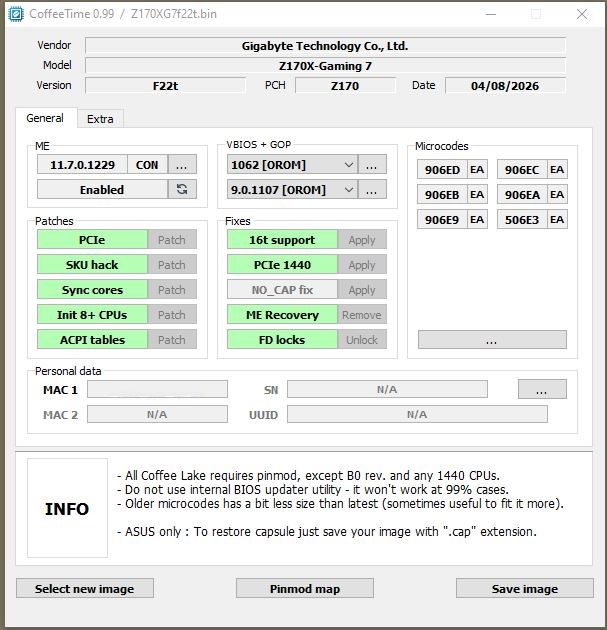
Hello, trying to mod an OEM BIOS that’s used on a cash register POS system. It’s a Phoenix UEFI SecureCore firmware that has boot guard verified boot disabled from what I can tell. When attempting to run CoffeeTime from 2019.1229.7z, I receive the following output:
????????????????????????????????

                       acknowledgement
           CodeRush:   UEFITool and other tool author
           Fernando:   Win-Raid owner
              SoniX:   UBU tool author
           platomav:   ME Analyzer
     Mov AX, 0xDEAD:   PCIE patcher
             s.napi:   Fixing HT
             dsanke:   many research info

????????????????????????????????

Process file "C:\Users\RetroPC\Downloads\D89KVT18(D89K-084)\x86\D89KVT18.bin"
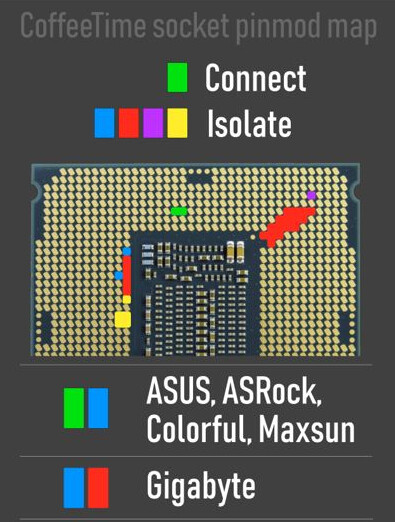
Choose Target CPU :

B0:
G49x0(T),G5420(SR3YH),G55x0(T),G56x0(T),8100(T),8300(T),8350K,
9100(T),9100F(SRF7W),9300(T),9350(K,F)

U0:
G54x0(T),8400(T),8500(T),8600(K),8700(T,K),8086K,
9100F(SRF6N),9400(SR3X5),9400F(SRF6M),9500,9500F(SRF6Q),9600

P0:
9400(SRELV),9400F(SRFAH),9600K(SRELU),9600KF(SRFAD),
9700KF(SRFAC),9700K(SRELT)

R0:
9400(SRG0Y),9400F(SRG0Z),9500F(SRG10),9600K(SRG11),
9600KF(SRG12),9700(SRG13),9700F(SRG14),9700K(SRG15),9700KF(SRG16)

?B0:1? ?U0:2? ?P0:3? ?R0:4? ???:5? ???: 2
================================================================
The system cannot find the file specified.
The system cannot find the file specified.
xxd: brand.tmp: No such file or directory
6 was unexpected at this time.
================================================================
ME Version of BIOS is 11.8.79.3722
ME TYPE of BIOS is Corporate
Chipest Q170
Replace ME Version to 11.7.0.1261
Done!
================================================================
Ready Update GOP & VBIOS...
vbios not found
================================================================
Enalbe CPU PCIE ...
bios need with KabyLake support, Please check
If your MB brand is asus and bios verion very new(3805,1205)
or asrock 100 series, ignore this warming and continue
Press any key to continue . . .
================================================================
Add P0 U0 Support...
Patching successful
Done!
================================================================
Ready fix Hyper-threading
patch error
================================================================
Ready to fix ACPI TABLE
A M I:
Patching...sed: can't read C118F50D\body.dsl: No such file or directory
sed: can't read C118F50D\body.dsl: No such file or directory
error
Compile...error
DptfSds_:
Patching...ok,Compile...ok
ApCst:
Patching...ok,Compile...ok
ApHwp:
Patching...ok,Compile...ok
HwpLvt:
Patching...ok,Compile...ok
ApIst:
Patching...ok,Compile...ok
ApTst:
Patching...ok,Compile...ok
Cpu0Hwp:
Compile...ok
CpuSsdt:
Patching...ok,Compile...ok
CtdpB:
Patching...ok,Compile...ok
DptfTabl:
Patching...ok,Compile...ok
The system cannot find the file specified.
generate: C38FB0E2-0C43-49C9-B544-9B17AA4DCBA3
replace : C38FB0E2-0C43-49C9-B544-9B17AA4DCBA3
generate: EA139578-FEA0-4DD2-91B5-6953819EF1E4
replace : EA139578-FEA0-4DD2-91B5-6953819EF1E4
generate: 3BBB09DA-1E0F-469B-8997-D440F101D6F1
replace : 3BBB09DA-1E0F-469B-8997-D440F101D6F1
Done!
================================================================
Ready to Insert CPU MicroCode...
cat: volx.txt: No such file or directory
The syntax of the command is incorrect.
????????????????????????????????

Congratulations
>>: "C:\Users\RetroPC\Downloads\D89KVT18(D89K-084)\x86\D89KVT18.COR117.U0P0.ACPI
.bin"
JOB Done
Press any key to exit
I doubt this firmware is safe to flash, does anyone here have any advice?
I’ve attached the original source firmware here: Download D89KVT18.bin from Sendspace.com - send big files the easy way
Thanks!