Hi Team,
I’m trying to backup my BIOS using the FPTW64 -BIOS -d command but am unsuccessful. Any advice please?
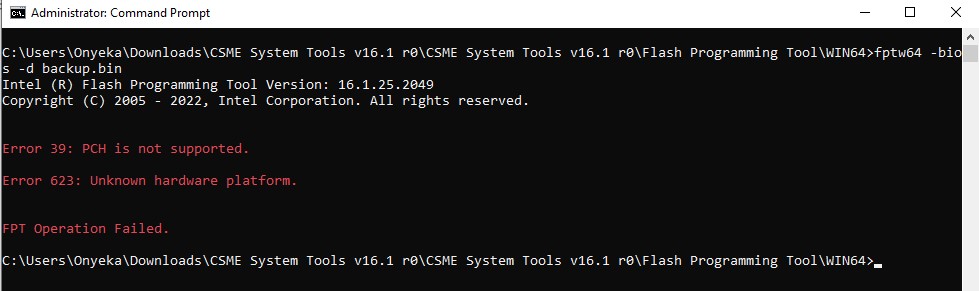
The right tool for the correct platform, witch the user hasn’t provided any info, the tool is Intel HW chipset platform based and not bios vendor (InsydeH2O).
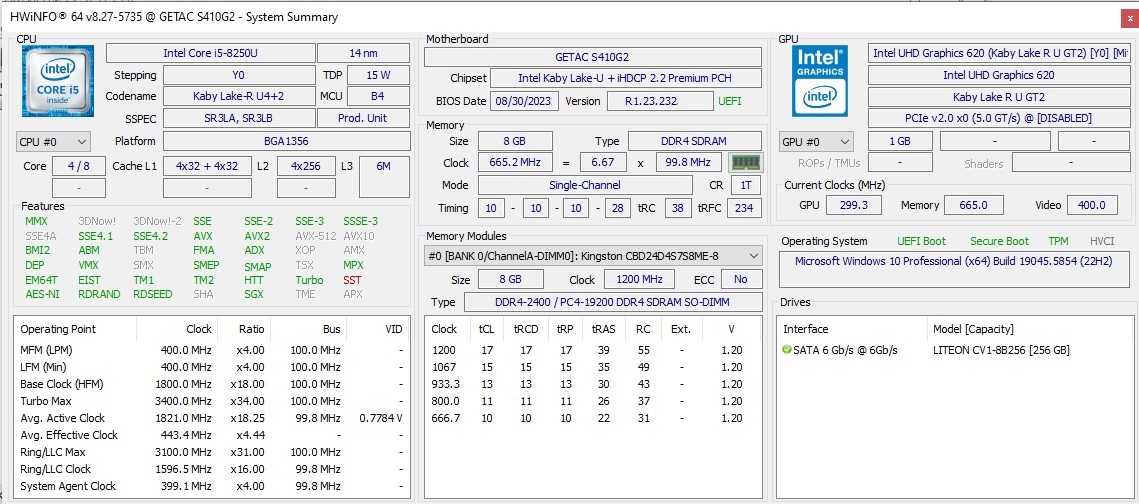
Seems you know some tools… do you even know how to get the correct info out of them???
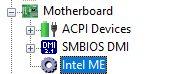
CSME v12
EDIT: Sir… HWinfo will tell you the info, as the cap screen i posted, unbelievable…
I don’t know where/from you got that posted info…
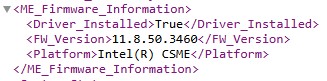
So I have managed to get this information, is this what I’m looking for?
I’m giving up, you obviously are struggling to understand, or you’re being difficult
Excuse me…???
Sir, i dont blame anyone of not having experience at all in certains areas, but for sure if anyone reads this thread will not blame me of trying to help.
Whats the dificulty in using HWinfo and read the info on Motherboard, Intel ME section, as posted screen???
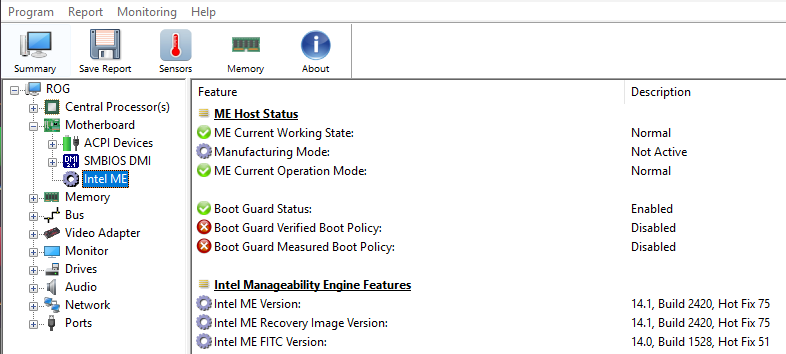
The anwser is easy enough… stupidity, ungratefull, lazyness, braineless.
Over_N_Out.
@Turbotim Hi and welcome to the Win-RAID forum.
Now that you have identified the correct Intel Management Engine version (v11.8) you will need to download the corresponding tools for your specific Intel PCH (or you get the PCH unsupported message in your first post).
Please read this thread:
Intel (Conv.Sec.) Management Engine: Drivers, Firmware and Tools (2-15)
and then download:
CSME System Tools v11
For CSME v11
This package will contain Intel FPT v.11.
FYI it may not be able to read/write to all areas of the BIOS EEPROM due to vendor BIOS locks.
In most cases you can get a full backup.
Also note that the BIOS for some notebook/laptops is split across two separate chips, so if you are planning to edit and re-flash the modded BIOS, you may need to split the BIOS accordingly and flash each EEPROM with a hardware programmer.
Also, there is a separate chip for the Embedded Controller (EC) firmware. Do not accidentally erase/overwrite this chip as it can be very troublesome to find and restore the original EC firmware!
1 Like
@chinobino… we don’t know the source of the fowling info, he provided. I have here an HP 15-da1050np (8FB90EA) laptop with i5-8265U and KabyLake U Premium and it uses v12, that’s why i insisted in further confirmation:
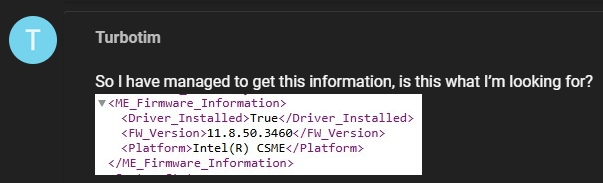
If the user can’t even look for the info in HWinfo, we have to get suspicious of the source and his abilities of looking for the correct system information.
Users are arrogant when they don’t understand it… you know how it is, even when we are trying to “defend” their best interests…
1 Like
@MeatWar Yes, this is true - I am assuming they have given the correct information.
If not, then they will get the same error as the first post and be forced to pay more attention to the information that was requested.
I don’t mean to interfere, sometimes new members need a little extra help.
2 Likes
No buddy… not at all, you’re always welcome to step in whenever you want, i appreciate it.
Glad you understood the subject… the user doesn’t and as he doesnt have experience in the subject so we are always the “bad ones”, but that’s something we are used to dealing with.
Anyway i’m sure he by now had figure it out, thats it must v11 or v12… 

1 Like