I did try this morning, but im not really onto finding the performance, and one thing i notice is that the windows startup apps that usually takes a while to load, loads faster. That regedit, is for windows server, for client, use these;
The forum i’ve seen about this subject said it is required, but if you’re willing, you can try without using the Standalone_Future regedit and see if it would activate the native nvme or not.
Meanwhile I have done some own tests with 2 different AMD Chipset PCs:
a) an ASRock X570 Pro4 PC with 2 NVMe SSDs (1TB Samsung 990 Pro + 2TB WD Black) and
b) a modern GEEKOM-A7 Mini-PC with 1 NVMe SSD (2TB Acer N5000).
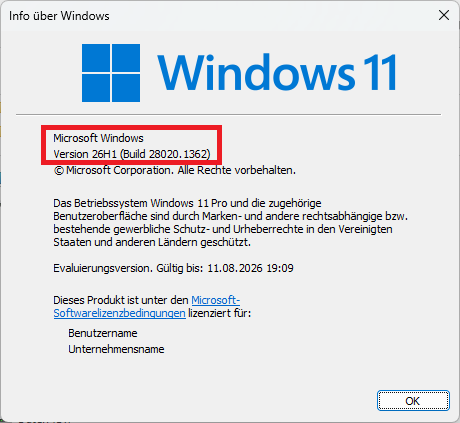
Onto both PCs I did a fresh install of the currently latest Win11 Pro “Windows Insider” version (Build 28020.1362):
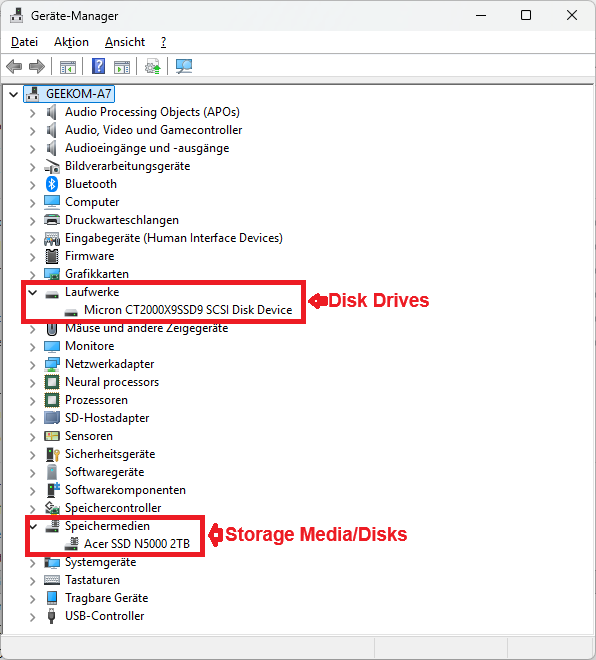
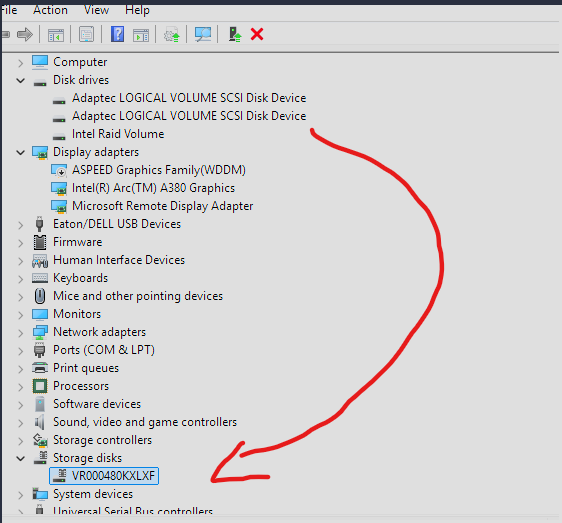
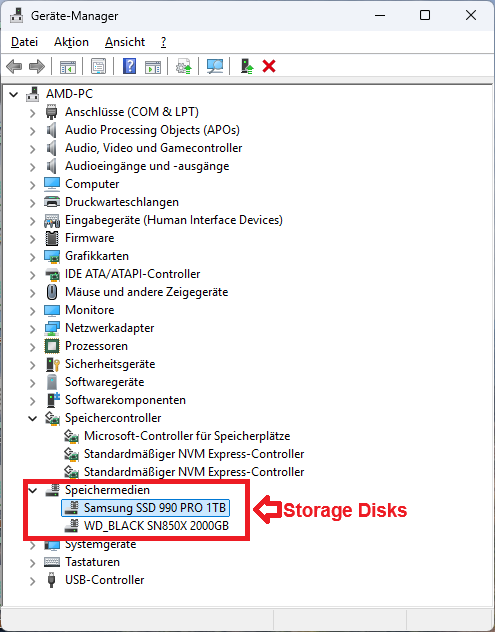
The GEEKOM-A7 Mini-PC had the new “Native NVMe Disk Drive Support” from scratch (without the need of doing any Registry tweaks). Here is the screenshot of its Device Manager content:
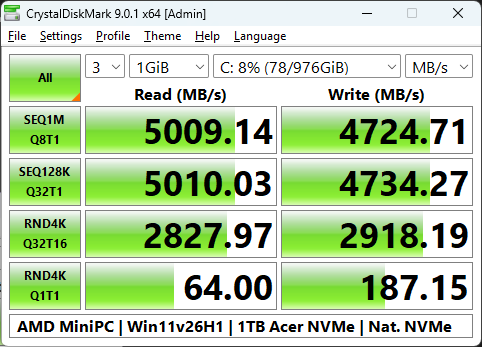
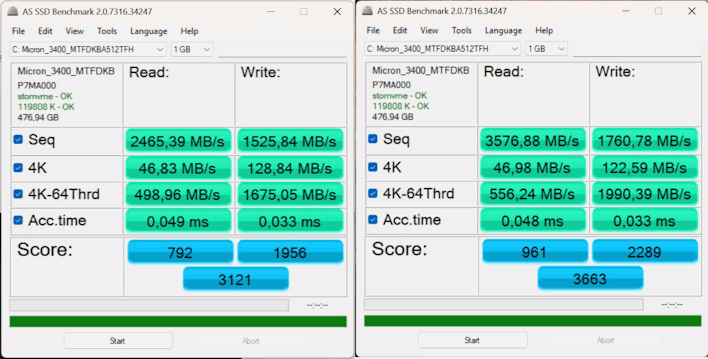
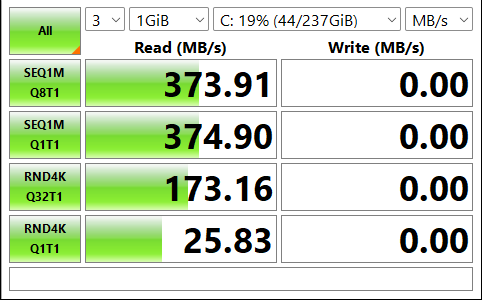
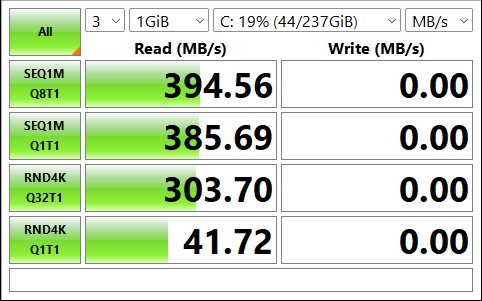
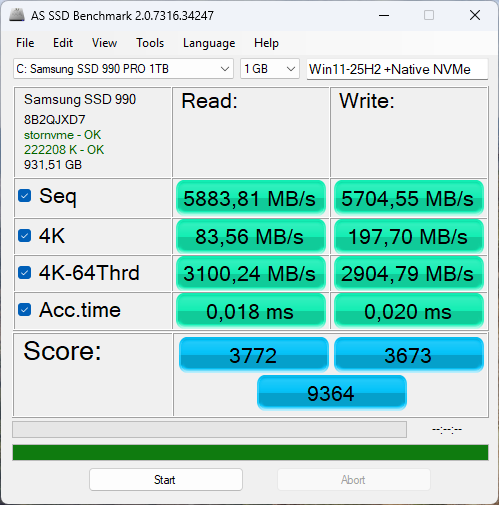
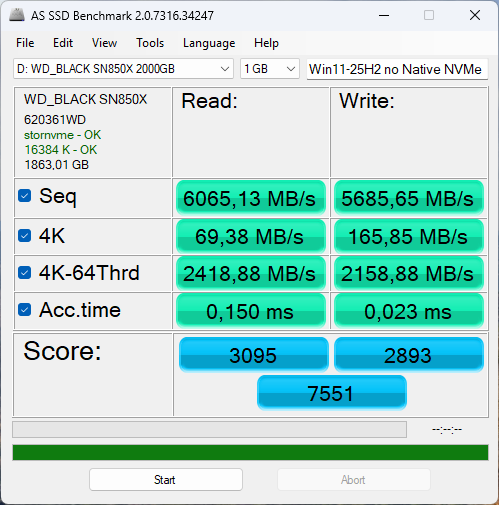
A benchmark test of the in-use system drive C: (left picture) didn’t show a significant performance gain in comparison to the test I did 3 months ago without “Native NVMe Disk Drive Support” (right picture):
These results were not a big surprise for me, because the Disk Drive/Storage Media drivers have more impact on the responsiveness of the SSD and not on its performance (that is the task of the NVMe Controller driver).
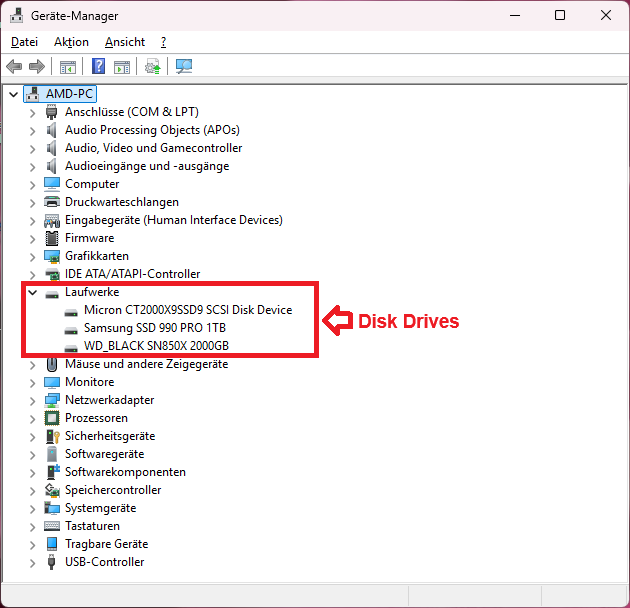
The Device Manager of the AMD X570 chipset PC didn’t show the “Storage Media/Disks” section at all, not even after having run the recommended Registry tweaks. Both attached NVMe SSDs were still listed within the “Disk Drives” section:
Bad consequence: The data, which I had stored onto my removable Samsung SCSI SSD while running any of my 2 AMD PCs were not visible on the other!
Other users have already reported about other severe disadvantages after having enabled the “Native NVMe Disk Drive Support”. Example:
SSD tools (like Samsung Magician) do not detect the in-use NVMe SSD anymore or list them twice.
My consequence:
Before I will do any further tests regarding this new NVMe feature, I am waiting for a solution of the already evident problems.
In this article I’ve read online similar to many others there is apparently a hidden driver in Windows 25h2 which when adding the properly set regtweaks to the OS will replace the use of old SCSI disk.sys with nvmedisk.sys
Boost is really nice (75% and 61% for RND tests) for a three lines of powershell and reboot. Free performance is never bad.
But now cons: boot time of Windows 11 with that tweak and 80% free disk space is ~36 s which is exactly same as Windows 10 with 95% occupied disk space of the same $20 SSD. And the whole Windows 11 system feels much more clanky and slowish than Windows 10. Also Windows 10 was ready to go after desktop appeared but Windows 11 have small lag in displaying taskbar and icons. In my opinion I’ve got scammed by thinking “THAT TIME IS NOW!”. But if you have not a potato PC which can’t handle Windows 11 then it’s totally worth it if you have standard NVMe (which is actually SCSI lol) driver by Microsoft and not one provided from vendor of your SSD.
If this patch will be available for Windows 10 it’s worth going back and applying tweak (instead of moving to Linux which I hope have native NVMe support).
Path to device now:
NVME\NVMEDISK&VEN_1E4B&SUBSYS_.........
And I clearly remember how it was SCSI earlier.
So the main advice I think is wait untill someone will port this gold to Windows 10!
Today I have done a clean install of Win11 Pro v25H2 (Build 26200.7462) onto my AMD-PC with an X570 Chipset and was able to get the “Native NVMe Disk Drive Support” working with this configuration by executing the related 3 Registry commands.
These were the connected PCIe 4.0 NVMe SSDs
(both using the MS in-box NVMe Storage Controller driver named stornvme.sys):
a) 1TB Samsung 990 Pro as bootable System Drive C: and
Evaluation:
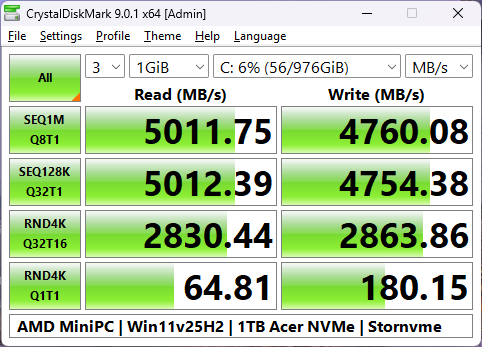
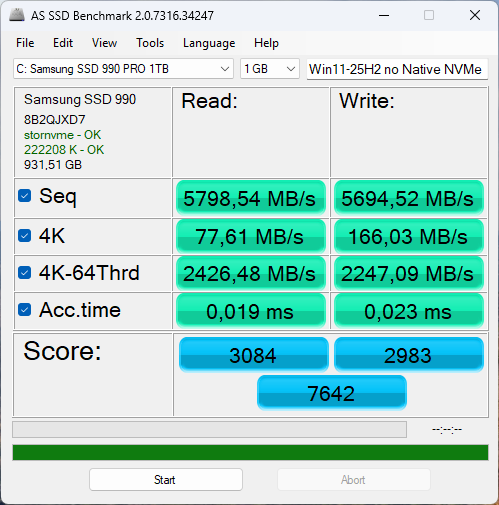
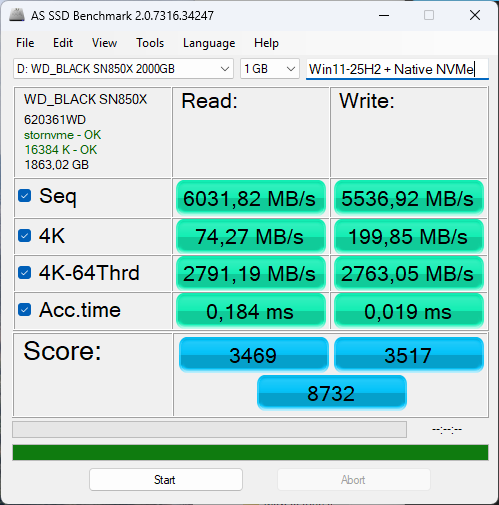
Contrary to my previous test with a Geekom AMD Mini-PC the “Native NVMe Disk Drive Support” gave my X570 chipset AMD-PC a clear boost of the 4K and 4K-64 Thread performance while reading and writing.
The Sequential Read and Write numbers were not affected at all by the driver change.
In December 2025, I informed Samsung on their forum that a new NVMe driver was causing their Samsung Magician to stop detecting their NVMe SSDs (those using SATA were still detected).
@TQTVN
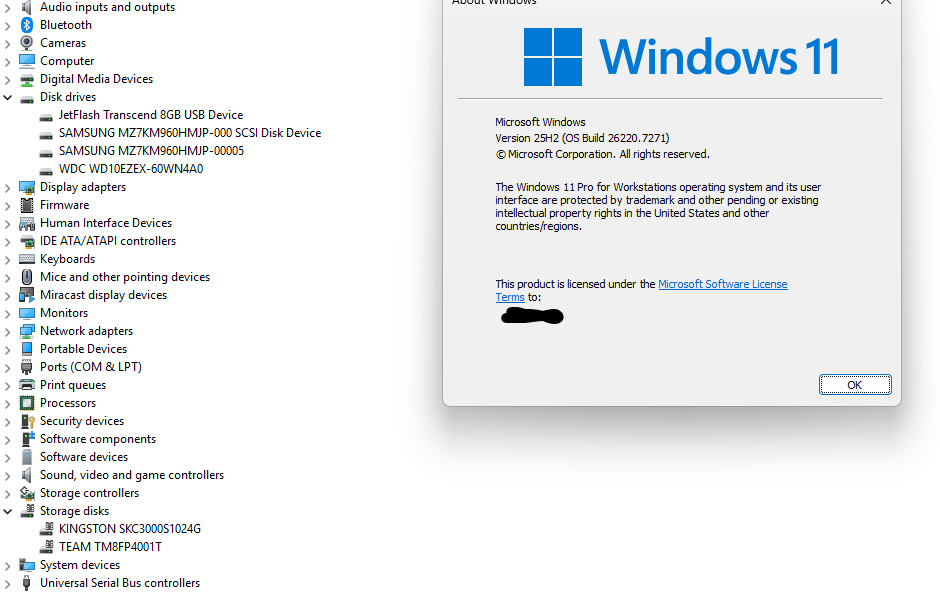
After having successfully activated the “Native NVMe Disk Drive Support” the user will see within the Device Manager a new section named “Storage Disks” (exact name depends on the language edition of the OS), where the NVMe disk drives are listed. All other (non-NVMe) disk drives, if there are any, are still listed within the “Disk Drives” section.
Maybe Microsoft has recently changed something regarding the details of their “native NVMe disk drive support”, but this performance booster is still available for the latest Win11 builds.
Currently I am testing the brandnew Win11 Build 29553.1000 on 2 different AMD chipset PCs and until now I am very satisfied with their performance.
My advice is only to users with single NVMe disk and preferably to users that needed a new Windows fresh installation or willing to.
Not really for users with mixed storage types as it’s cleary that MS is not even certain of their own actions/implementations on the consumer side…
@MeatWar
Thanks for the info, but TechPowerUp is wrong.
The “Registry Hack” for the “Native NVMe Disk Drive Support” is still working even with the latest Win11 Builds just by manually adding the required Registry entries.