is there any way for this?
Edit by Fernando: Thread title customized
Do you really want to risk a bricked mainboard for such sort of BIOS modification?
why not? I have usb bios flashback so its not a big deal…
@LH1394
Since I doubt, that the modification method is different for each mainboard model, I have customized your chosen thread title.
Nevertheless it may be useful, if you add the manufacturer and model of your mainboard (and your specific mod wishes) within the initial post.
I really think i need to replace PNGs/bmps in UEFITool but im really unsure, last time i did this it resulted in q-code 19, probally because it rewritten CPU microcode, or i did this wrong.. So im trying again..
You could do it (I’m a big enthusiast of unnecessary modding, after all!), but you have to make sure of several things before trying:
- Do you have any backup method to read/write the SPI chip containing the BIOS/UEFI? USB BIOS flashback is not enough, as it could stop working if you botch the modding too much. Even if you have something like a CH341a programmer, take into account that the chip should be easily accessible for trial and error, and that the clamp/clip included with cheap programmers is very flimsy and will wear away (making it difficult or impossible for it to stay clipped to the chip). In the case of laptops, if you have to disassemble the whole thing between each flashing attempt, I would seriously consider not doing it (at least with that particular device).
- Does your motherboard have any integrity or locking features related to BIOS/UEFI flashing? For example, most Intel-based systems protect some regions of the SPI chip. Others also include integrity/checksum features (Boot Guard, Verified Boot, etc.) that render the computer unbootable if the BIOS doesn’t match the expected contents. Other motherboards verify the binary file before flashing and will reject any BIOS image that doesn’t pass a check, so you would have to use a programmer anyway.
Now, if you’re OK with that and willing to experiment and potentially brick a device, there’s the following:
Yes, UEFI modules contain the whole UI, including pictures, text, etc. As far as I know, there’s no way to just unpack and repack EFI/FFS modules to replace such resources, so most of the work would have to be in a hex editor. Using something like binwalk, you could try to find and “carve” files inside a binary file. Replacing them is a whole different affair and it’s something I haven’t tried. For example, if an icon takes 64 KiB inside a module, but my replacement is smaller, should I add padding? Would the computer be happy with it? The UEFI wouldn’t try to verify the integrity of the new module? There’s a lot of trial and error involved.
I have 2 usb drives and onto 1 of them i usually put original BIOS, so its not a big problem..
Protection? I already cracked it, installed my own modded BIOS modified with AMIBCP thru UBF, and even added new OpRom/efi drivers.
And if you cracked your bios to bypass this, UEFI will just do nothing.
So im just ready.
Thank you, you really helped!
You dont really need to add padding, but if you only use AMI packer, tested it by replacing background BMPs. only ChangeLogo has the AMI packer. But its not a big deal if file is smaller. I replaced ASUS splash logo from 870kb to 170kb, and it said nothing. But if its bigger - a big no-no.
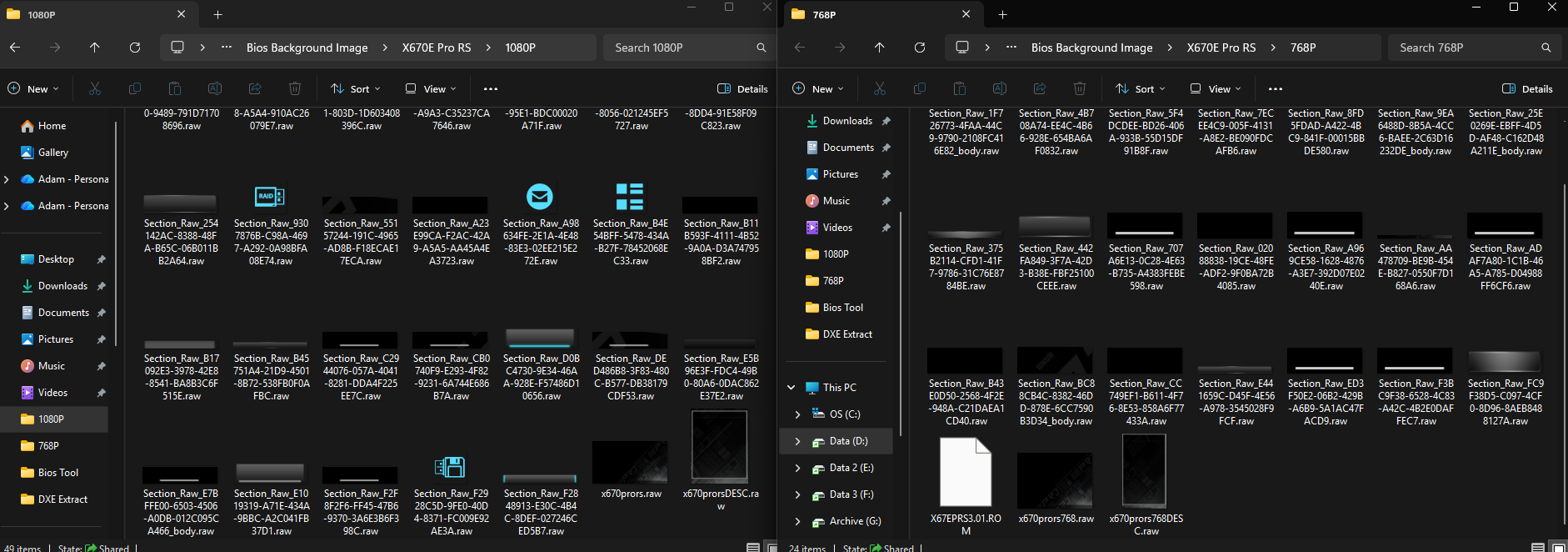
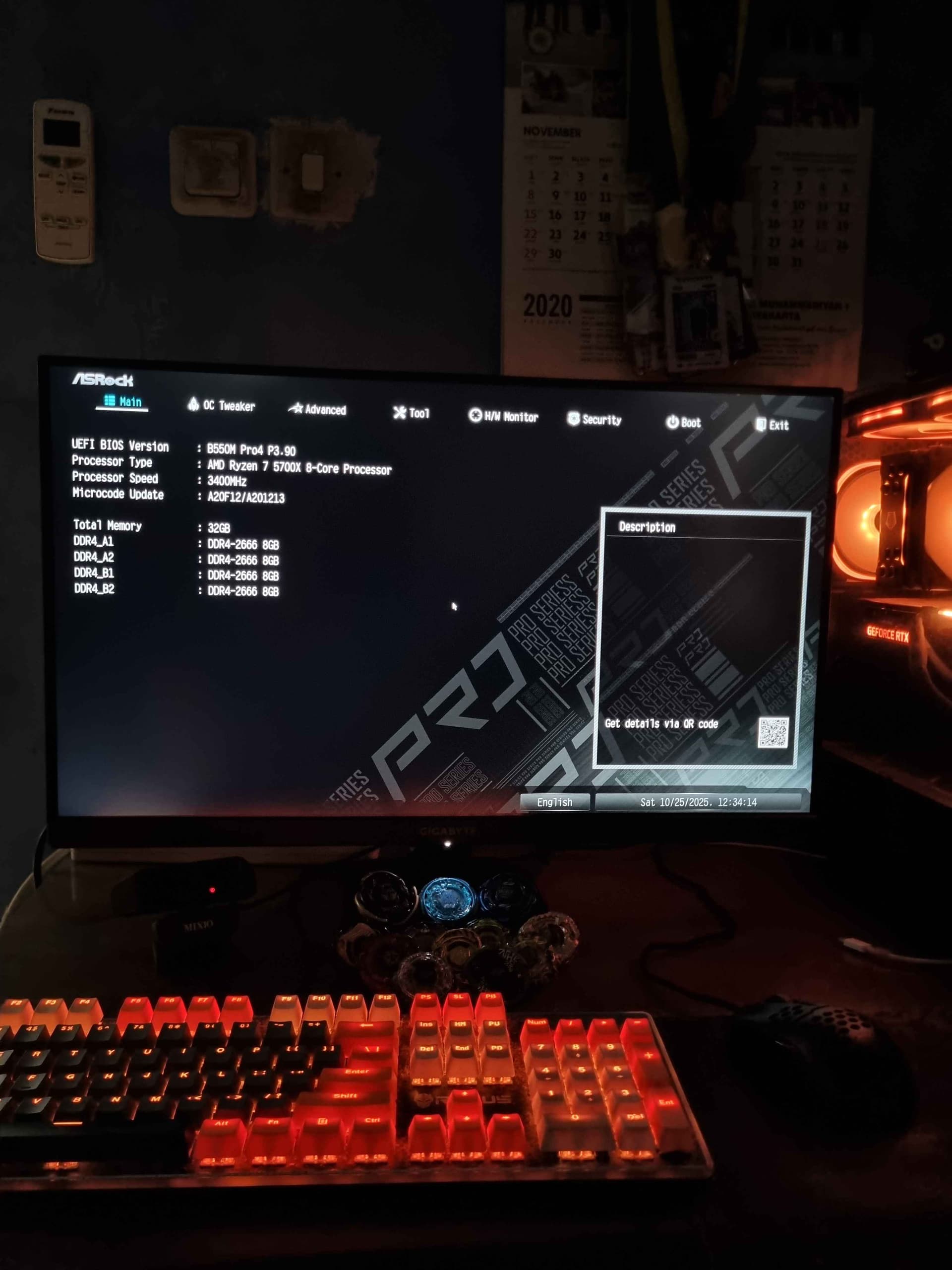
It’s different between manufacturer, what have i done here is with Asrock mobo, in my case, B550M Pro4. I successfully “transplant” the gui of X670E Pro RS (because i like minimal, black dominant back ground) to my B550M Pro4, after i try to raw extract the “freeform” modules, it took me hours to know which is which and stitch them together, luckily in my case, both boards use the same GUIDs, but i extract the needed freeform ffs body from the X670E bios and replace the body to the corresponding GUIDs in my B550M Pro4, and i never change the extraction name, i let it be because it’s easier to navigate which to which whenever i want to do update.
In my case, it is alot of guids, newer (and probably older too) bioses have both Guids for 1080p and 768p, and i did it the manual way because i didn’t know if there is an automated tool to do it, so yeah it’s just a fun experiment.
Here are some of the extraction:
Here is the result:
Seems like its gonna be the same for me i guess, because theres many x79 boards like mine or even better.
Like from P9X79 to X79 deluxe/sabertooth, mine is just in between. But seems like theres not much love towards GUI modding on older, Aptio 4 based BIOSes like mine.
So means i have to change .ffs/bin modules? My BIOS is quirky since almost ALL bitmaps are in .ffs files, expect small AMI logo and splash OEM screen. and some other background bitmaps from older BIOS versions.