Special Note: The OpRomCfg.exe application and other detailed instructions in the Package File I provided above are HERE.
[HowTo] Get full NVMe Support for MBs with a non-UEFI Award/Phoenix BIOS?
“NvmeOpRom.BIN” This module is perfectly presented and has been debugged.
A flawless version of this module has been distributed by me.
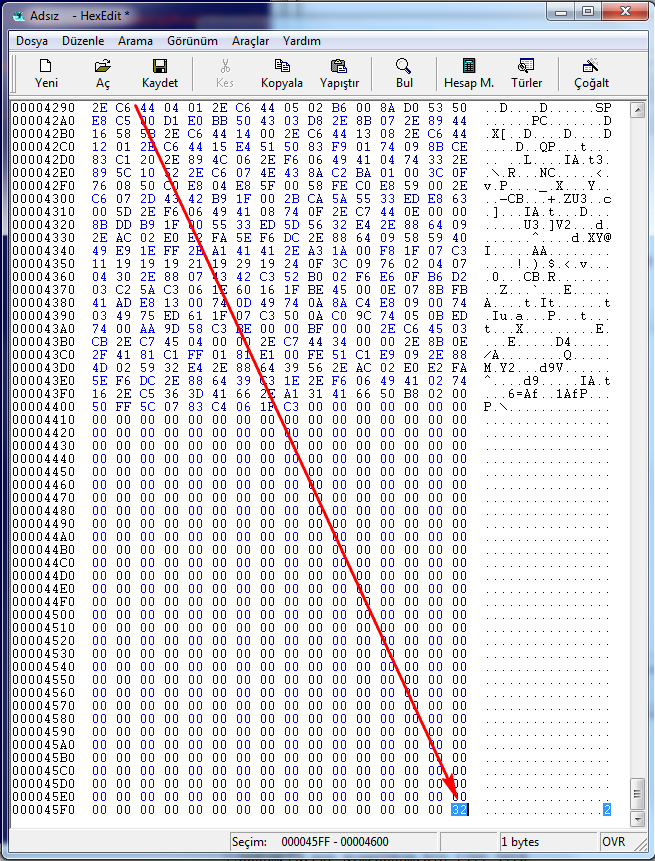
If you send “OpRomCfg.exe” to check the “NvmeOpRom.bin” module located elsewhere, you will get an error. Because it cannot add the last byte to the end of the module, your NVMe SSD drive will not appear in the BIOS boot menu each time the motherboard is rebooted.
However, you can see this by completely shutting down and rebooting the motherboard.
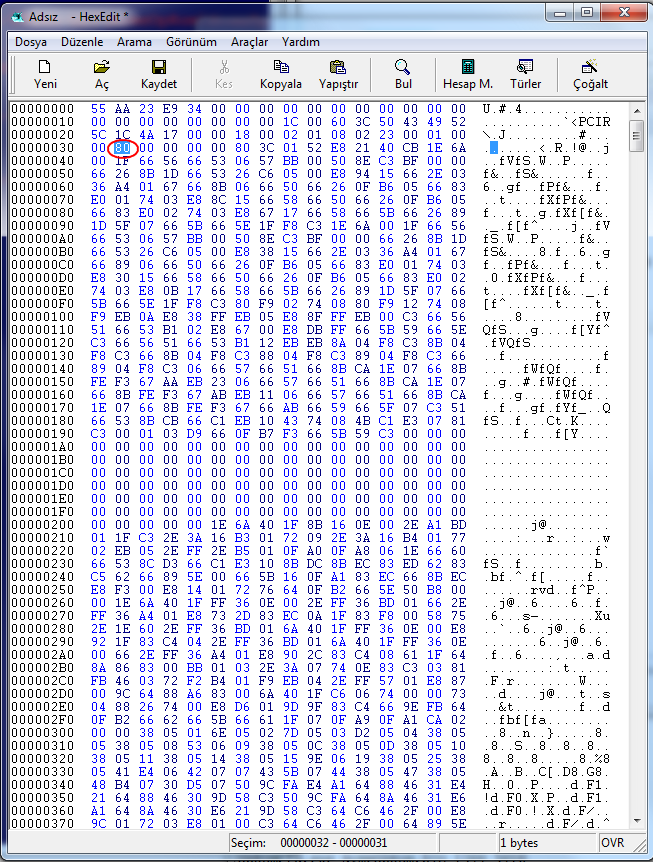
This is because AWARD and AMI Legacy BIOS Files want to read the “80” byte character, as shown in the image below, when reading PCI modules. If it’s not there, you will get the error I described above. In short, you will have to deal with the annoying problem of completely shutting down and rebooting the motherboard every time.
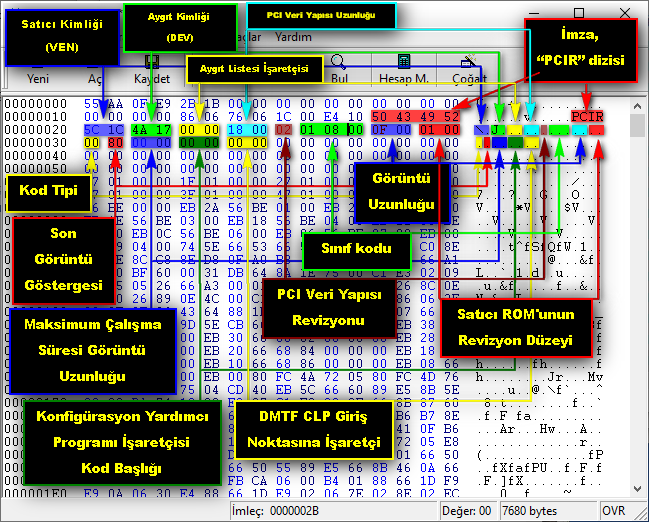
Even if you manually enter the device hardware ID information with a Hex Editor, the problem will persist.
Therefore, you should definitely use the “OpRomCfg.exe” application.
There is much more in-depth information about this.
I would like to share a picture with detailed explanations in Turkish.