Special Description:
OpRomCfg.exe and NvmeOpRom.bin that I gave you here Download from here.
NvmeOpRom.rar (14.5 KB)
This module is presented flawlessly and with bugs fixed.
The flawless version of this module was distributed by me.
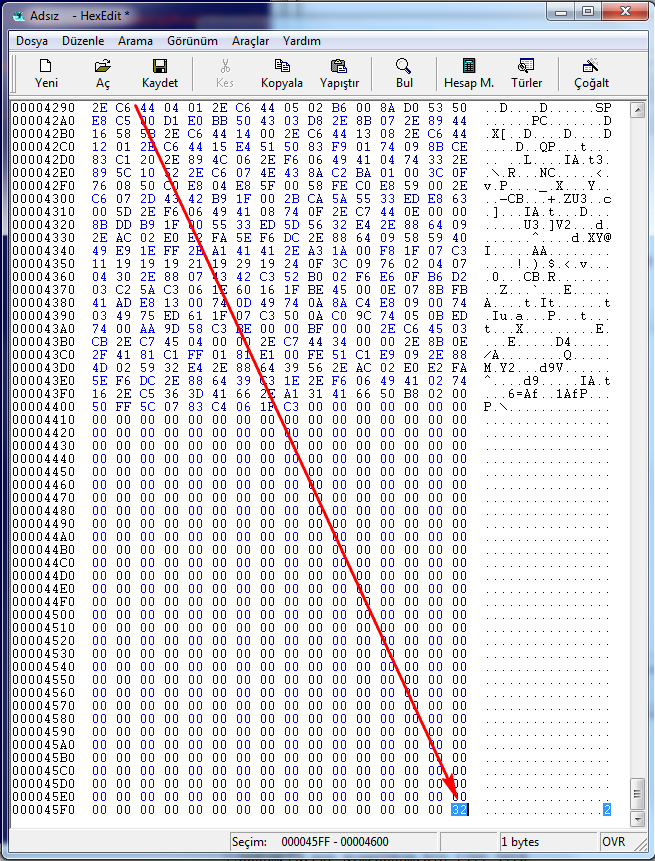
If you send “OpRomCfg.exe” to checksum the “NvmeOpRom.bin” module found elsewhere, you will get an error and since it cannot add the end byte at the end of the module, your NVMe SSD Drive will not be visible in the bios boot menu every time the motherboard is restarted.
However, you can see it by completely shutting down and restarting the motherboard.
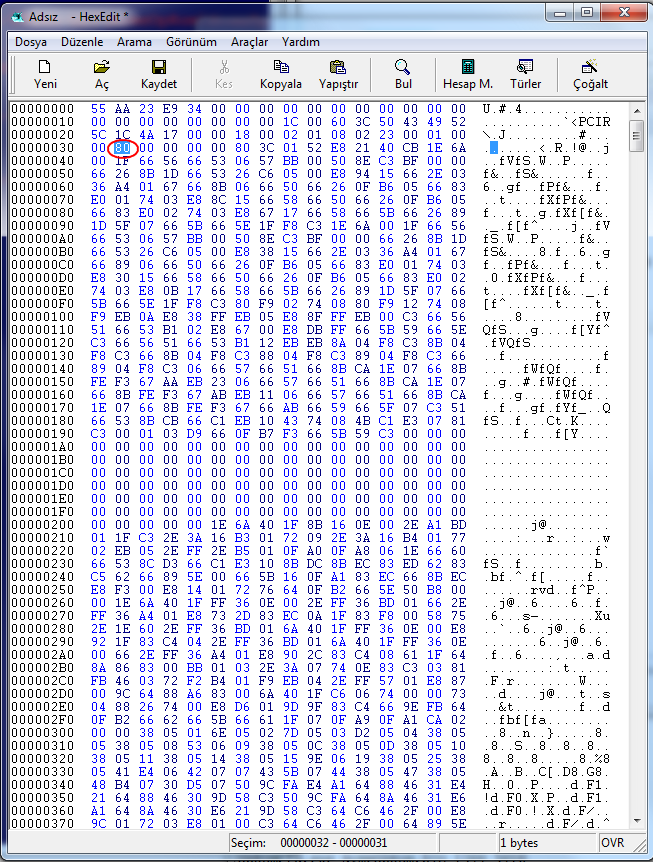
The reason for this is that AWARD and AMI Old bios Files want to read the “80” byte character that I show in the picture below while reading PCI modules. If it is not there, you will get the error I explained above.
In short, you will deal with the annoying problem of completely shutting down and restarting the motherboard every time.
Even if you enter the Device hardware ID information manually with the Hex Editor, the problem will continue.
For this reason, you should definitely use “OpRomCfg.exe”.
There is much more in-depth information about this.
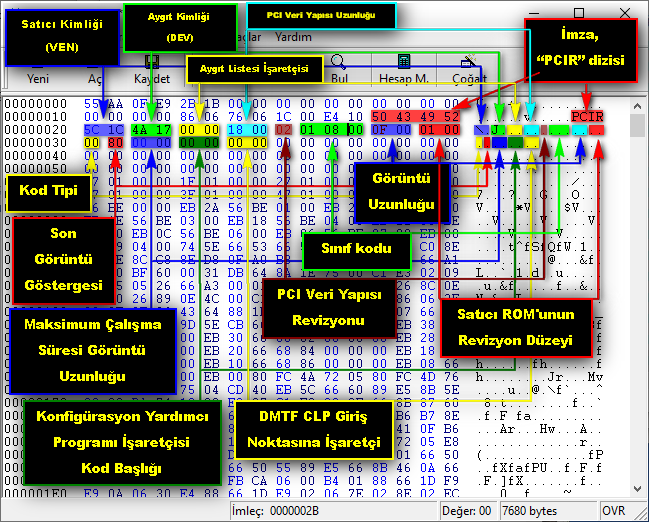
I would like to share a picture with detailed explanations in Turkish.