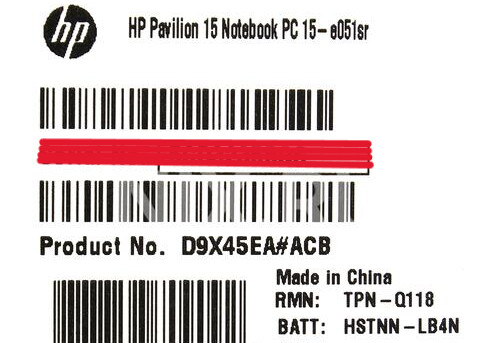
I have a laptop HP Pavilion 15 e051sr (D9X45EA(R)), it turns off after 30 minutes after turning on every time, there are no problems with RAM, SSD, battery and power supply. I read that the problem may be in the me region. Is this true? Can anyone help me solve this problem and tell me what to do next?
Check if the bios settings displays ME FW version as 0.0.0.0, usually in laptop bioses may not be any as it depends on OEM bios menu personalization on displaying certain settings, then read the guide:
[Guide] Clean Dumped Intel Engine (CS)ME/(CS)TXE Regions with Data Initialization - Special Topics / Intel Management Engine - Win-Raid Forum
HM76
ME FW version not displayed.
I also noticed another problem: sometimes after turning off the laptop, when I press the power button, it does not respond for a few seconds. In some cases, the power button may work, and the laptop starts to start, but after half a second it turns off again. Sometimes this process alternates, but eventually after several attempts the laptop turns on. It happens that this problem does not exist at all. Is this still a problem with the BIOS?
That behaviour with the power button, differs across bios platform/oem/models, during the laptop POST the bios vendor had programmed sub-routines for actions like recover, enter diagnostic tools mode, etc…
Nothing to do with the related 30m shutdown, widdly know and common reported, around the web.
So you check for it or you dont, without checking you’ll never know, so making other assumptions is a mistake without any CONFIRMATION done, good luck.
Okay, I read the guide, what to do with the outimage.bin file next?
As you read the guides quite well…dont know…maybe put in a “fancy” USB drive and glue it to your best wall in thouse…for decorative purposes, how about it humm!!!
What are the hardware specs- especially chipset- of this machine?
That’s a weird issue, man. If your HP Pavilion 15 keeps turning off after around 30 minutes, even though RAM, SSD, battery, and charger are all fine, then yeah — it could be related to the Intel ME (Management Engine) region.
Basically, the ME firmware handles some low-level system functions (like power management and communication between the CPU and motherboard). When that firmware gets corrupted or mismatched with the BIOS, it sometimes causes the system to shut down automatically — usually right around the same time mark every boot.
Before jumping to that though, I’d check a few simpler things first:
-
Update your BIOS from HP’s official site for your exact model — sometimes that resets the ME region automatically.
-
Do a full power reset: unplug everything, take out the battery, and hold the power button for 30 seconds.
-
Check for overheating — even if it feels fine, old thermal paste or a weak fan can cause timed shutdowns.
If none of that helps and it still shuts down like clockwork, then yeah, it’s most likely a corrupted ME region. That usually needs to be reflashed — not something I’d recommend doing yourself unless you’ve worked with Intel firmware tools before. A good repair tech familiar with BIOS/ME fixes can sort it out pretty quickly though.