Not sure this helps anybody but I bought a SATA expansion card off AliExpress, one with the ASM1064, 4 SATA ports, I updated the firmware to the one shown here and everything works as it should, I connected 2 SATA drives to it and they’re working just fine too.
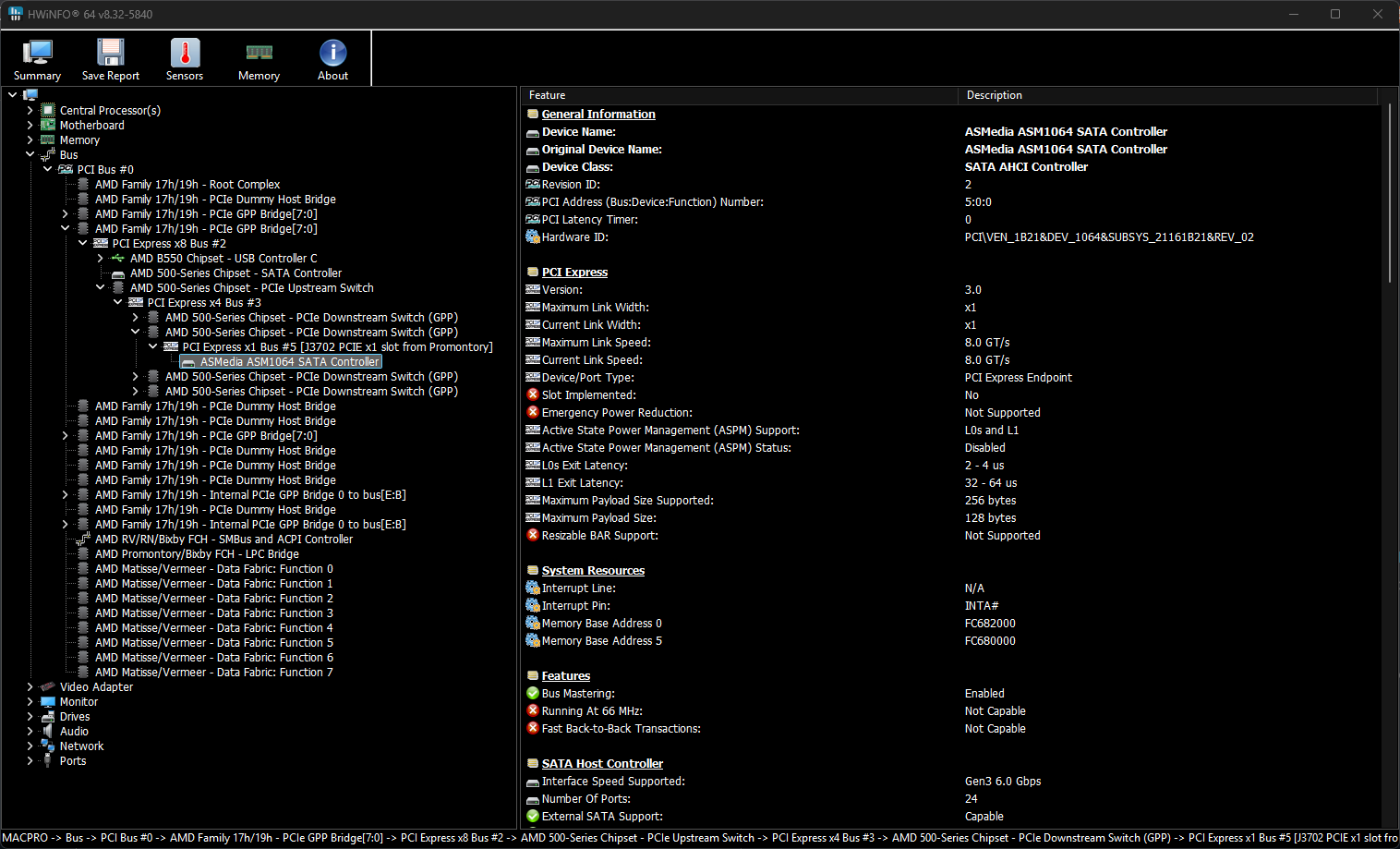
What you see linked it’s a Windows driver only, not a Firmware…
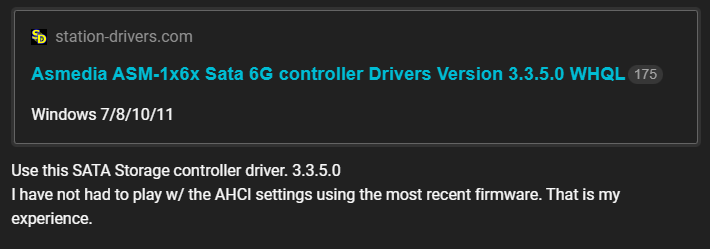
EDIT: No worries…was JFYI, all the best.
Oh, my bad, it was 4 am at the time I made that post, I’ll edit it soon to fix that.
EDIT: fixed the previous post, now links to another post where the firmware was linked instead of a post where the drivers were
My pc config slightly changed and I am testing again because new bigger hdds are expensive and I have bunch of old drives i am going to try to use.
I have the asm1166 connected and some drives show up some dont.
I have realized some people have asmedia device manager while i see standart sata ahci drivers why is that is this my problem?
Thanks.
has anyone tried flashing the onboard controller? I have onboard ASM1166 with old firmware not letting me go beyond C3 state.
Hello, just sharing my experience with everyone else…
I ordered from AliEx this one https://www.aliexpress.com/item/1005009563647094.html which according to the product page is a ASM1166.
I was able to indeed install the latest drivers from station-drivers although OOB the windows drivers supposedly were working fine. (I had to do some troubleshooting because one of the disks wasn’t showing up, but turns out was a defective cable, not an adapter problem or a damaged JBOD.)
I tried to check the firmware version but the MPTool just couldn’t read the firmware not sure why. It has one entry but doesn’t recognize as an actual updatable device.
Device manager lists it as a SUBSYS_2116211 which suposedly means it’s not new firmware, however HWinfo and personal testing, can confirm hot swap works.
Not sure why but HIPM was already set as standard when I went looking for it, but this could be some particular trickery from my WinServer.
The original RAID tool also wasn’t able to detect the adapter as possible device (not sure how reliable it would have been as basically nobody has talked about it.)
Nevertheless, WinServer22 disk management was able to do RAID-5 out of the 6 disks (I wanted RAID-6 but whatever).
Hope it helps shed some more light on this awesome device.
Is there any firmware for 1166 128K flash that’s newer than 221118-0048-00. The 256K files have data past 128K and can’t be trimmed.
I installed the station-drivers firmware from GitHub - agaccount-stack/ASM1166_hang_fix: ASM1166 Hang Fix: Staggered COMRESET Patch · GitHub (fixes SSD hangs) on my ASM1166 PCIe card, and while the card still works, when I check the firmware with .\RomUpdWin.exe /o, I am now running firmware:0:190606FFF000[14:00.00], which is 190606-FFF0-00. It should have read 12240000, but maybe the patch isn’t well-formed?
At any rate, my system seems to behave better. Far less clicking from my harddisks, which I presume means less resets sent to the drives. I am running windows 11, using AHCI drivers.
1 Like
Nice finding.
It seems to be from editing ,Because 256 kb firmware dont exist before 2024.
This is also fix the virtual multiple drives that the controller reports falsely.
I have an asm1064 controller and now it reports only 4 ports in hwinfo64.
Before it reported multiple sata ports(24).
I installed the station-drivers modded firmware, with the tool from first post.
@berkkocaturk This firmware will fix the slow boot that you have.
1 Like
I will try Thanks.
I assume you installed the driver I did, and if you did, what does the version read back to on your card? (my card has 512kB flash rom, so there might be a backup firmware). I wish I could read out the flash rom, but I have found no such tool to do so yet.
The same as yours 190606.
There is not exist backup in your card, the manufacturer simple put a 512 kb flash rom.
This is the best firmware. The reason why, the version is changed only the original creator knows.
But i hex edit it and it is 256kb firmware. The first 256kb firmware created in 2024, so the report that it is from 2019 is false.
For me , it is fixed the virtual non sense extra sata ports, so i will use it.
1 Like
The firmware I installed (the COMRESET one) has also fixed my resume problem. The old firmware prevent my PC to resume every other time (and crashed the other times) with Windows Hypervisor loaded (hyper-v, wsl), but now it seems to work every time.
I have forked ASMTool and added ASM116x firmware dumping. It works on windows (flash_read command; tested on my ASM1166 PCIe card) and honestly, I don’t know if it works on linux, but there are binaries. You will need the dll/sys files from the RomUpdWin.exe and the tool must run as admin. Check it out here: ASMTool
The comand flash_info will find the version of a firmware on the installed card and also on sata rom files. It works on windows (flash_read command; tested on my ASM1166 PCIe card) and honestly, I don’t know if it works on linux, but there are binaries. You will need the dll/sys files from the RomUpdWin.exe and the tool must run as admin (except for the rom_version command).
It just makes it a bit easier to be sure to flash the correct rom file. My rom version detection is different then the RomUpdWin.exe tool, as it can also correctly tell the firmware of the modified station drivers firmware (that I personally use) found on github dot com slash agaccount-stack slasg ASM1166_hang_fix. This may be unwanted, but I haven’t figured out why RomUpdWin.exe reports the wrong version.
This should make it easier sharing firmwares that you cannot find the source for.
1 Like
Hi everyone.
So, I decided to buy myself an expansion card. Why, you ask? Well, I want to connect the internal HDDs I’ve use as external drives directly via SATA, but all the chipset SATA slots on my board were already taken. Yeah, call me crazy—and before you say anything, I know about the separate power supply requirement; I’ve already sorted that out.
Anyway, I bought this specific controller (some sites list it as the TXB119; I’ll attach a photo).
When I tried plugging it into my main rig (R7 9700X + GIGABYTE B650 UD AX, BIOS Ver. F37, using the bottom PCIEX1_3 slot, if that matters), the TXB119 was a total no-work. And just to clear the air—no, I’m not being an idiot here; the card wouldn’t even show up as a connected device in UEFI.
Here is what I found out after some troubleshooting:
- First, I tested it on an ancient PC (just a old machine - there’s even PCI slots; didn’t catch the chipset). Surprisingly, the TXB119 worked there. However, since that PC had no OS drive and I forgot to bring a WinPE flash drive, I couldn’t flash it.
- Next, I managed to get my hands on an Intel Celeron N5105-based SBC—specifically, a LattePanda 3 Delta. It was quite inconvenient to connect all of this, but after rigging the TXB119 up through a m.2 > PCIe adapter, it actually initialized and got detected.
While it was running on the LattePanda, I dumped the stock firmware using the software mentioned in message 114 by gamlok. It turned out to be version 191114-0000-00. I’ve backed it up for historical purposes and attached it below. Fair warning: DO NOT USE IT. It’s clearly ancient firmware and looks highly unstable considering how it behaved in the main PC.
(Sidenote: I have IOMMU and SR-IOV enabled on my main PC, which might be why it refused to play nice. Then again, I’m pretty sure I had those enabled on the LattePanda too, so who knows what the actual culprit was).
Honestly, I wouldn’t even be making this post if it weren’t for the fact that this firmware is so old I couldn’t find a single mention of it anywhere online. Sorry for the post!
I ended up flashing the TXB119 with firmware 241224-0000-00. After the update, it was detected by my main PC in that same bottom slot and now seems to be working.
For those interested, here are the hardware IDs before and after:
• Original ID: PCI\VEN_1B21&DEV_1166&SUBSYS_21162116&REV_02
• Post-Flash ID: PCI\VEN_1B21&DEV_1166&SUBSYS_21161B21&REV_02
By the way, the packaging says the device was manufactured back in 2022.
P.S. The forum won’t let me upload the firmware file directly because I’m a new user, so I’ve uploaded it to MEGA instead 50.1 KB file on MEGA .
Yes, this post does look like it was generated by AI. And yes, an AI did process the original text based on my prompt, after which I manually made a few adjustments. It’s just that I’m not a native english speaker, and I’m not even from the Eurozone.
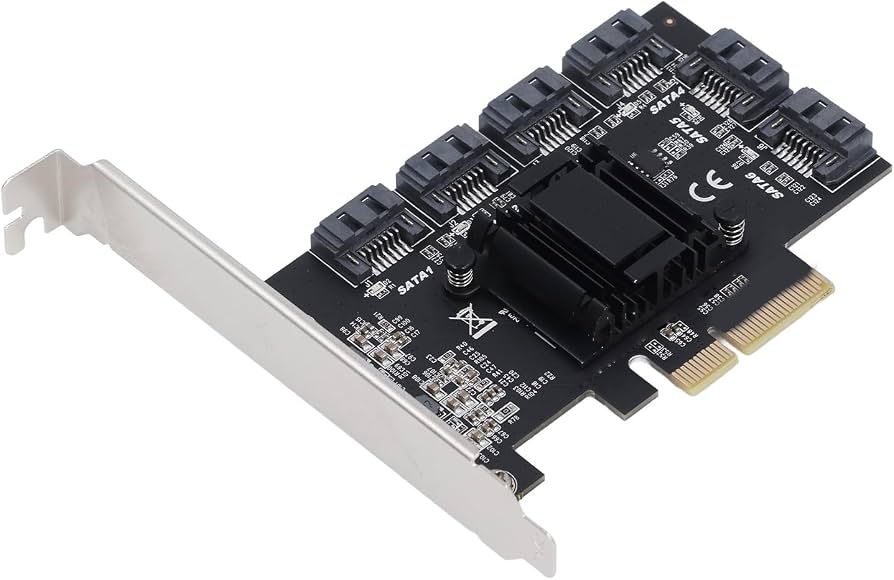
ROM file sha256:0842a22e1f8b5b9102c5e802b764abaca0cd5a368d9ee6731bbe9f08fefb1dcd