Persuasion was the key😂.
1 Like
@Kubaa, you can try it now, i have updated the modded bio for tpm 2.0 support.
2 Likes
I flashed the BIOS, everything installed correctly, TPM was visible, I set it to 2.0, saved it, and the option disappeared 
I have the TPM 2.0 module installed.
Ok, it works, I don’t want to write what I did wrong, because it’s embarrassing 
1 Like
Update 19-08-2026:
- Updated EFI Intel PRO1000 UNDI to v9.9.16
1 Like
Hi! I’ve flashed your patched 9901 BIOS and works great but seems that ReBar doesn’t work when I set it with ReBarState. Driver and nvidia-smi shows that ReBar is disabled despite ReBarState showing that it’s enabled. I’m on CachyOS linux with GTX970 and driver 580.178.04 with CSM and Secure Boot both disabled. Is this normal or am I doing smth wrong?

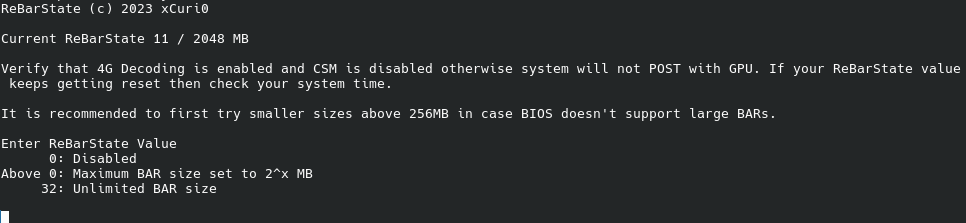
@Meister25566 anything below Turing (GTX 16/RRX 20 Series) cant do rebar.
Ah. Okay. But I can state some funfact, because when I changed rebar size to 4GB (as much as framebuffer) card went completely wild and performance was worse than bad. When I changed it back to 2GB It went normal again even got little more performance. I have also RX590. Does Polaris support ReBar, because I couldn’t find legit answer?
Yes it does. Just set rebar state at unlimited (32), reboot and shut down, replace gpu, and see if Rebar is enabled with lspci -v -s (your gpu pci index)
If it’s on windows, go Registry Editor and go to HKEY_LOCAL_MACHINE\SYSTEM\ControlSet001\Control\Class\{4d36e968-e325-11ce-bfc1-08002be10318}, there would be several folder, find the one that has amd driver, and then check if these dwords are available:
KMD_EnableReBarForLegacyASIC

KMD_RebarControlMode

KMD_RebarControlSupport
If some are not available, add a new DWORD with the exact same name.
After that, edit all of them and set them to value 1, click ok, press F5 and make sure those 3 dwords line has been typed correctly and the value are set at 1 or 0x00000001 (they’re the same). If you are sure, then exit, and reboot, wait till the OS fully loads, sometimes adrenaline will give a pop up saying there are some changes has been done, reboot, and that should be it.