EFI Intel RST for SATA - 11.6.0.1702 → 13.1.0.2126
OROM Intel RST for SATA - 11.6.0.1702 → 13.1.0.2126 (“Universally Trim Modified” rom)
Video OnBoard
EFI GOP Driver IvyBridge - 3.0.1023 → 3.0.1030
EFI GOP Driver SandyBridge - 2.0.1023 → 2.0.1024
OROM VBIOS SNB-IVB - 2158 → 2171
Network
EFI Realtek UNDI Driver - 2.015 → 2.062
OROM Realtek Boot Agent GE - 2.50 → 2.69
EFI Lx Killer Undi - 1.0.0.3 → 1.1.0.13
OROM Lx Killer E2xxx - 2.1.1.1 → 2.1.1.5
Inserted Modules:
NvmExpressDxe_5
Samsung_M2_DXE
ReBarDxe v0.3
UPDATE 18 November 2025:
Changelog:
Added NvStrapsRebar v0.4-rc1.
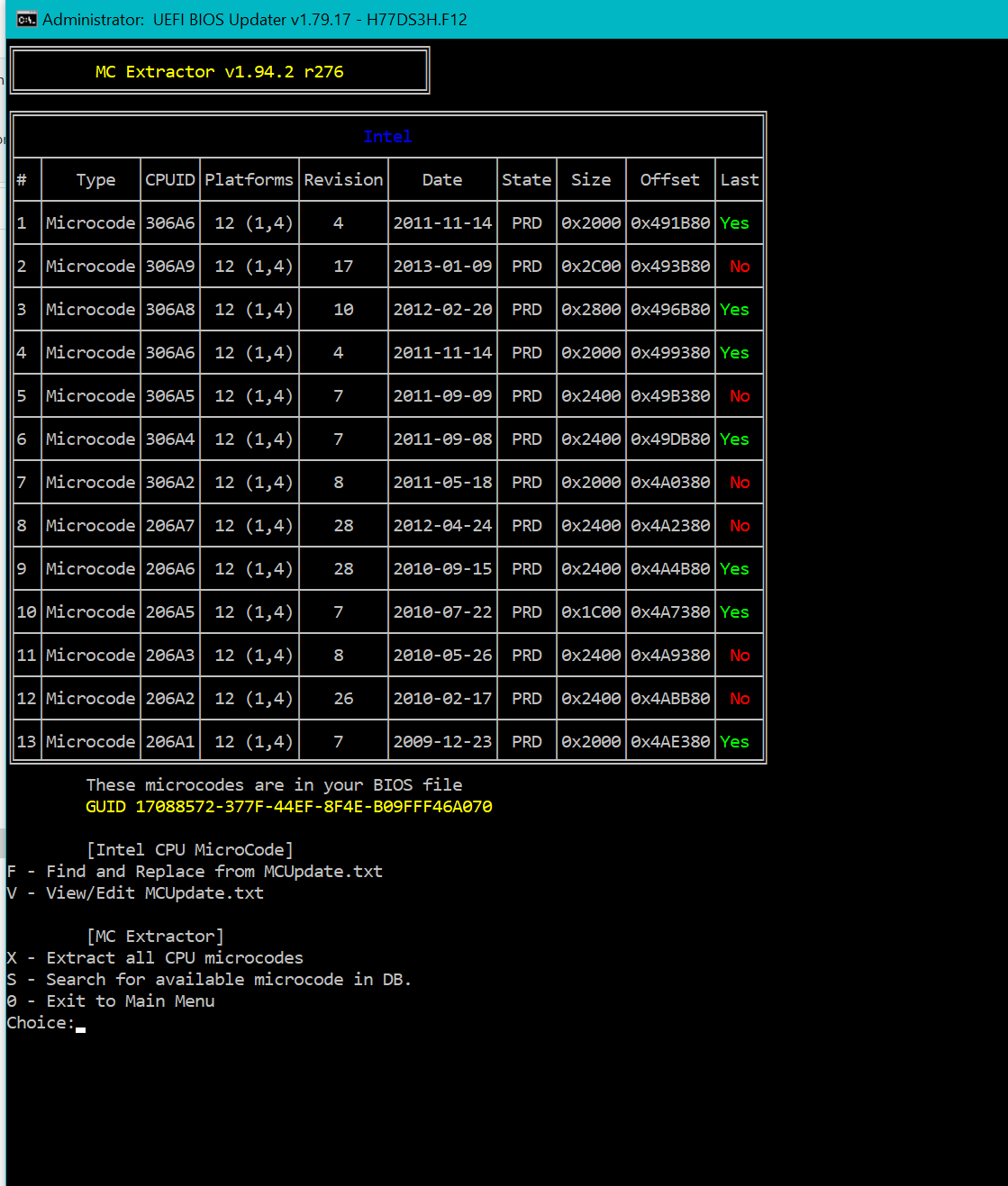
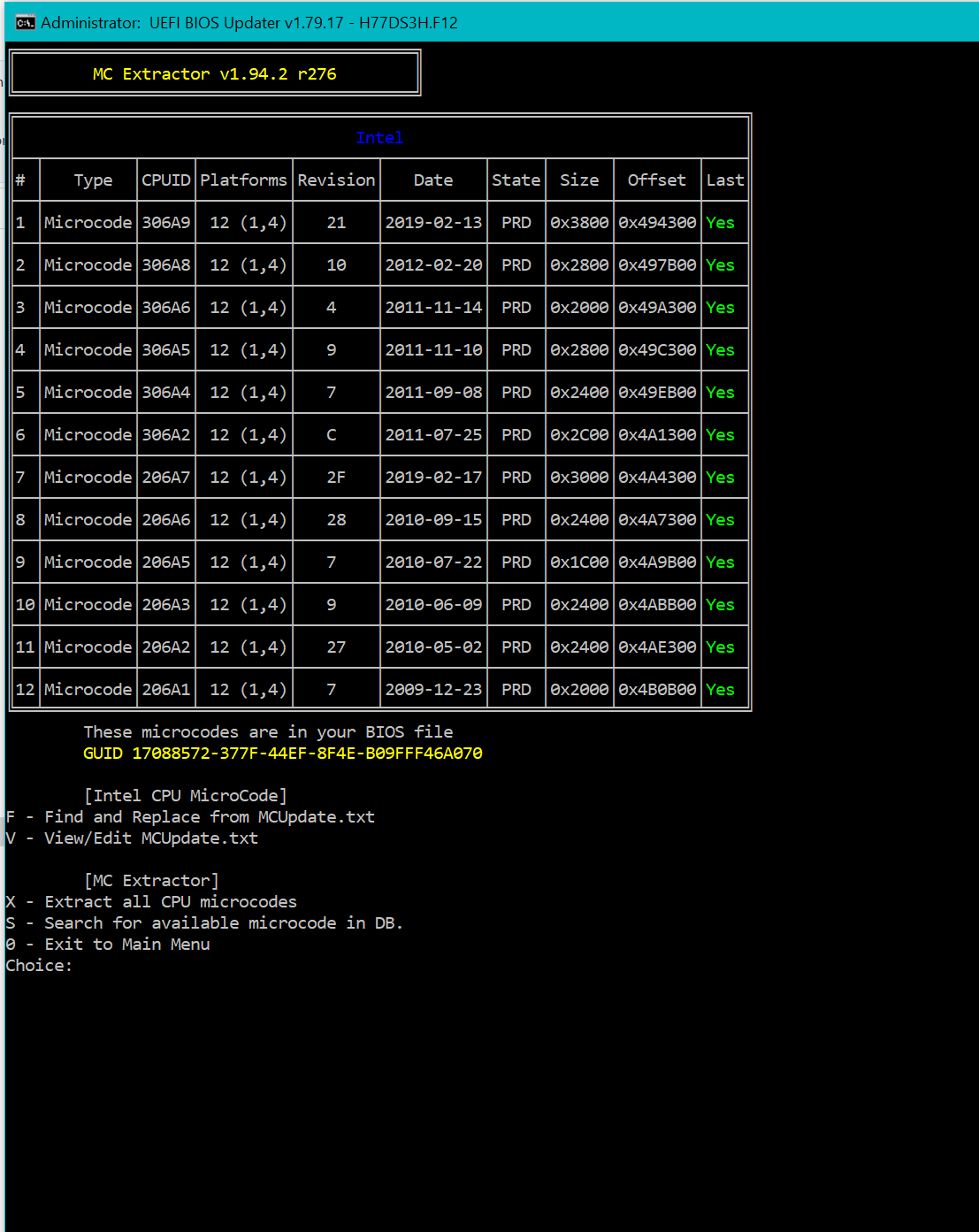
Updated Microcodes to the latest.
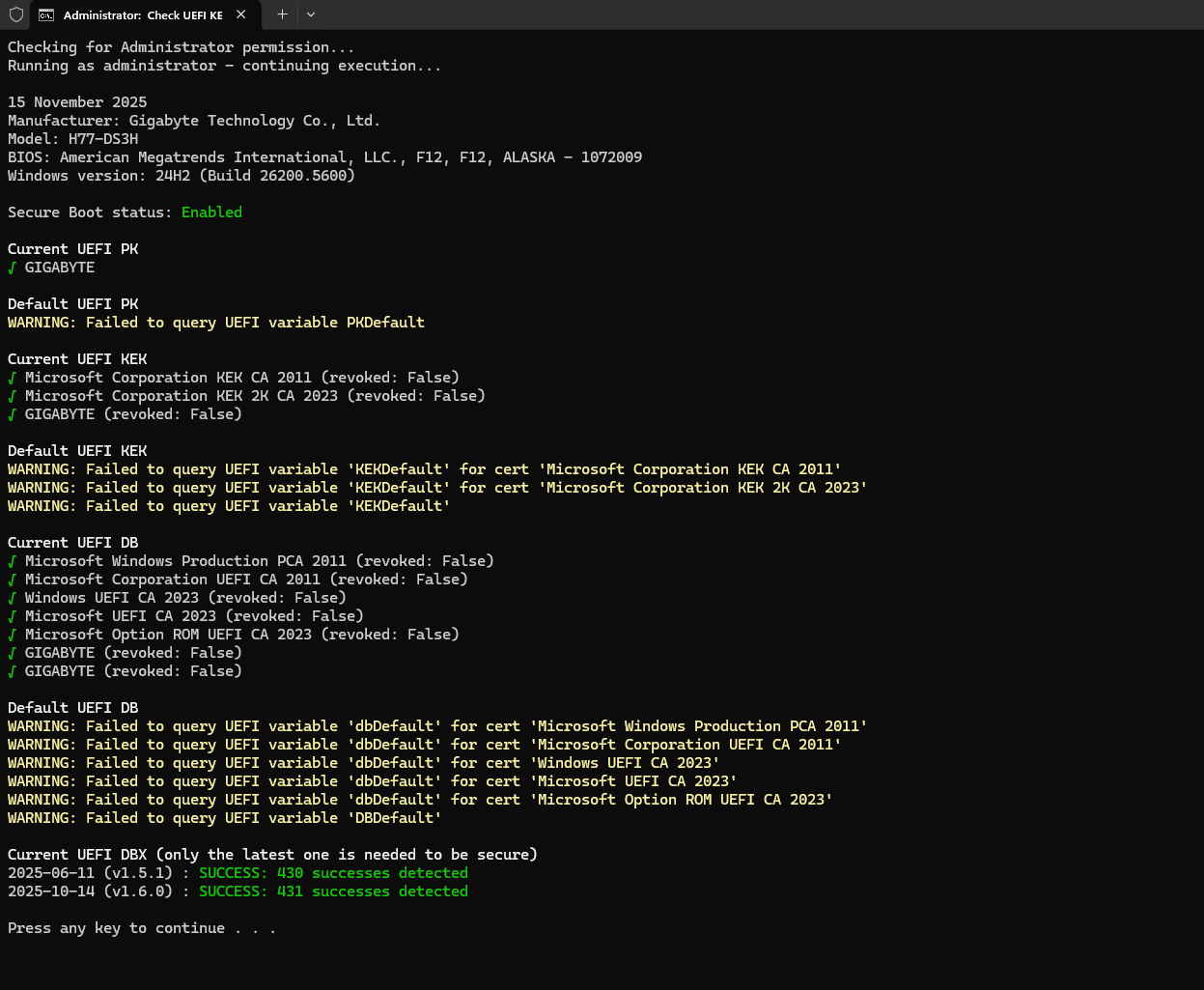
Added PKFail Mitgation (PK, KEK, DB, and DBX are all extracted from Bios ver F11e vars, replaced all 4 vars as-is to this bios.), now you could boot using latest Microsoft 2023 Bootloader:
Normal Resizable Bar: Use ReBarSate from here, And Run as Admin.
Nvidia Turing (GTX 1600/RTX 2000): Use this, And Run as Admin.
You need to enable Above 4G Decoding for Resizable Bar and Disable CSM/Legacy (boot to UEFI only). To enable it, go to bios → Setup → Go to the Invisible setting under ‘ATA Port Information’ → Above 4G Decoding and enable it.
*Due to Physical Memory Address is limited to 36 Bit, for system with 32GiB of ram only 8GiB of Resizable Bar Address Possible.
How to Apply the Secure Boot keys with the latest 2023 signed keys and latest dbx (release 1.6.2 from secureboot_objects)
Make sure bios is at UEFI mode only, secure boot enabled, and set it at custom mode, but dont install the default keys, instead, run Apply Keys.cmd as admin included in the folder, and reboot.
Download: H77 DS3H Complete.rar (3.7 MB) (To also update the B_Bios, Spam Alt+F10 after updating to this bios successfully)
Great work as usual but I happened to save one of the older microcode sets, which allows update of microcodes. Rest of the BIOS/UEFI I’ve left untouched.
Added NvStrapsRebar v0.4-rc1, use this to enable rebar on Nvidia Turing GPUs.
Updated Microcodes to the latest.
Added PKFail Mitgation (PK, KEK, DB, and DBX are all extracted from Bios ver F11e vars, replaced all 4 vars as-is to this bios.), now you could boot using latest Microsoft 2023 Bootloader:
** To apply the Secure Boot keys with the latest 2023 signed keys and latest dbx (release 1.6.2 from secureboot_objects), make sure bios is at UEFI mode only, secure boot enabled, and set it at custom mode, but dont install the default keys, instead, run Apply Keys.cmd as admin included in the folder, and reboot.
Hello, thank you for sharing. I have successfully enabled the Above 4G decode option, and this has been a great help to me.
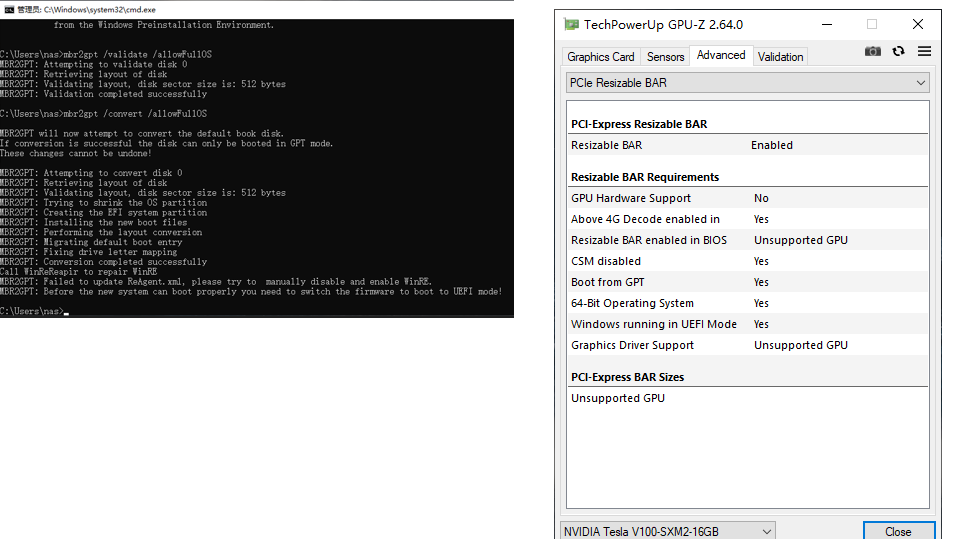
However, I noticed that your Boot from gpt / Windows running in UEFI mode works, especially UEFI. But on my end, as long as I enable UEFI Only, I cannot find the SSD. How did you resolve this issue? I have already converted the disk from MBR to GPT format, but still cannot find the SSD as a UEFI boot device.
That’s awesome, Your instructions have successfully worked, and I have now enabled UEFI. I am using a V100 graphics card, and the relevant information is as follows:
Idk if V100 would do resizable bar with nvidia drivers, but if you find it does, limit it to 8gb bar size (use nvstrapsrebar) if you use 32gb of ram, but idk if 16gb of ram would do 16gb bar size..