but with what graphics?
Speccy shows some weird graphic and people on internet write that integrated AMD Vega Graphics not working on win7 with any driver.
Did any driver work in you case with Vega 8 ?
I was wondering about the ALC4080 driver, which is supplied in the package.
Already inserted the modified ACPI.sys
When installing the driver, I get the THE NAME IS ALREADY IN USE AS EITHER A SERVICE NAME OR A SERVICE DISPLAY NAME message.
Win7 Ultimate
USB\VID_0B05&PID_1A52&REV_0003&MI_00
USB\VID_0B05&PID_1A52&MI_00
On STRIX Z790-E GAMING WIFI, which according to the other (now defunct) Intel thread, should have working drivers in the AMD package, for the ALC4080.
I have worked out the issue to be partially windows related.
Wrong error code was getting displayed.
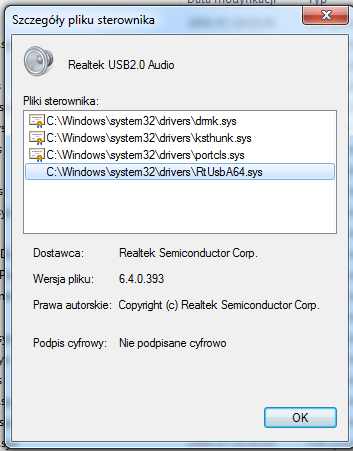
However, there seems to be no signature on the critical file of the Realtek audio driver.
Hi there!
Posting here to report a success with Asus ProArt X870E-CREATOR WIFI motherboard and AMD 7950x CPU.
USB works well under Windows 7. Win 7 is fast and responsive, I love the fact that instead of switching to Windows 11 I’ve switched to Windows 7 
Thank you @canonkong thank you for providing these drivers!
2 Likes
i wonder is there performance difference between x670 and x870, chat gpt said that max performance delta is 0 - 3 %.
You’re right. I gave that build to my Wife with Windows 11.
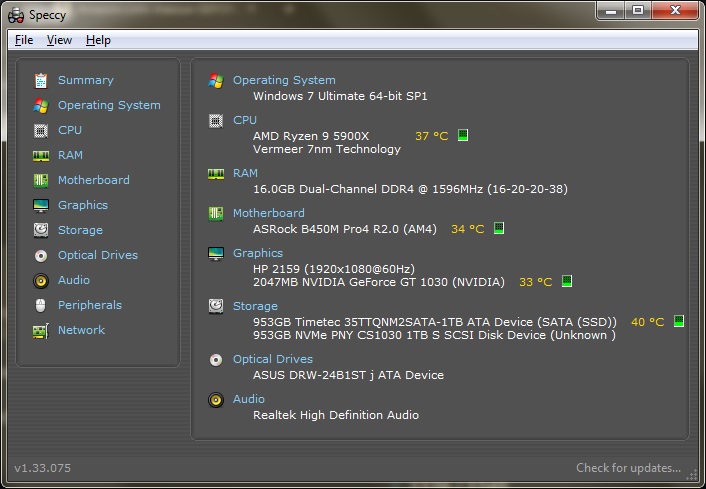
My new build is Ryzen 9 5900XT. It’s only a workstation so I installed Maxsun GT 1030 2GB GDDR5. The fan is ultra quiet.
An fyi:
The USB drivers for ASRock B450M Pro4 R2.0 are from @canonkong “Asus” group USB IOD. In the first post.
ASRock B450M Pro4 R2.0
Realtek Audio Drivers at SevenForums:
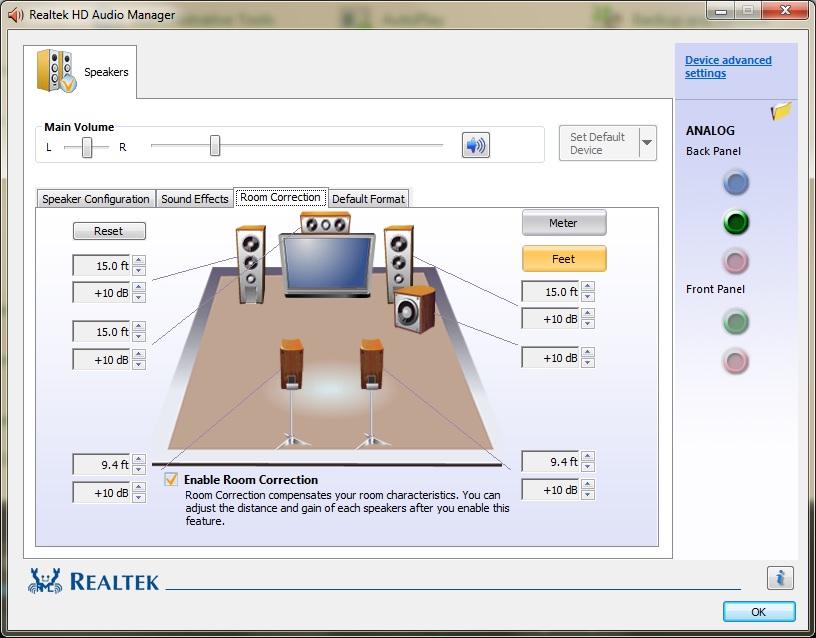
The audio is very low, so I adjusted the Room Correction to +10 dB. This eliminated the hissing and cracking.
Hi, I need to know, What is the best AM5 motherboard with B650 Chipset for windows 7? I currently have the asrock b650M pg lightning. I will change it to a supported motherboard. What B650 chipset motherboard should I get? My motherboard also supports CSM and turning off resizable bar. Could I also get help installing windows 7? My discord username is 3k5i. Thanks.
asrock is hard to setup for win7, author of driver recommends Msi branding
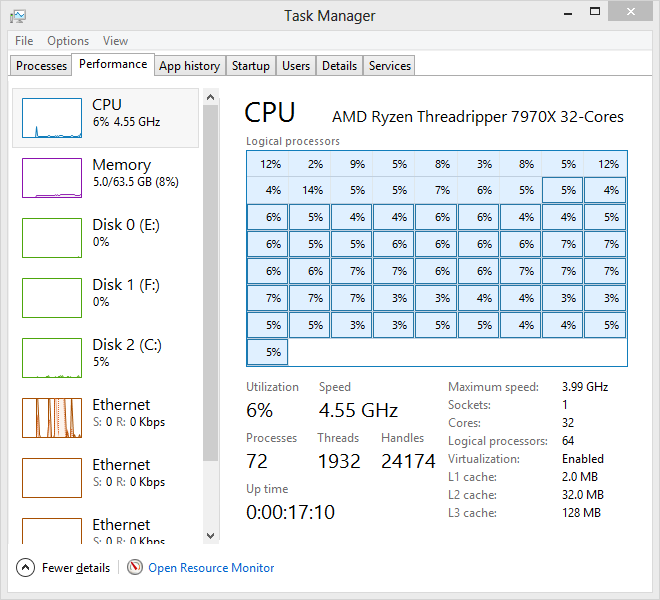
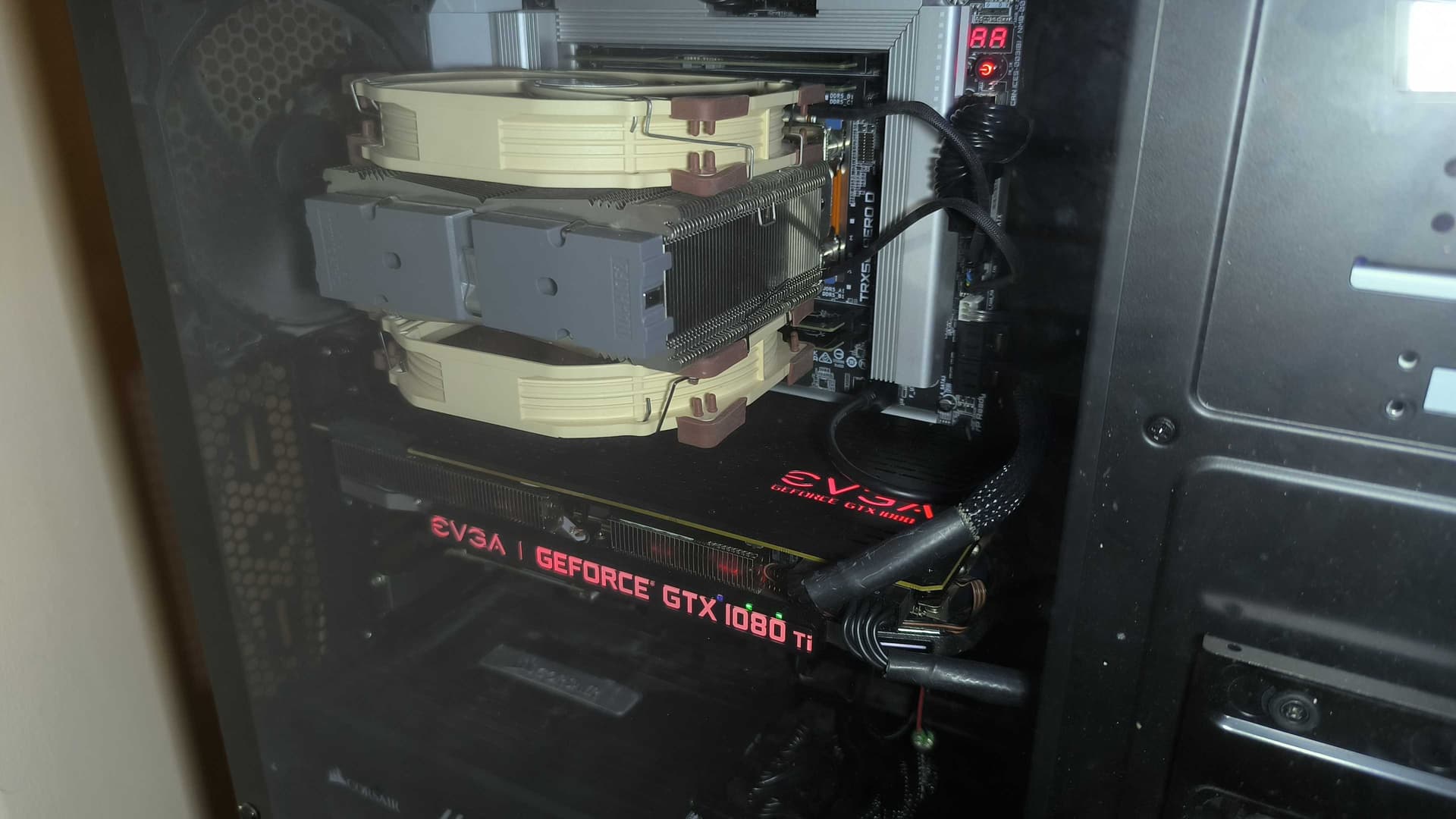
Update to this, just got Threadripper 7970X on Gigabyte TRX50 AERO D (rev 1.1), installed the latest bios so far (FA3e) dated 10/30/2025, and am currently running with a 1080 Ti on Windows 8.0, and so far is solid. But with that said there is a couple of things I should mention:
For starters, by default the setting for “IOMMU” is set to “Auto”, I think up to the FD BIOS version this keeps it disabled, but starting from bios version FEa the “auto” setting enables it, the reason I mention this is because when I first got this cpu I updated the bios, tried to boot to the Windows 8 setup via several different methods (such as USB and DVD), and it gave me a “HAL_INITIALIZATION_FAILED” BSOD. I also tested with 7 and 8.1, same issue, regardless of legacy or UEFI. So after me thinking Gigabyte broke the ACPI for the newer BIOS versions, I rolled back to FD bios again, tried it again, and of course the setup loaded fine. But then after setting all my BIOS settings, I had enabled IOMMU, and it gave the same issue. So, after trying to figure out the issue, I had put back the IOMMU option to “Auto”, and it worked. So, I decided to once again update to the latest BIOS, and this time I made sure to disable IOMMU, and… it booted! So basically even with this latest bios version, Vista and newer should still work with the stock ACPI.
The second thing, back when I had my 7960x I had some issues with this board rolling back a couple of settings in the BIOS after it lost power, but as it turns out, despite it being stable once it is running, it isn’t entirely stable on boot with the XMP enabled for my RAM. So, right now I just left the DDR5 auto booster option at “Auto”, and I left XMP disabled, so my RAM is now running at 5200 MT/s instead of 6400, but it is fast enough and it is a lot more stable, and no boot problems. I would have thought that Gigabyte would have fixed that by now but I guess not yet.
The third thing was with the GPU, since I sold my 3090 Ti and am currently using a 1080 Ti, for some weird reason when an HDMI monitor is connected, it works fine even without CSM enabled, but as it turns out when I try to boot up my machine with a DisplayPort monitor plugged in, it gives one long beep and two short beeps, and there is no video on ANY of my monitors. Thankfully, enabling CSM fixes this issue, and I suppose it could be something with the GPU being older, but my 3090 Ti did not need CSM enabled, even with DisplayPort monitors plugged in. And yes, I already did disable Resizable BAR as well. But obviously 1080 Ti has full UEFI support, since it did work with HDMI, even without CSM.
Anyway, I am pretty happy that I pretty much figured out all of the weirdness with this board, and that it is now running like it should, and this is probably still one of a very few Threadripper 7000/9000 boards that can run Vista and up without a modded ACPI being required. I used CanonKong’s Realtek SHA1 USB audio driver, so that I don’t need to use test mode, and it works great so far. Realtek 2.5GbE LAN works, disabled Marvell one since I cannot find a driver for it, and obviously WiFi doesn’t work either, although I think 8.0’s generic bluetooth driver takes care of that, although I disabled it since I don’t need the Bluetooth. My RAM is 4x16GB G-Skill ZETA R5 DDR5-6400, and my boot NVMe is still my 1TB crucial T705, which I am running with the generic Samsung NVMe driver for Windows 7. I slipstreamed it into the Win8 ISO using NTlite. As for my SATA drives, I have a total of 6 of them; a 16TB toshiba HDD, 2TB WD HDD, 250GB Inland SSD, 500GB Crucial SSD, an LG BD-RE drive, and a Kingwin hotswap drive bay.
1 Like
It would be nice if someone with 9xxx series confirmed stability of windows 7/8 platforms with such systems
1 Like