Subject: [URGENT REQUEST] Need AMIBOOT.ROM for Tongfang GLK201M-C / GK5MP5Z (GigaDevice GD25LB64CVIG)
Hello everyone,
I am dealing with a hard-bricked laptop and am desperately hoping someone here can help. I have exhausted every other option.
My Hardware:
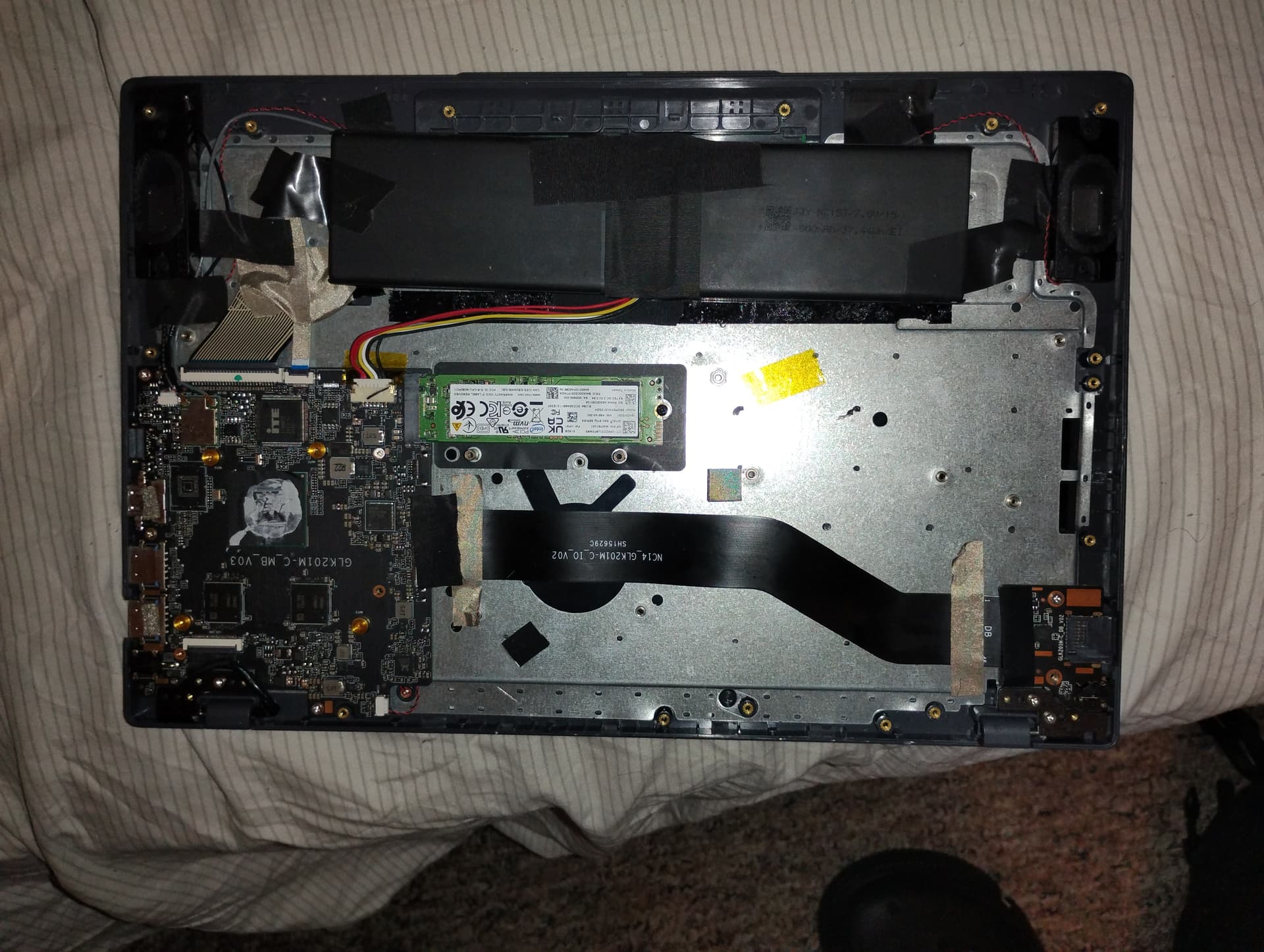
· Motherboard: Tongfang GLK201M-C MB V03 (also believed to be sold as the GK5MP5Z)
· BIOS Chip: GigaDevice GD25LB64CVIG (64Mb / 8MB SPI Flash)
· Chipset: Intel Gemini Lake
· BIOS Type: AMI Aptio
The Full Story (The Road to Brick):
I bought this unbranded laptop from a Temu seller. From day one, the BIOS was incredibly buggy—USB devices wouldn’t be recognized consistently, and settings were unstable.
The original SSD died completely within the first few days. I replaced the SSD and did a clean install of Windows. Surprisingly, this seemed to make the BIOS issues even worse. The laptop would boot directly to Windows, but I could no longer access the BIOS setup screen at all—hitting F2/Del did nothing.
In an attempt to fix the unstable BIOS, I used the official American Megatrends (AMI) update tool from their website with what I believed was a compatible BIOS. The update process completed and the laptop rebooted, but it never turned on again.
Current State (Hard Brick):
· When pressing the power button, the power LED blinks once, then turns on and stays on.
· The screen is absolutely black—no POST, no BIOS, no manufacturer logo.
· Crucially, the keyboard lights (caps lock/num lock) will toggle on/off, and USB ports seem to receive power, indicating the EC (Embedded Controller) is alive but the main BIOS is corrupted.
· The machine is stuck in this state and will not progress.
What I’ve Tried:
· Every conceivable CMOS reset (battery disconnect, CMOS battery removal, draining flea power).
· Leaving the machine completely disassembled and unplugged for over a month.
· Contacting the Temu seller, who confirmed they do not have and cannot provide the BIOS file.
· Countless AI assistants and generic web searches.
My One and Only Hope: The USB Recovery Method.
I am requesting a verified, working copy of the full 8MB (8,388,608 bytes) BIOS dump for this specific motherboard. I need to rename it to AMIBOOT.ROM, place it on a FAT32 USB drive, and attempt the Fn+Esc (or similar) recovery method.
The fact that the keyboard and USB ports seem functional gives me a sliver of hope that the Boot Block might still be alive and can initiate this recovery process.
If anyone has a dump from an identical or confirmed-compatible Tongfang GK5MP5Z / GLK201M-C board, you would literally be saving this machine from the scrap pile. I’ve given up for three months, but I really want my laptop back; I’m tired of using my Steam Deck for everything.
Thank you for taking the time to read this. Any help or direction would be a massive relief.
Edit by Fernando: Thread title specified