Hi folks,
I’ve accidently updated the bios on my Alienware m15 (2019) - i7 8750H, RTX 2060 as I had reset my bios settings when moving from Win 10 to Win 11. It;’s now on 2.21.1. I have tried multiple methods over the last few months (including some USB method) and seemed to have messed up the ability to trigger bios roll back method.
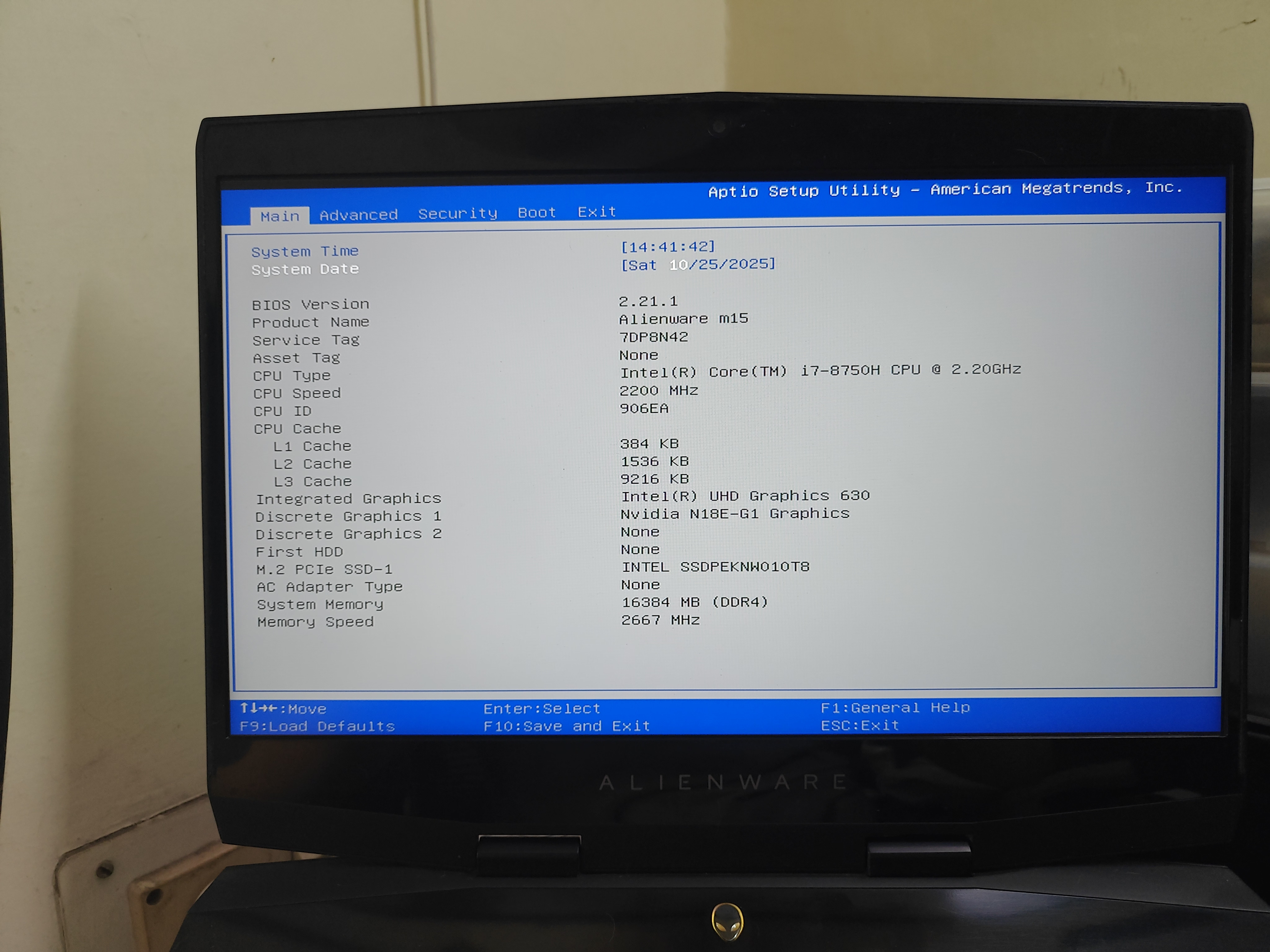
What I can do : (Copied the steps form Reddit)
- Before you do anything, go into your current bios by press F2 at splash screen, go to Security tab, disable UEFI Firmware Capsule Updates, Save changes & reset.
This is very important otherwise after you flash the older version bios, bios will then get updated back to the version that disables undervolting without giving you a chance to go into windows!
2. Go into windows, Enable file extensions in File Explorer Options search File Explorer Options - View - Uncheck “Hide extensions for known file types” and hit OK. download the old version bios that allows undervolting. For m15, it was 1.4.1 & 1.6.2. (I took 1.6.2) After downloading the .exe file, rename it to BIOS_IMG.EXE and place it under C:/ root folder.
3. In start search “cmd” and right click on Command Prompt and run as admin. Then type “cd C:/“ without quote get into C root folder. Then type “BIOS_IMG.EXE/writehdrfile” without quote.
4: if successful, a file BIOS_IMG.hdr will be created. Now you need to rename it to BIOS_PRE.rcv.
5. Now open Command Prompt and run as admin again as step 3. This time you enter “mountvol X:/S” to mount the EFI system partition.
If not working: Try to entering “mountvol X: /S” twice then “mountvol X:/S”
You will get a prompt at end of cmd saying that “The EFI System Partition is mounted at :X”
6. Now you need explorer++ to access the EFIS partition. It’s free and no install needed. Download and run as admin, you should see a drive called ESP(X:) or Local Disk (X:).
7. Go into folder X:\EFI\d
ell\bios\recovery and you will see three files. These are the files that dell uses to recover, reset, and rollback your bios. You may want to copy all three of them and save them to somewhere for backup. Now, copy the BIOS_PRE.rcv file in step 4 and copy and overwrite the same file in this recovery folder. Ensure to not touch other two files. Otherwise you’ll not be able to flash bios due to incorrect header error in step
What I cannot do:
Holding ctrl + esc and power up. It blanks out and goes on a loop and resets the bios preferences including re-enabling UEFI Firmware Capsule Updates and eventually booting into windows.
@omnamahmahadeva - Given you’ve faced a similar issue. What are my options currently? It would be good to obtain your inputs. Thanks!