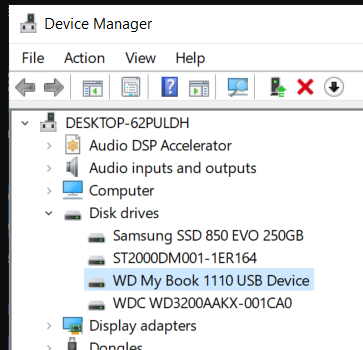
the bios has the following message: Intel(R) RST 18.31.1.5256 RAID Driver
Edit by Fernando: Thread title shortened
You mean that all 3 disks are visible in bios setup but only 1 disk in OS? Bios settings as RAID or AHCI?
What kind of disks? What content? A RAID volume or part of one, witch kind 0 or 1? Boot volumes or data? What motherboard/chipset…
This is the type of information required in such post… we are not “wizards” here to know your system and configuration just by mention a RAID driver…
If not showing in device manager (assuming Windows OS…), the disks may have other kind of file system or no valid partitions/initialization.
1-ASUS ROG STRIX B560-E GAMING WIFI
2-RAID
3-(SSD disk Kingston A400, 240Гб, 2.5", SATA (SA400S37/240G , 500 Gb M.2 NVMe накопитель Kingston NV2 [SNV2S/500G] , Seagate Barracuda ST1000DM010)
4-data
You mean that all 3 disks are visible in bios setup but only 1 disk in OS? - YES
Doesnt seem you have any RAID volumes why the setting up bios as RAID controller and not AHCI?
Presumably the NVMe is your boot disk and the A400 / Barracuda as storage disks…
But even as RAID on bios the disks should be visible in Windows Device Manager… as long the RAID driver is installed, are they present or not?
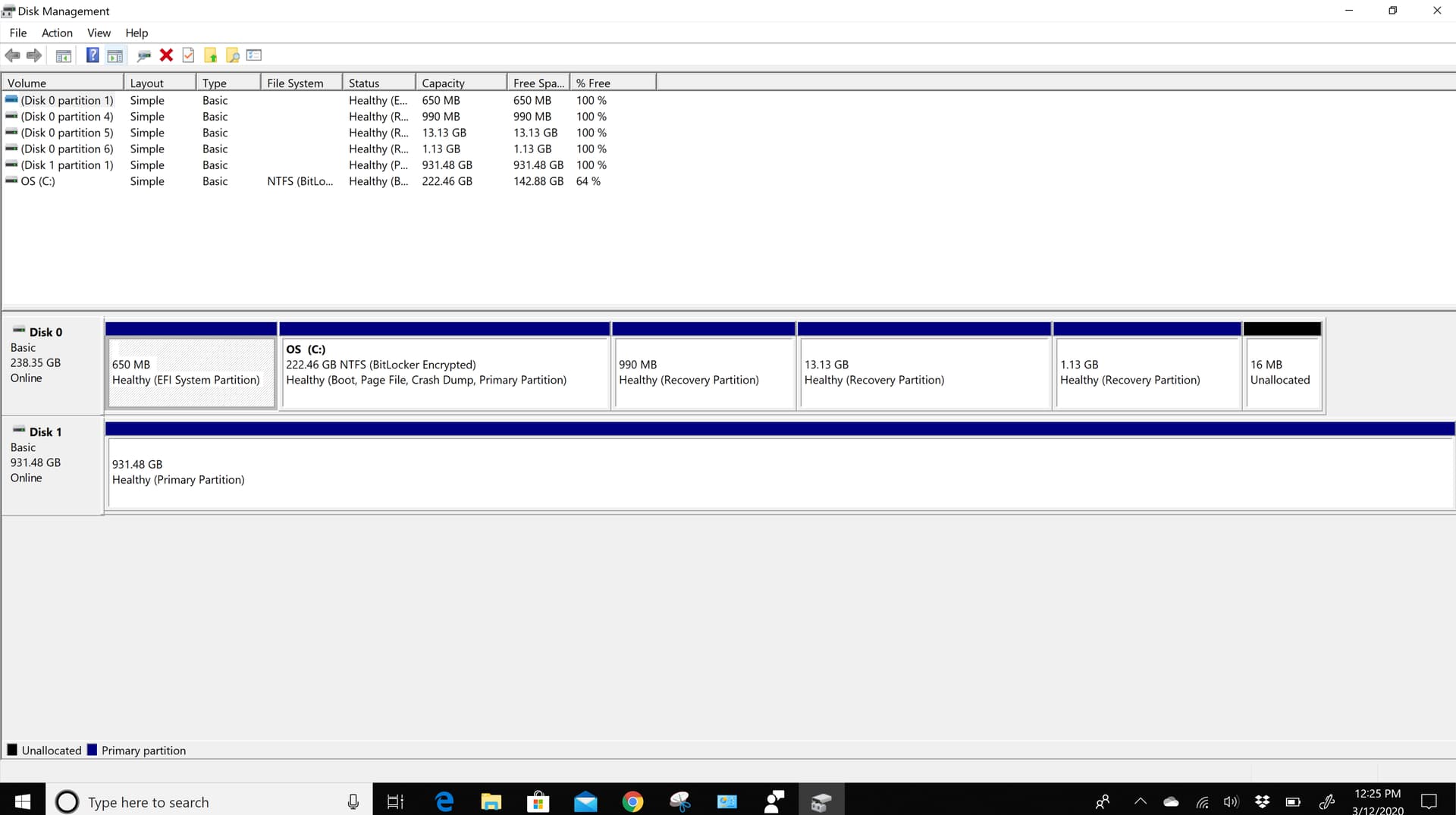
And Windows Disk Management?