@loic2907
Your chosen thread title is misleading.
Where is the “new ASUS Bios”? I don’t see a link or attachment to any original BIOS for your laptop.
Why did you flash a “new dump”? Where is the NVMe SSD missing? Isn’t it listed as disk drive after entering the BIOS of your device via “F2” or “Del”?
Apologies for the lack of precision earlier. I’m a repair technician, and I’ve encountered this issue multiple times with new (recent) ASUS BIOS (since 11th-gen) where the PCH was replaced or the BIOS was corrupted.
To provide more context, the laptop either fail to properly wake from sleep, reset after shutting down (as if CMOS was not present), or fail to POST.
In this specific case:
The PCH has been replaced.
A clean ME region (clearME) has been applied.
Most of the issues were resolved.
To rule out BIOS corruption as the cause, I’ve tested different BIOS versions:
I tried the BIOS dump available on the manufacturer’s website for this model, but the SSD is not detected in the BIOS, and the NVMe SSD doesn’t appear in the storage information.
I recently worked on the same model for a different repair, so I dumped the BIOS from that working laptop and flashed it to the faulty one. Unfortunately, the SSD issue persisted.
This seems to be a common problem with recent ASUS laptops.
I’d like to know if anyone has found a reliable solution to this issue and want to share it
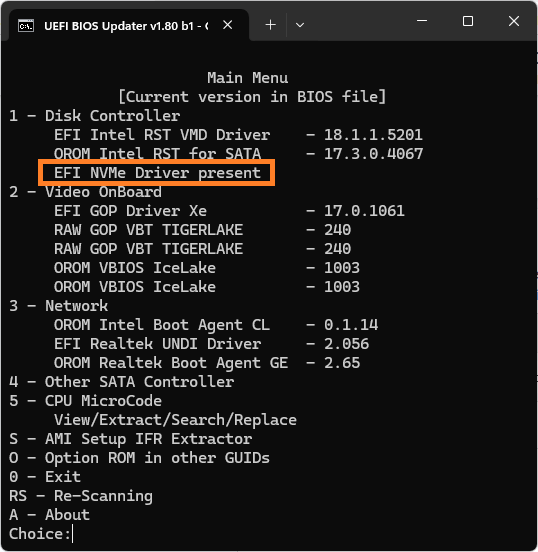
In the original BIOS the NVME is present.
But with the “Laptop working dump” (dump extracted from perfectly working motherboard) the SSD is not detected.
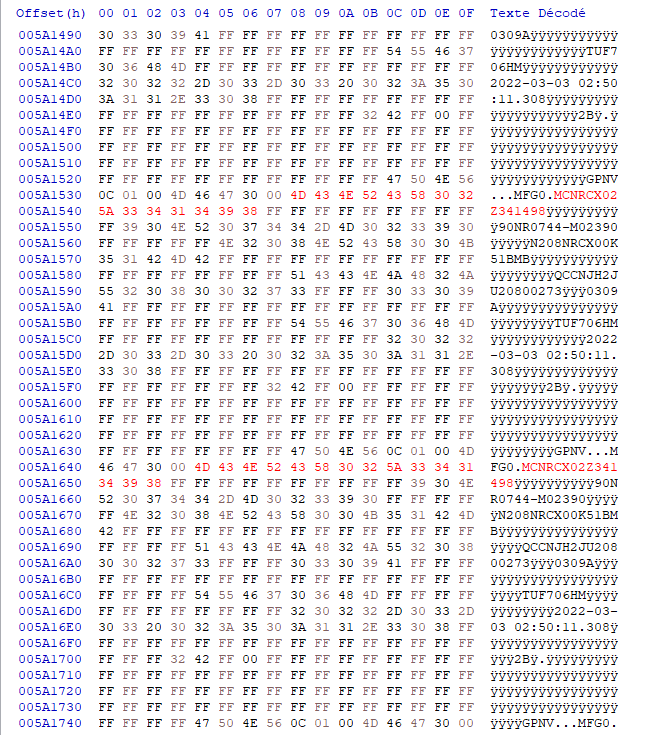
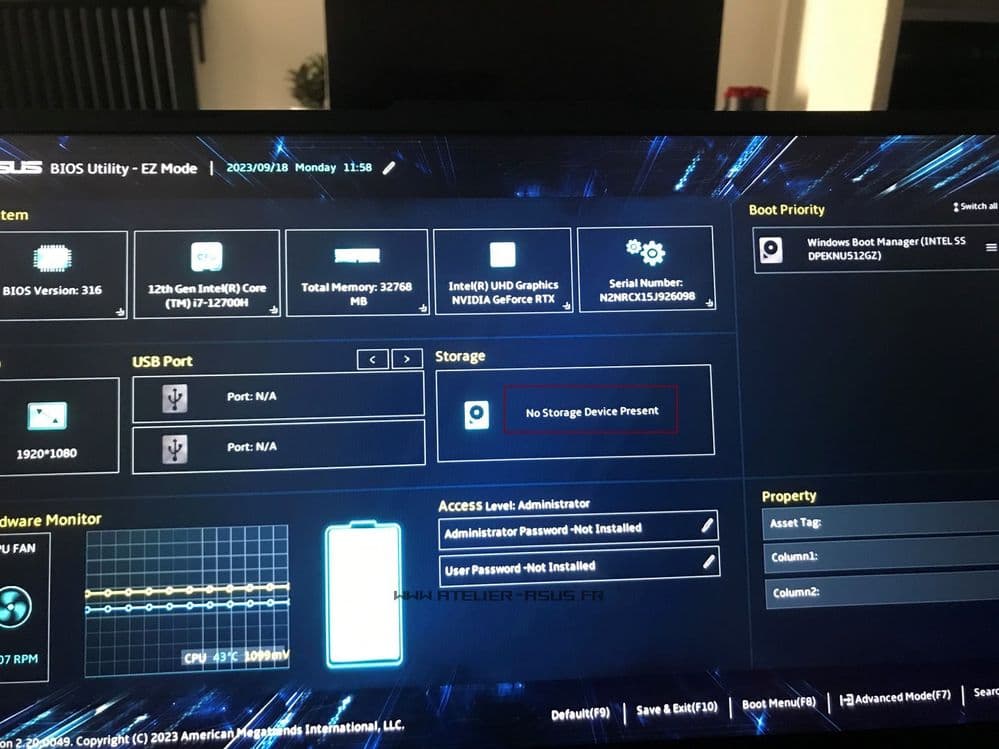
Don’t have the laptop close to me, but I found the exact same picture
@loic2907
What lets you believe, that the NVMe SSD is not detected by your device’s BIOS?
If you are able to boot into any Windows OS, what does the “Disks” section of the Device Manager show?
Which Windows OS are you running or want to run?
If you can boot off an USB Flash drive and want to get Win10 or Win11 installed onto the NVMe SSD, I recommend to follow the chapter “Step 4 - Installation of Win10/11 onto the NVMe SSD” of >this< Guide. Maybe the BIOS cannot find the EFI bootsector named “Windows Bootmanager”.
I believe the SSD is not detected because it appears in the section shown in the last picture I shared. Without the original BIOS dump, the laptop cannot boot into the OS since the SSD is marked as “Not present” in the BIOS.
I’m fully aware of how to install Windows 10/11.
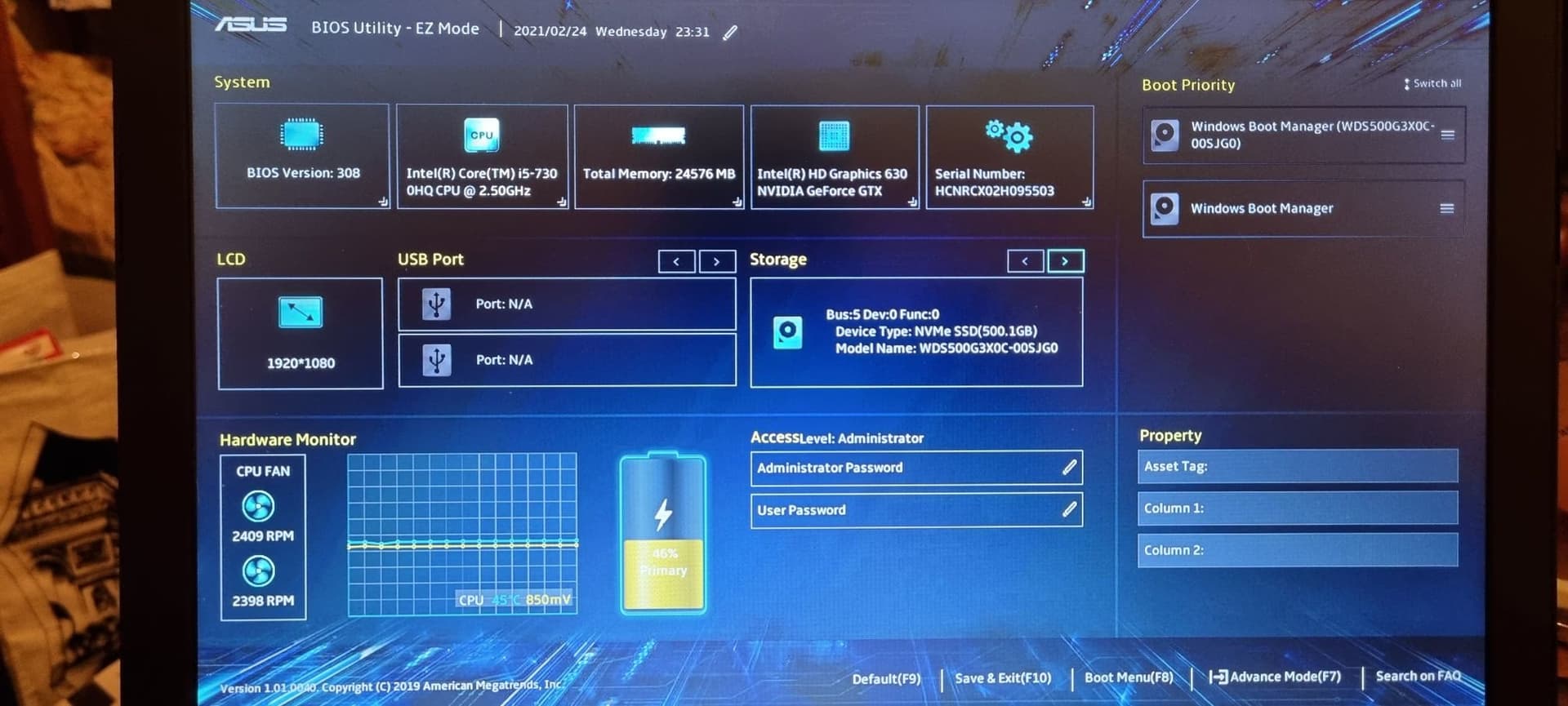
If the BIOS cannot find the EFI boot sector named “Windows Boot Manager,” the BIOS will show the SSD in the storage section.
Like this :
@loic2907
In this case I cannot help you.
Please change the misleading thread title by editing the start post.
My proposal: “[Problem] Swapped ASUS BIOS doesn’t show NVMe SSD”
Good luck!
You can find here (post attached).
Even if remplacing PCH helped, I have some issues remaining, I want to test other DUMP to rule out BIOS “corruption”. That is why I want to fix this commun issue with SSD and new dump.
If it not solve the problem for this laptop, I will be glad to learn how to fix the SSD issue when flashing new dump
Ive got the same problem ive got 2x asus vivobook and after bios dump from the website the m.2 its not recognized anymore no matter what i do, so whats the tric with the bios file , ive already changed the serialnumber inside the file to match the laptop one but no luck still
So, what you’re doing here using dumps from the web, go ask where you got them.
Original files from the system are the ones validated and you can try to reinitialize/clean their CSMS firmware image or NVRam volume initialization merged/swapped from Asus files, not web dumps that we dont know nothing about it.
No product identification or product page provided… VivoBook word alone is not a valid ID for anyone who is willing to help.
The story its like this, ive bought an asus Vivobook S14 S433 from ebay stated as bios password lock wich indeed it was, after searching online about the password reset i found some topics using HxD to reset the password but unfortunately i managed to burn the bios chip wich had the OEM bios on it, so i bought a new chip to solder in place all good and i found a dump file for exact same model wich worked great all good i also changed the serial number inside the bios dump file to match the actual one, laptop starts fine no issue only that it does not detect the m.2 drive , ive already tried to install windows with intel RST drivers and all that but still doesn’t work.