I have a Dell Precision 7910 Rack. I would Like to integrate Rebar in my bios.
It is really Hard to understand what I Need to do, to get this work. It would be very nice if someone could help me with this
I did just want to chime in on top for of the rather plethora of otehrs above - that any help in writing out a more friendly and comprehensive guide in steps would be greatly appreciated. I have a Z370 I’d like to get this done on, and I am starting to think anoyone who’s had success in any of my objectives for that board is either lying through their teeth about their accomplishments or ESL…
Please help if you’re able to be a bit more noob-friendly in how to get this accomplished cleanly but sharply. I understand (after much reading), how to to a BIOS dump off either my own stock or the image/bin/.exe I used originally. But it never wants to load nicely like it does in all the vids and some people drag it on something else.
i5-8400
Z470
Alienware Aurora R7
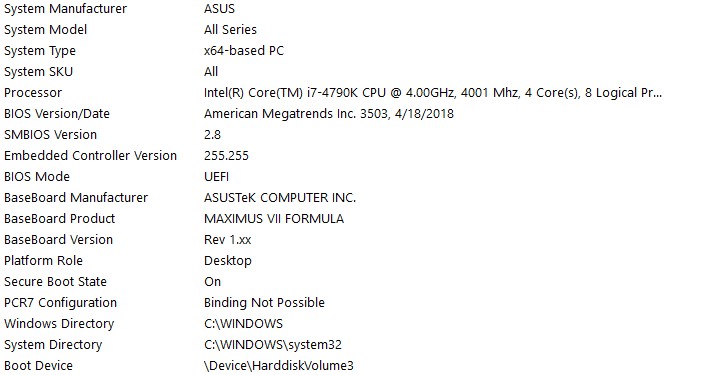
the bios firmware im using the stock 3503 right now, the problem when i do it on my end i get the error = failed to write rebarstate uefi variable when entering 32
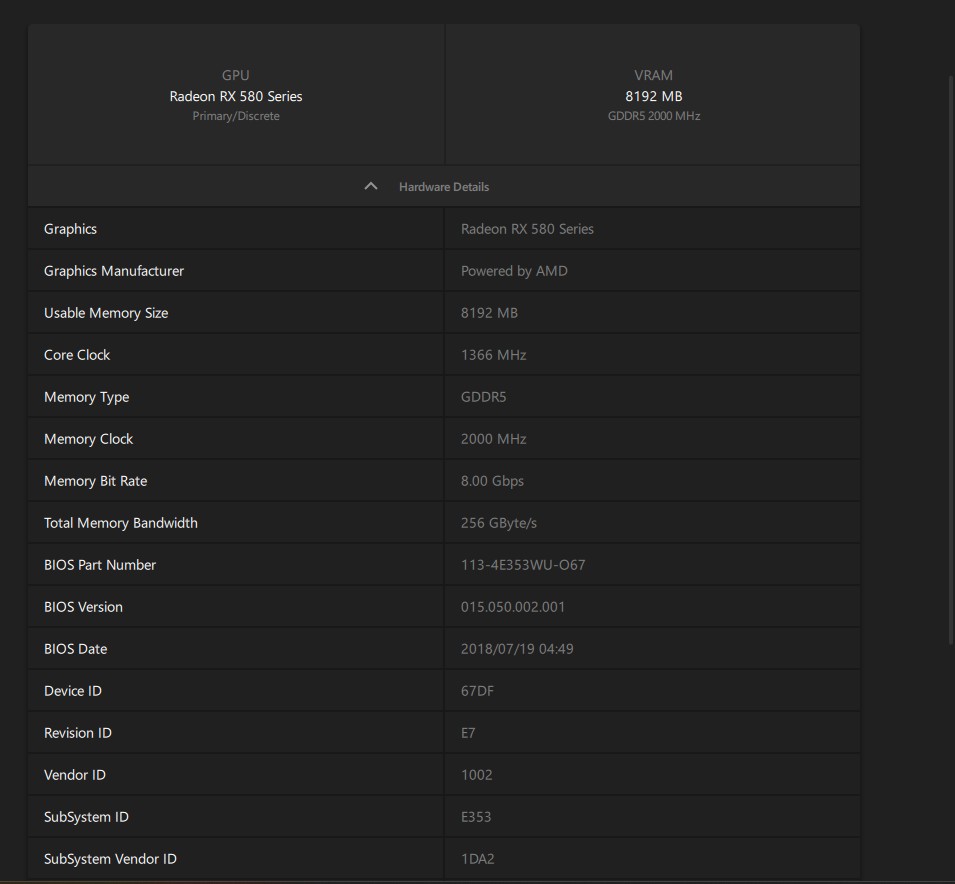
here you go = rx 580, the patch wouldnt go through, the problem is this part = 1. Run AmiBoardInfoTool -a AmiBoardInfo.efi -d DSDT.aml. This will extract the compiled DSDT from AmiBoardInfo to DSDT.aml , i tried copying the command in windows it doesnt work, if someone can bios mod 3503 from asus maximus vii formula by adding resizable bar to it, also add BdwUSB3.txt that would be great
HP z240 with e3-1240 v6 and intel arc b570 is rebar a possibility? I can dump the bios with a chip clip willing to pay for mod too I have no problem doing that
My motherboard is a Gigabyte Z370 Aorus Gaming 3. Im forced to stay at f10 (or earlier) version of bios, because F11+ bioses doesnt allow the enabling of “Native PCIe” and / or “Native ASPM” (using setup_var, amisetupwriter, AMISCE…) and something more. Official ReBar comes with F15c but breaks other critical things (at least for me) as i said before.
I made an issue on GitHub already but the repo looks kinda dusty (i must say i think its normal and fine).
Can I have some help? I can use my A770 with a 16GB BAR, or my A380 with a 8GB bar… when its connected to the PCH port only. If i move my A770 or A380 to the CPU PCIe port… no POST (5 short beeps). If i keep enabled the iGPU, dev manager says “Code 12” about dGPU.
If I use both gpus cards it behaves the same (connected to the cpu pcie = code 12, connected to the pch pcie = fully functional with rebar).
@ugtuner I think i can do it for free XD. I think a downloadable bios rom from hp is enough (instead a full bios dump). Please post one
Edited. Reason: merging 2 messages (should i, right?)
Hello 68k,
some months later and lots of post readen in the post you linked, yesterday finally tried to flash the mod bios using the efiflash 87 mod version, booting in dos mode. The efiflash is able to backup the current bios on MB, but in the try to flash i receive the “bios is protected by secureflash” the command says thais is going to reboot in 2 seconds, but they didnt reboot at any time. I simply receive the C:> prompt.
The current bios has disabled the secure boot in the EFI boot mode, but if I change to CSM compatibility, the secure boot option dissapear and i cant disable it, or at least, i dont know if it is disabled or not.
Also, i dont know how to prepare an EFI boot including the efiflash.efi, i have tried to make an usb fat32 with the folder \EFI\boot\ with the efiflash.efi rename to bootx64.efi, the usb is listed to boot and tries but automatically returns to the bios enviroment. For that, CSM is disable
I tried this last way in order to be sure that the secure boot option was unchecked at bios menu.
Thank you very much to you and to all other people here sharing a lots of knowledge.
Hey! I tried to follow the steps from this tutorial guide and from Kuri0’s GitHub. The USB stick is formatted as FAT32, but in the ASUS BIOS EZ Flash tool it says “selected file is not a UEFI BIOS.”
On this BIOS version, ResizeBar is already present, as can be seen in the images. 4G decode is enabled and ResizeBar is set to Auto.
After using Kuri0’s NvStrapsReBar.exe tool, nothing changed for my 2080 TI after reboot. I should mention that CSM is disabled in the BIOS.
Here is the latest BIOS version from ASUS I wanted to modify by adding the NvStrapsReBar.ffs module.
been a while since ive replied to this massive post but,
i picked up my old dusty AsRock 970 Extreme4 to fiddle around with.
opened up its latest 2.80 bios in UEFITool_025.exe searched for both “4G” and “4G Decod” which both resulted in the same match(it was found).
and, it was found under the “Setup” section in a compressed section of the bios.
however, after extracting the body of where “4G decod” was found, using ifrextractor to change the body file into a .txt file, searching for “4G” in the text file resulted in 0 results.
did i miss a crucial step?
i know the board technically shouldnt support what i want it to do…
but then why would UEFITool find a match…