Hello,
I have an industrial ATX motherboard from IBASE, model MB995vf-0, and I cannot enter the BIOS in any way (possibly locked?). I have tried DEL, F1, F2, etc. I would like to use a programmer to flash the BIOS, but I need your help because I cannot find the BIOS version for this motherboard (I have also asked IBASE support but have not received a reply yet).
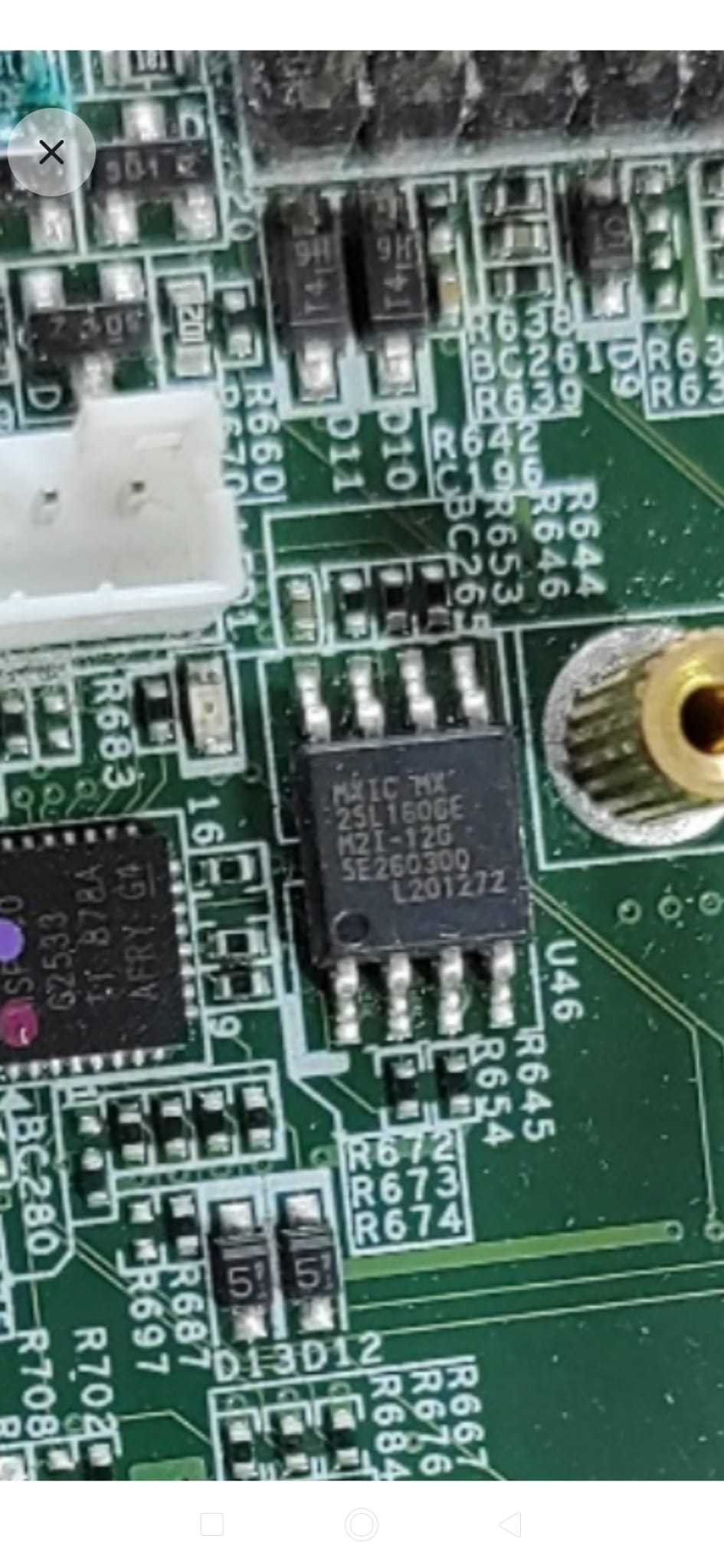
The chip is MXIC MX25L1606E.
Thank you.
According to the manual, you should spam DEL to get into the BIOS. Have you tried another keyboard?
Hi Tris,
I have only one keyboard. I have tried to plug it to all the USB 3.0 ports and have even plugged it directly to the mainboard (header USB 2.0). I have not tried with PS2 yet because I do not have any 4x2 header 1mm pin to pin to connect to - it’s very difficult to find it in the internet and I can not “build“ it by myself. I am afraid, that the only way to solve my problem is to modify the BIOS or replace the current version with a different one.
Thank you,
Alex
What about rebooting into BIOS using command from Windows or Linux?
In Windows: shutdown /r /fw /t 0
In Linux: sudo systemctl reboot --firmware-setup
Unfortunately I can not access to the OS because the BIOS does not load it. I would like to enter into the BIOS in order to cancel the current OS and replace it with another one.
AC off from PSU, clear CMOS
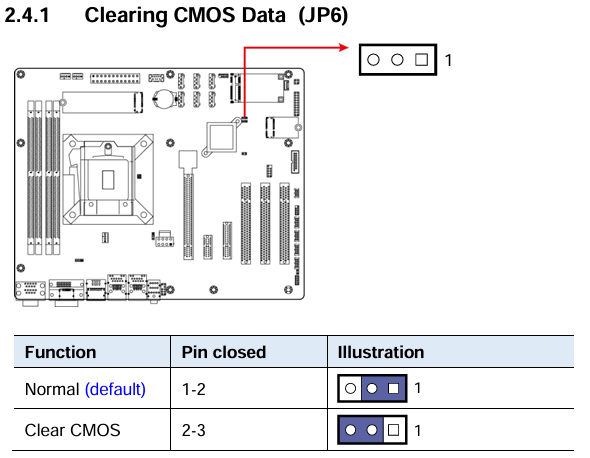
Then remove any disks attached preventing boot to force it and power on with only 1 DIMM.
Factory Jumper JP4, JP5 is not described as function… could be recover or CSME disable.
Thank you. Clear CMOS already done (but didn’t work). I do not know BIOS version, so I aksed IBASE support team but did not get any answer. Maybe I could try with a EEPROM programmer to see the current version and maybe make any change. What do you think?
Do it again as i said, power off, CLR CMOS, leave one dimm or pick another different brand/size, NO DISKS (HDD, mSATA, NVMe, ALL), power ON, report.
Thank you for all your advice. I will try again tomorrow and let you know.
Don’t you have a usb to create Linux Live CD?
Hi. I have done clear CMOS according to your instructions (both changing dimm and using 1 dimm) but it didn’t work. Following error message appears:
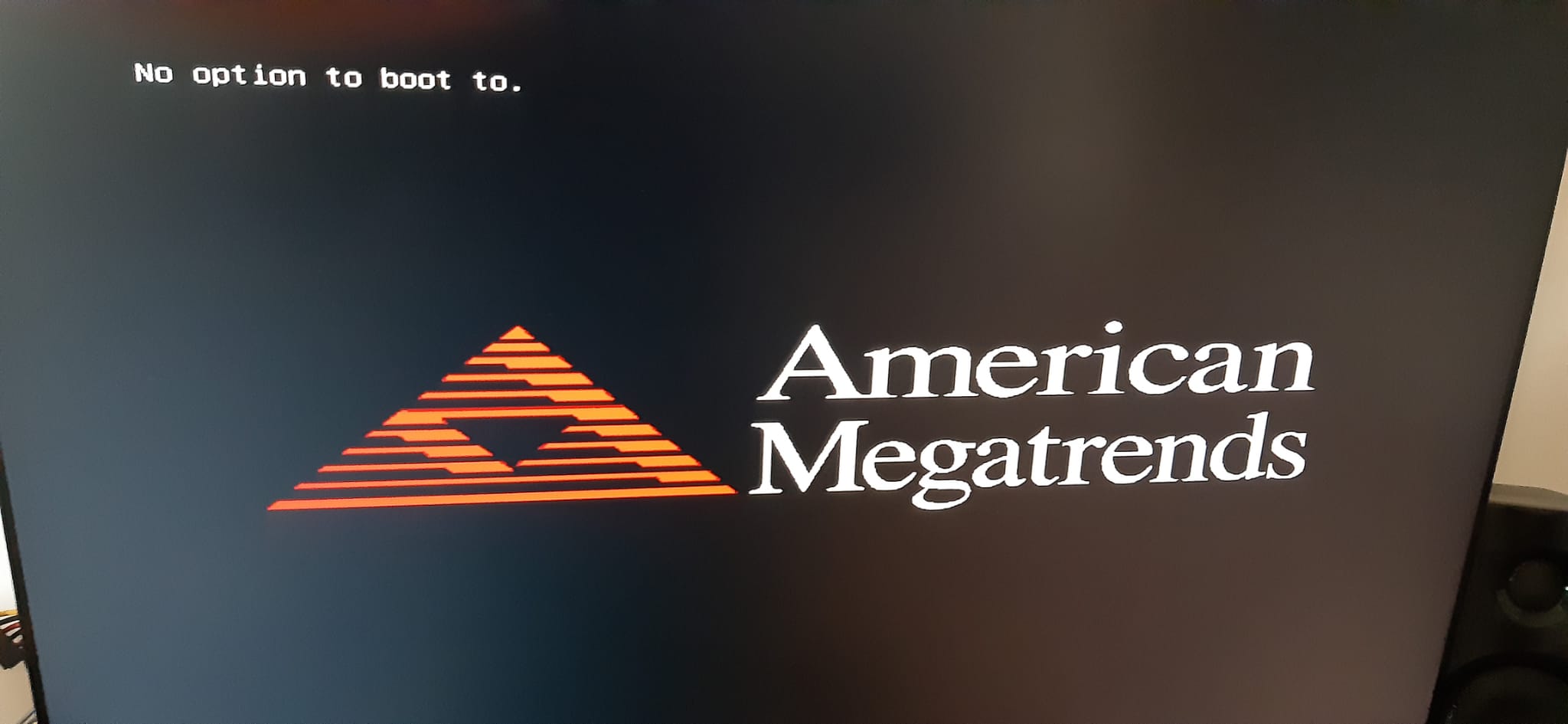
and on that screen, it gets stuck and DEL is not responding, as stated in the manual?
You’ll have to contact iBase… this is no “common” board and finding a dump will be almost impossible.
Keep the disks…
If this doesnt work with USB boot, something is definitely wrong with the fw…
shutdown | Microsoft Learn
How to boot to UEFI firmware settings in 5 simple ways
Nothing more to add, good luck.