This is a highly automated firmware utility for AMD RDNA 1 and RDNA 2 graphics cards. It updates the GOP (Graphics Output Protocol) driver within your VBIOS to ensure maximum compatibility with modern UEFI motherboards.
Starting with the RDNA 3 architecture (RX 7000 series) and continuing with RDNA 4 (RX 9000 series), AMD implemented strict hardware-level security checks via the Platform Security Processor (PSP). The VBIOS, including the EFI GOP driver module, is strictly protected by cryptographic signatures.
Replacing or modifying the GOP module alters the file’s hash and breaks this digital signature. As a result, the graphics card will fail the signature validation during boot, preventing the system from POSTing or causing UEFI Secure Boot to reject the device. Modifying the GOP on these newer cards is therefore no longer possible via standard VBIOS patching methods. Furthermore, attempts at a “softload”—loading the driver directly and temporarily into the UEFI environment without permanently flashing the VBIOS—have also proven unsuccessful.
Disclaimer & Recovery
Warning: Modifying your VBIOS is at your own risk. Always ensure you have a recovery method (iGPU or second GPU) ready. Use the backup in the #BUP folder if you need to revert.
H!, would it be possible to get a copy of both the stock BIOS and the modified/failed BIOS image? I’d like to perform a binary comparison to identify potential alignment, header, or padding issues that might be preventing the 3.8.x GOP module from booting correctly on the 7900 XT.
Here you go. I dont have a copy of your 0.2 release anymore so I just modified it again using your latest 0.3 release.
I also want to clarify that it wasnt a booting issue. The image would just fail to even flash to my card, even using patched flashers that bypass certain checks. Ive crossed flashed and updated other vbios before with no issue so this isnt my first rodeo. But for some reason trying to apply any vbios patched by tool 0.2 results in a corrupt flash partition.
As a side note, is 3.8 the newest? I thought I saw a 3.10 in the last release of UBU in one of the other threads here.
From RDNA Gen 3/4 onward the IFWI is dual-partition on a single chip — the flasher writes the inactive partition, which only becomes active after a successful boot. A failed write leaves the running partition untouched.
The identity checks passed (version, P/N, SSID all matched), so it wasn’t a mismatch — the stock tool’s integrity check rejected the modified image at write time, giving the generic 0x80006000.
Fix: Use this new modified version, which bypasses this check
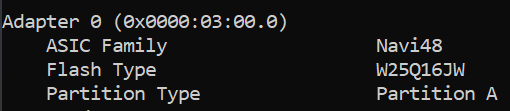
Check state — note the active partition and flash chip: amdvbflash_879_Moded_v1.exe -ai --active and amdvbflash_879_Moded_v1.exe -ai --inactive (confirm Flash Type is GD25LQ16E or a known 25-series)
Flash with v1 first (5.0.879.0 v1), part-number force only: amdvbflash_879_Moded_v1.exe -p 0 UPDATED_X.rom -fp
Power-cycle — full shutdown, not reboot
Repeat steps 2–3 up to 3 times if needed
Verify with amdvbflash_879_Moded_v1.exe -ai --active (check it now shows your patched ROM)
Keep the CH341A + BACKUP_X.rom ready as your safety net throughout.
Yes, exactly. For some users, it actually takes 2 or 3 tries to work.
Endgame: I will send you another software flasher along with your original BIOS file, which I updated with a tool of mine that hasn’t been released yet.
Would you prefer I try the new bios you uploaded from the new tool or continue attempting the one I had already generated and performing additional tries?
As I’ve discovered, this is unfortunately to be expected with RDNA 3 and newer architectures. It’s not due to your methods or the tools you’re using, but rather a fixed limitation of the AMD Platform Security Processor (PSP).
The PSP is a dedicated microcontroller physically integrated onto the GPU chip. This core operates completely independently of the host system. After the computer is switched on, it only requires power to start and activate. There is only one method that is highly likely to work.
which flash tool should I use to flash GOP updated bios on a 5700xt. I am not changing 5700 to 5700xt. I am just updating GOP and reflashing original bios taken from the card itself.
Even though you are only updating the GOP module and using your original BIOS, modifying the file invalidates its digital signature. Newer, official versions of the flash tool will detect the broken signature and block the process (usually throwing an error).
The 2.93+ (MOD) version bypasses this strict signature check, allowing you to successfully force-flash the modified VBIOS back onto your 5700 XT.
I modified a bios yesterday but noticed that the original had Authenticode signature and GOP 2.8.0.0.0 and the updated GOP became unsigned, as you mentioned.
For this reason, I did not flash yet.
Does an unsigned BIOS cause issues with SecureBoot or something I should be aware of? I was reading a little about it, but I am unsure of the source of the information.
 Download: GOPamd_v0.8.zip (524 KB, pCloud)
 How to Use
 Supported Graphics Cards
 Supported
 Not Supported
 GOPlegacy
 Why are RDNA 3 and RDNA 4 not supported?
 Disclaimer & Recovery
 Support (PayPal)