There are modules, like the Gigabyte “GC-TPM2.0 SPI V2”, which are based on this TPM chip, the SLB9672.
Updating the firmware for this TPM module requires a newer version of the TPMFactoryUpd tool, version ~02.xx.xxx.xx+. On the internet, only an old ~01.xx.xxxx.xx version of this tool is available, which will show an error when trying to communicate with this TPM module.
Long story short, due to the way about how these modules work, they have to not be in use if you want to be able to update them - they require an empty auth buffer.
I’ve updated an older SLB9665 module and, basically, you need to have “dTPM” selected in BIOS instead of “fTPM”, and then you have to disable it. From my experience, the Windows tool will still be able to talk with the TPM module, even if it’s disabled.
On the Infineon page for this module, they offer only the Linux source code for this updater. If “dTPM” is selected, but disabled, Linux won’t be able to see it as “/dev/tpm0” (or whatever its path is), and I haven’t managed to make the tool to be able to talk directly with the TPM module, like the Windows version can. Also, with the TPM enabled, even if I disabled various Linux modules that would, in theory, initialize the TPM, etc., the TPM would not have an empty buffer, so updating was not possible.
In any case, I’m attaching the latest version of the TPMFactoryUpd tool for Windows (version 02.03.4733.00), which was built from an adapted version of the Linux source code. Yes, I’ve used it myself on the SLB9762-based TPM module.
Download (GDrive) - this version will only work with the 2.0 TPM family, which you’ll usually have
- First, use “TPM_check.bat” (run as administrator)
-
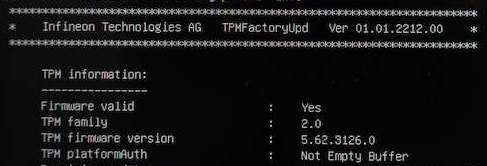
If “dTPM” is selected in BIOS, but TPM is not disabled, it will say that the buffer is not empty, and updating won’t be possible (ignore the older version of the tool in this screenshot):
-
If “dTPM” is selected in BIOS and TPM is disabled, it will show that the buffer is empty:
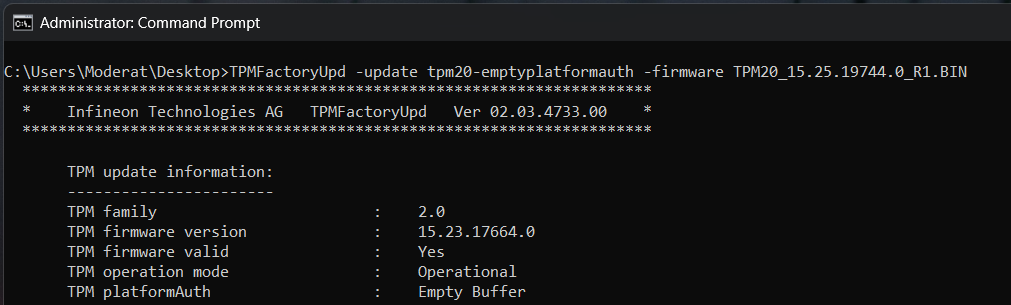
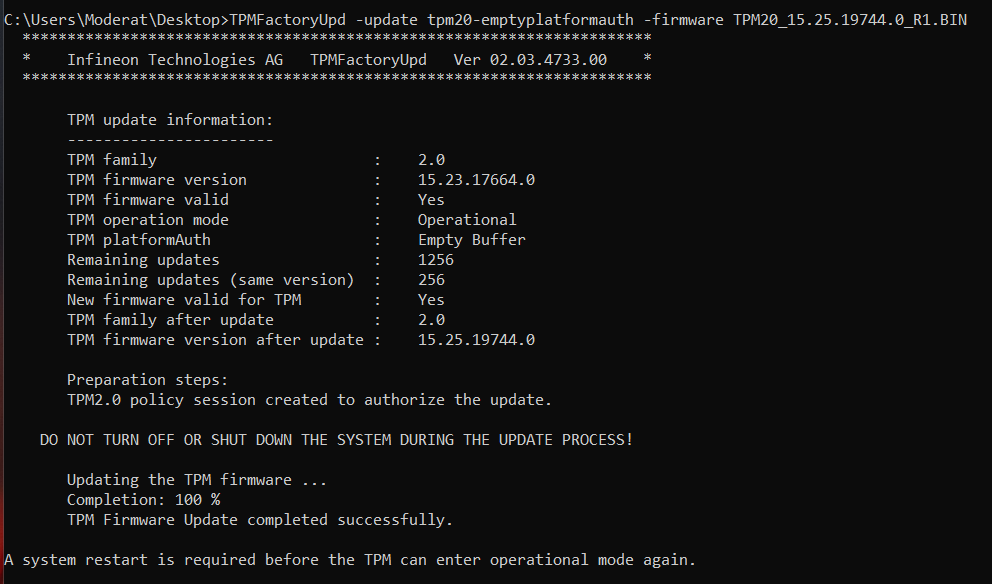
- If the buffer shows as empty, you can run “Update_SLB9672_FW15.bat” (same, run as administrator)
This is after the update finished.
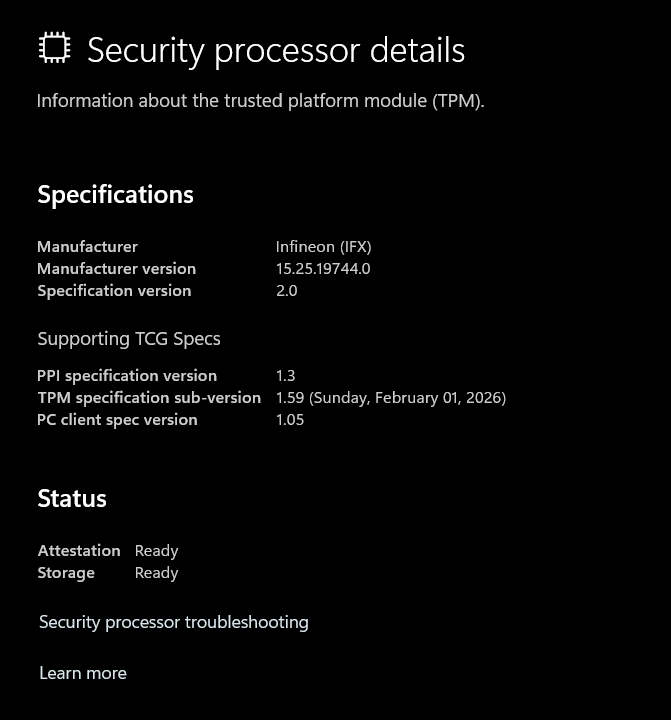
Yeah, it worked as intended before too, but I just wanted to do it  In theory, there are vulnerabilities that are fixed by the latest release.