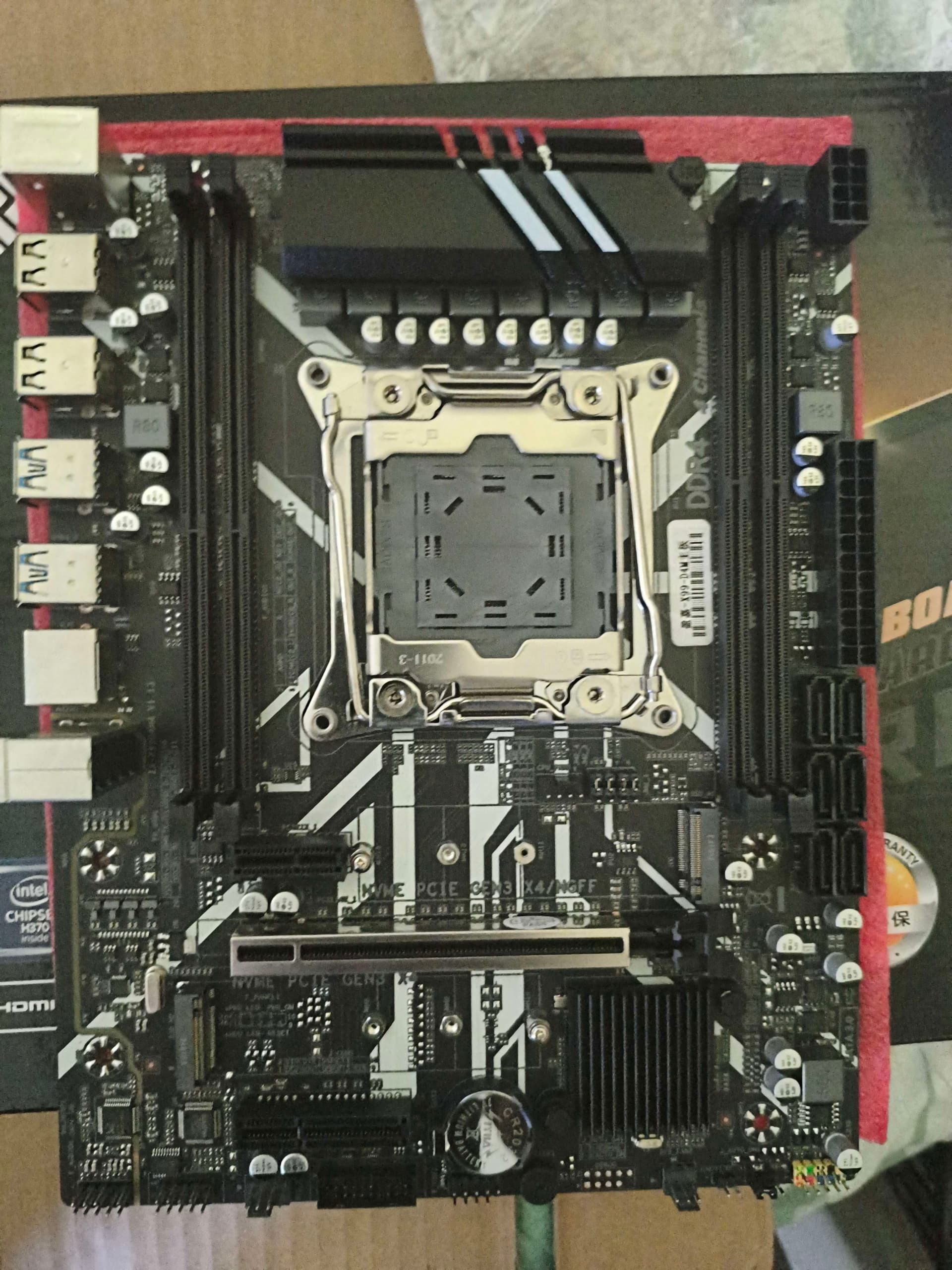
We using motherboard Jginyue x99m gaming d4/argb v3.0
we have D1_Mx_B1_260614.bin bios and ME M1
We followed the instructions for everything.
we try to choose another ME region but nothing helps
We using motherboard Jginyue x99m gaming d4/argb v3.0
we have D1_Mx_B1_260614.bin bios and ME M1
We followed the instructions for everything.
we try to choose another ME region but nothing helps
Ok, thanks then it is clear. Short answer:
Longer answer:
Hello. We’ve determined that this isn’t related to the ME; an error occurs, and the VTX starts conflicting with something, causing the Spread Spectrum / Clock Skew mode to activate.
In this post, I will summarize my recent overclocking experiences with the Jingsha X99E Max DDR3 version, and some other findings. In short, I cannot recommend this board. There are too many odd problems, where poor RAM compatibility was the biggest issue. But first some background. I set out to find a motherboard with 8 DDR3 slots, intending to re-use 4G RAM sticks from old 2nd to 4th gen Intel systems, and still have 32G in total. I found three different boards:
Since I prefer MATX for more compact computers, I gave the X99E Max a try. The biggest problem with this board was indeed RAM compatability:
The end result of all this testing became rather simple:
But with that said, I managed to get down to 1866 CL8, which offers very decent latency (got down to ~68ns in Aida64). This is since I bought DDR3L (1.35V) but forced it to operate at 1.5V. And I also verified that my modded BIOS gives WHEA errors when overclocking ECC RAM too hard. @Mir_Computers FYI
Finally I found some old but quite interesting information. In the earlier DDR3 boards, it was possible to run DDR3 at 2133 MHz
Thanks for contributing to Win-Raid Forum!
I am no english!
Give you XD4 new bios:http://www.angxunmb.com/web/userfiles/download/X99-XD4V2.12_006_2026-6-5.rar
Hello and welcome!
Yes, this was discussed before in this thread. Nothing has changed since then.
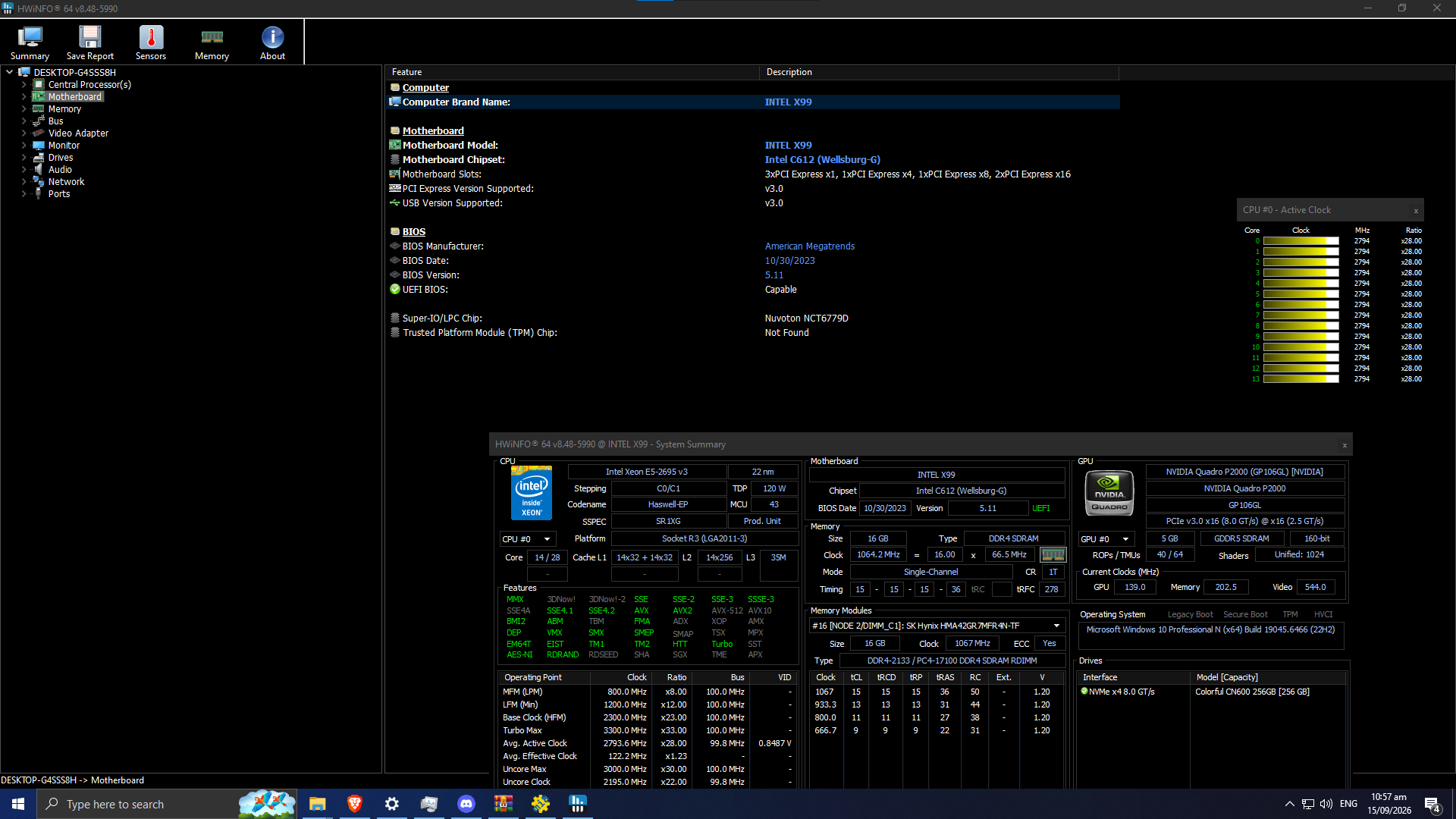
Hello, I have a motherboard branded as X99-D4M, Looks like this, I have also uploaded a bios file dumped by afuwin, I don’t know if its really an X99-D4M4 but it looks exactly like the board in your guide, Could I maybe get a bios with, memory timings and tbu?
Bios IC is W25Q128FV, got it using Intel FPT
ZX-X99-D4M4_Original-Mine.rar (2.8 MB)
Edit: Uploaded HWInfo Screenshot
Hello! Yes, that is definitely a D4M4 board. The writing is small, but it looks like you have hardware revision 1.13.
In short, put together a “D1_M2_B2” BIOS, following the instructions in this post.
Edit: How to add TPM is described in this post, should you want to do that.
Could I have a clarification on how to put together the “D1_M2_B2” Bios? Do I open my bios using UEFITool, right click ME Region and replace as is and then i select the “D1_M2_B2.bin” bios?
Edit: Or do I extract the ME Region from my original bios, then open the “D1_M2_B2” and right click the ME Region, replace as in, and select the me region from my original bios?
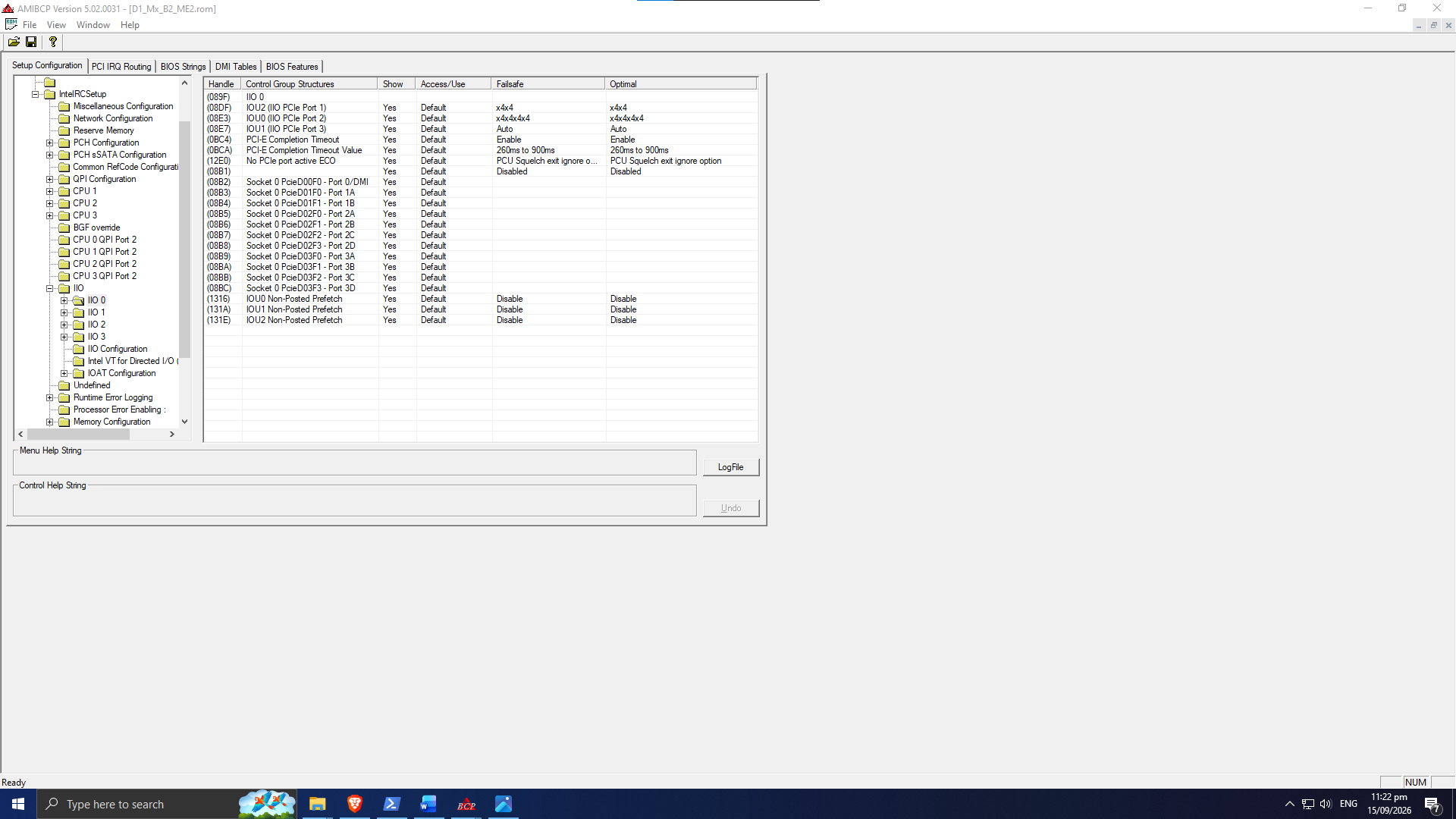
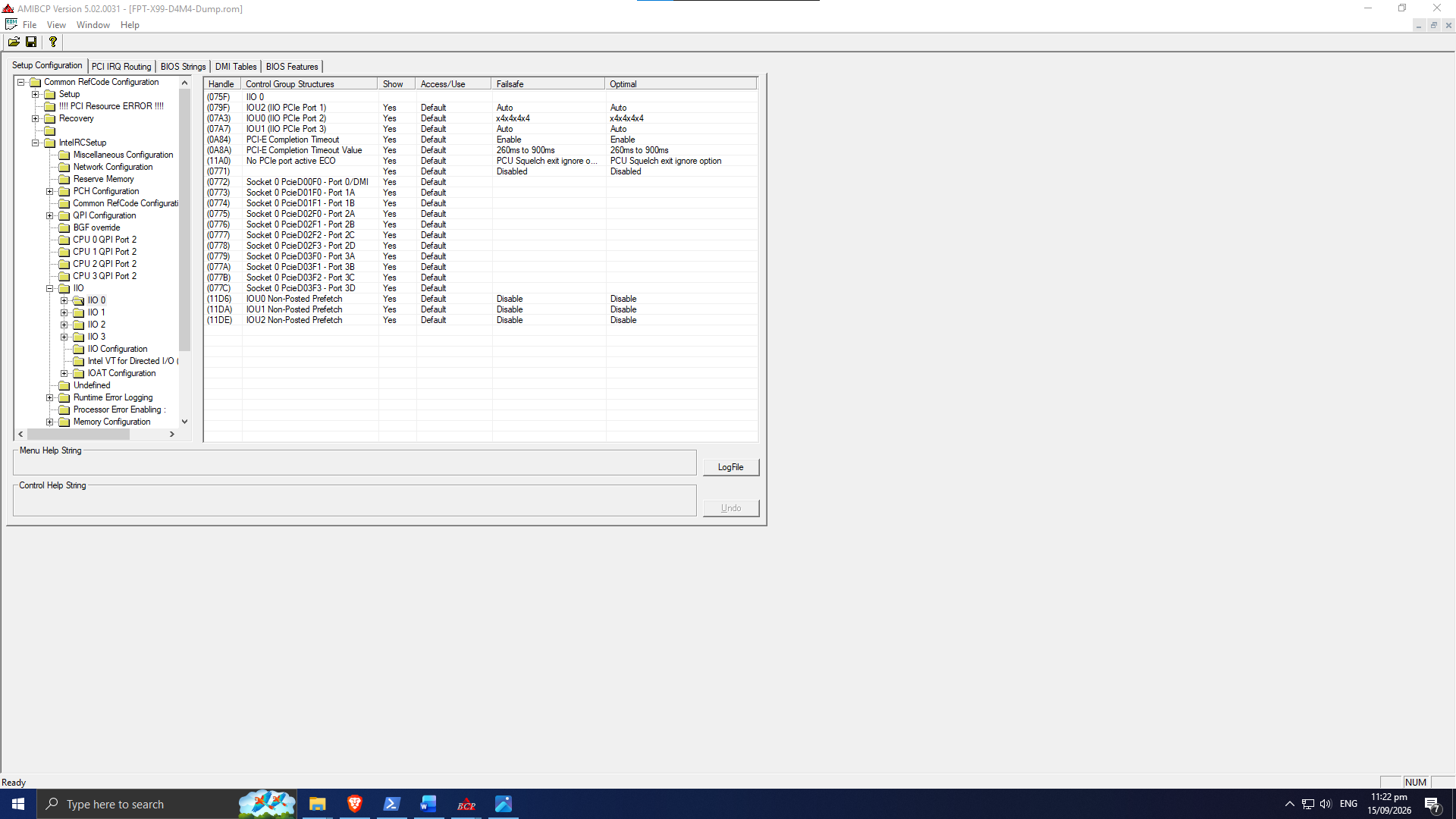
No. In your case, all files that you need are already included in the archive. So you just start with the “B2” BIOS and swap out the ME region in that file. Double check that “IIO 0” is the same as your original files, and then you are good to go.
Im sorry I might be very stupid but what do you mean by swapping out the ME region in the file? swap it with what? Or do I extract the ME Region from my original bios, then open the “D1_M2_B2” and right click the ME Region, replace as in, and select the me region from my original bios?
Let us start in this end: What is the name of the file that you downloaded from this post?
What is unclear in the instructions in the post, especially considering that the folders in the zipped file are named just like the related step?
Its “251005_HNZ_BD4_mods.7z”, for me the unclear instruction (I just might be stupid) is on step 2 it says “Take the correct ME (Management Engine) region for your motherboard, and swap it in using UEFITool 0.28.0” Since my board is M2, Do I still need to replace the ME Region? or can I just directly flash this bios named “D1_M2_B2_251005.bin” ?
Then you are not downloading the latest file at the top of that post. The latest one is called “260614_HNZ_BD4_mods.7z”. So start in that end, and things should start to make sense.
Basically you should always replace the ME region with one that you know is correct for your specific motherboard. The only exception to this is “Example 5” that I list later on that post. But you do not need to worry about that, “M2” is absolutely the right ME region for D4M4.
Jesus that made a lot more sense, also in the IOU2, my original bios is AUTO AUTO while the modified bios is x4x4 x4x4?
Edit: also is it fine that basically every handle in the bios has changed?
update, changed x4x4 x4x4 to auto auto, board is bricked, flashed using intel fpt
Hello, the motherboard flashed properly, I just thought it was bricked, but now when enabling csm, the board does not post
Correct, this was already documented in this post.
You have two basic options here:
Edit: This post has some more info on what you need to do, should you want to stay on Legacy/CSM.
hmm, it seems like my board is not very stable with the bios, most of the time it wont post, need to power down and complete cmos clear, even after that only like a 10% chance of posting
It is of course not impossible that you have a hardware combination that somehow works ok with the stock BIOS, but somehow does not agree with this BIOS. But I have never experienced what you are describing. I have personally verified stable overclocked operation with this BIOS on the following 8 (eight) type of motherboards:
As a matter of fact: I just received the very first X99D4M4 revision v1.13 back from my nephew recently. It runs perfectly with the latest BIOS (D1_M2_B1). Overclocked 1660V3 and 32G laptop SODIMM RAM.
Reading through your posts, I can see that you did not follow what I wrote on how to flash the BIOS. So let me ask this way:
Hello, perhaps you can help me, I need a BIOS for the X99TF 2.0 version motherboard and the XEON E5 1660v3 processor, with support for TPM 2.0 and Secure boot, as well as support for CPU overclocking and RAM timings adjustment