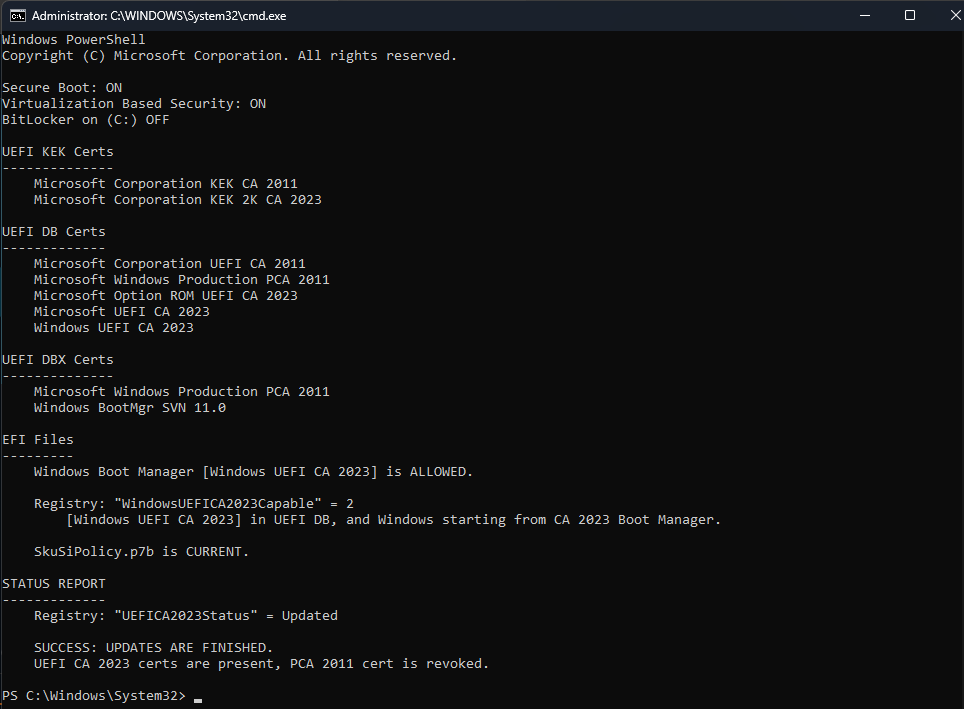
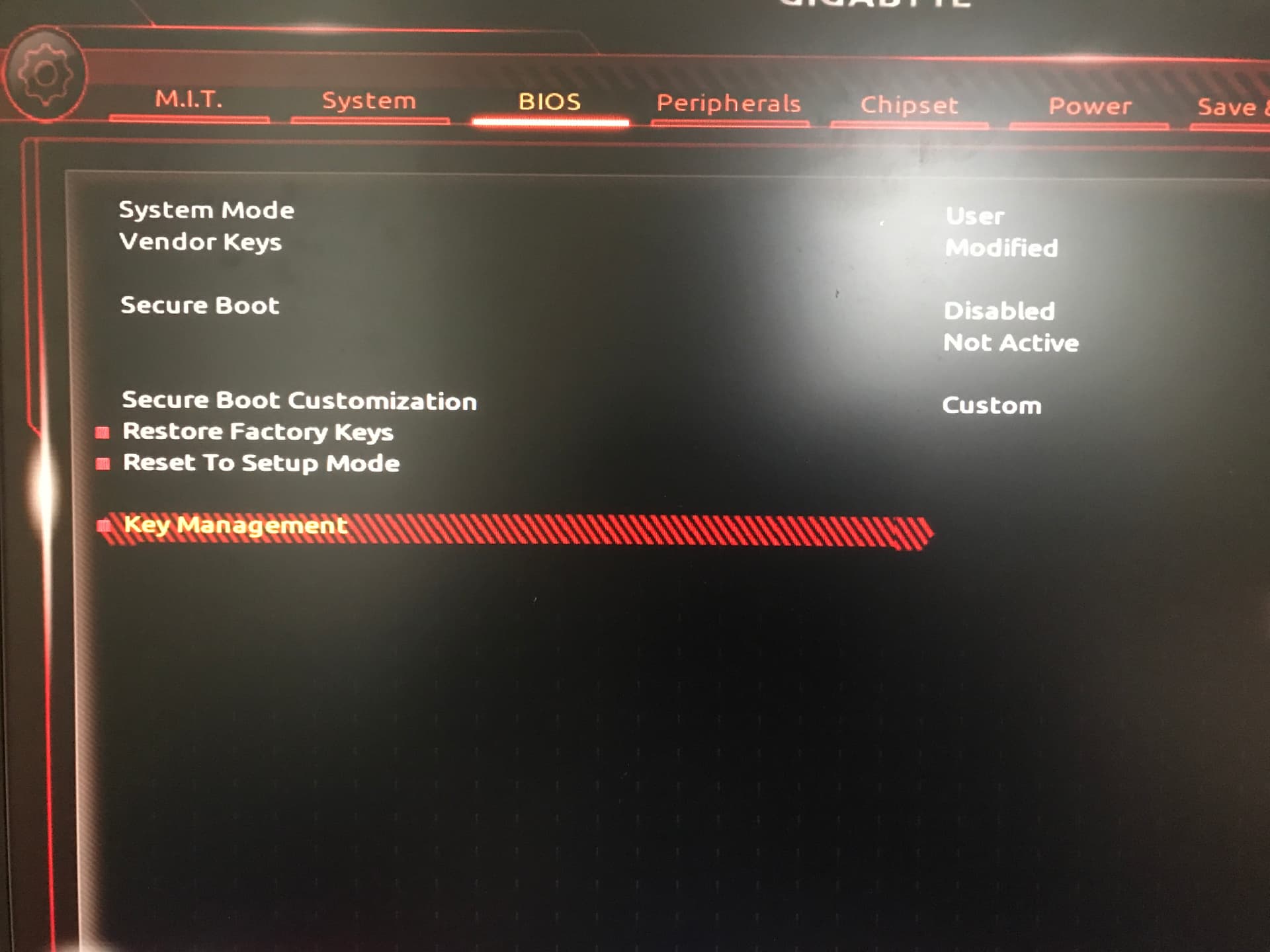
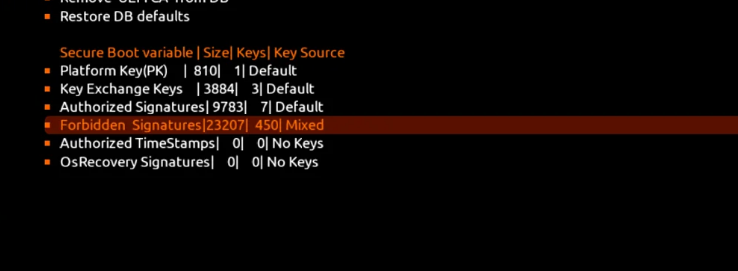
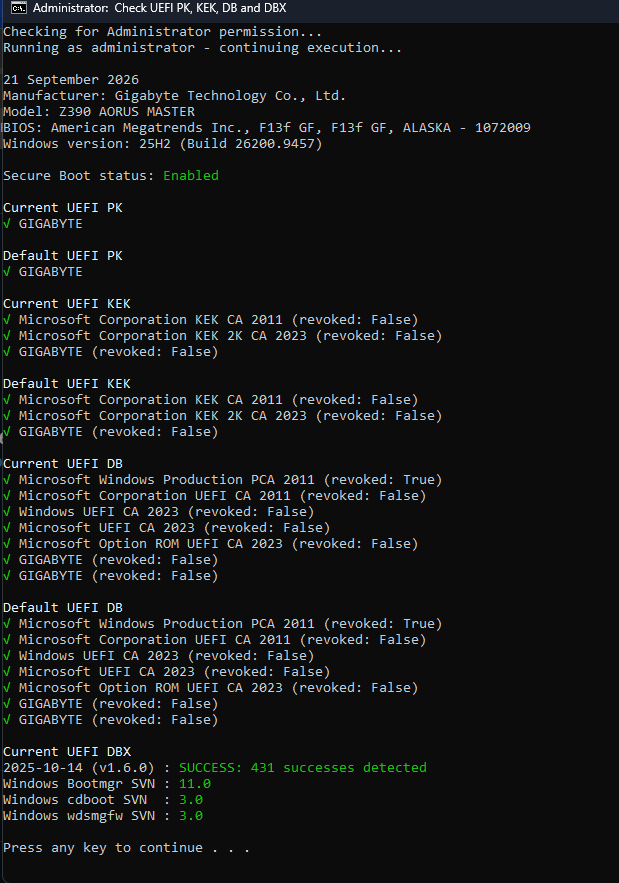
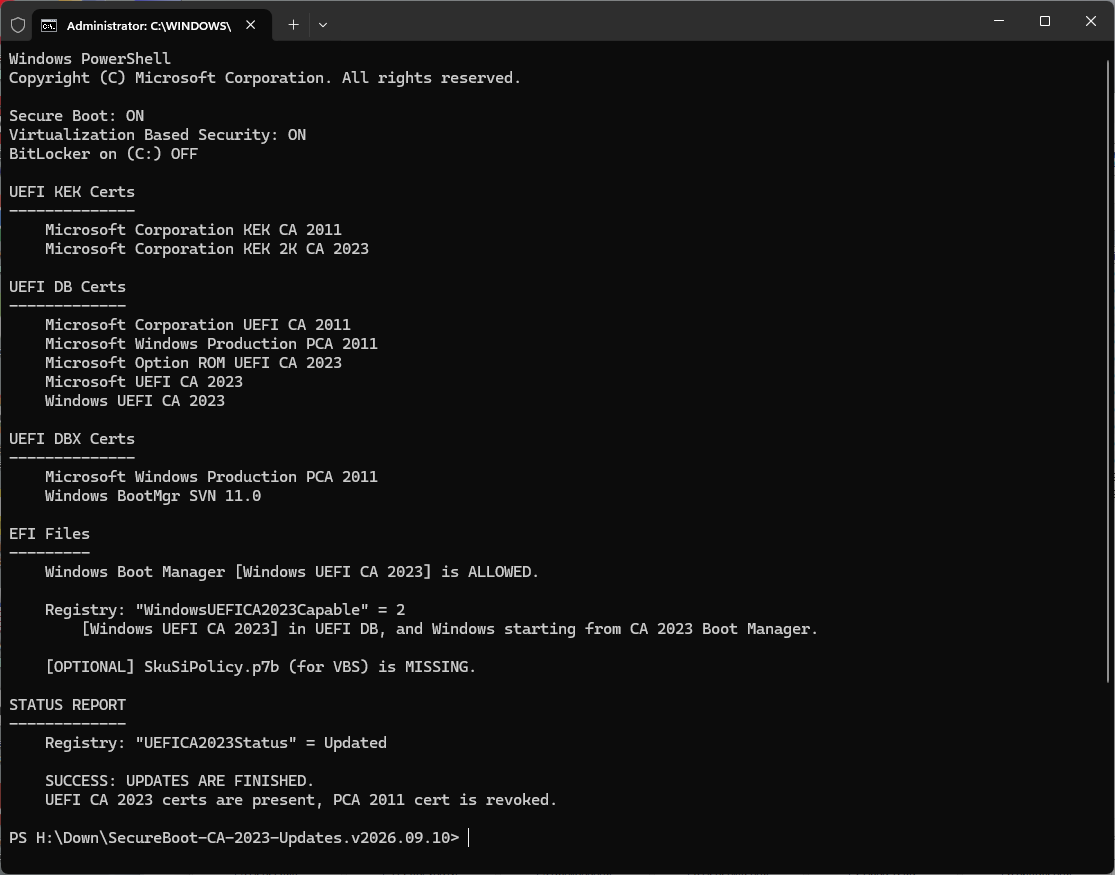
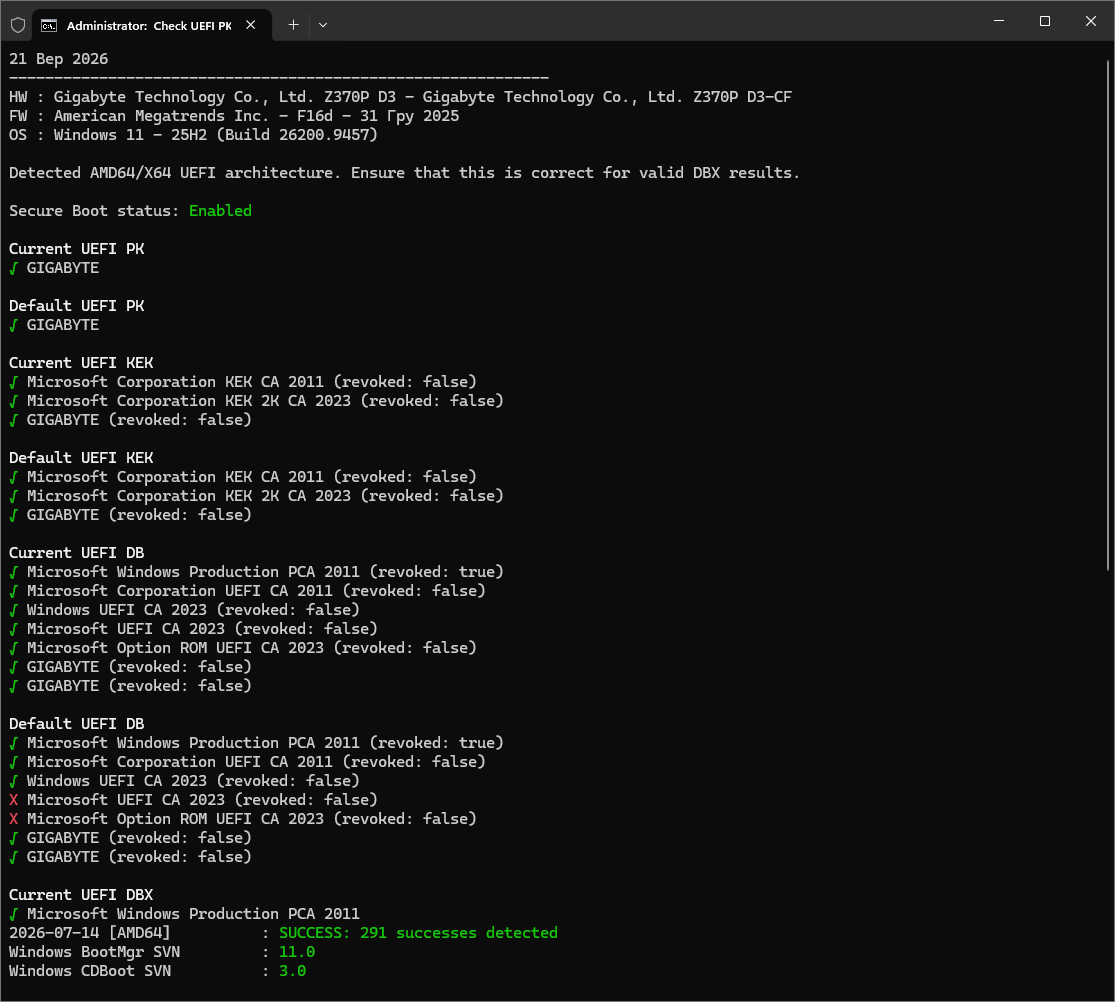
I’m using the latest bios F13f they supplied and I am getting some issues with secure boot.
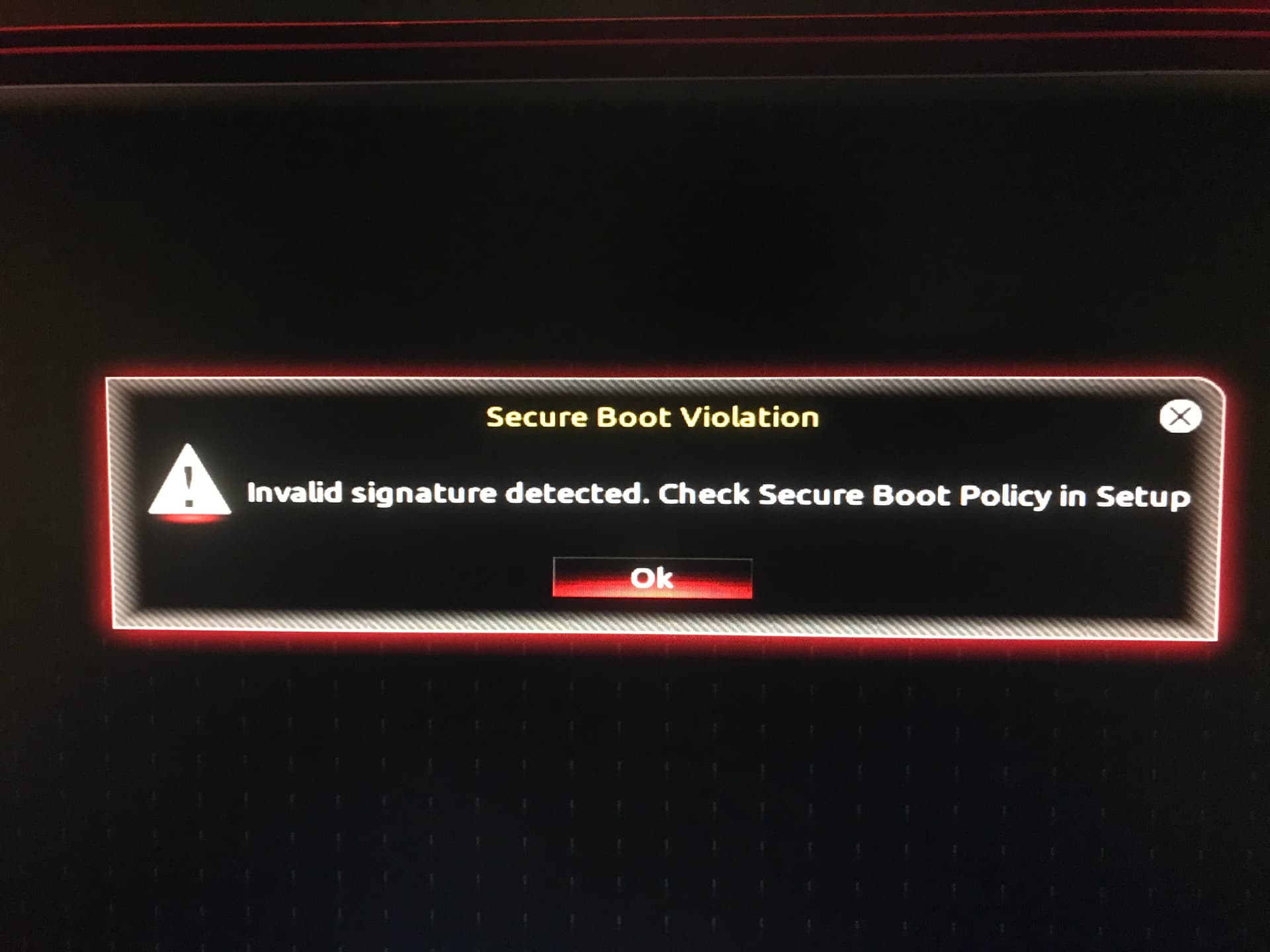
First off, if I update the certs then revoke 2011 certs, if I then try to install windows via USB I get invalid signature.
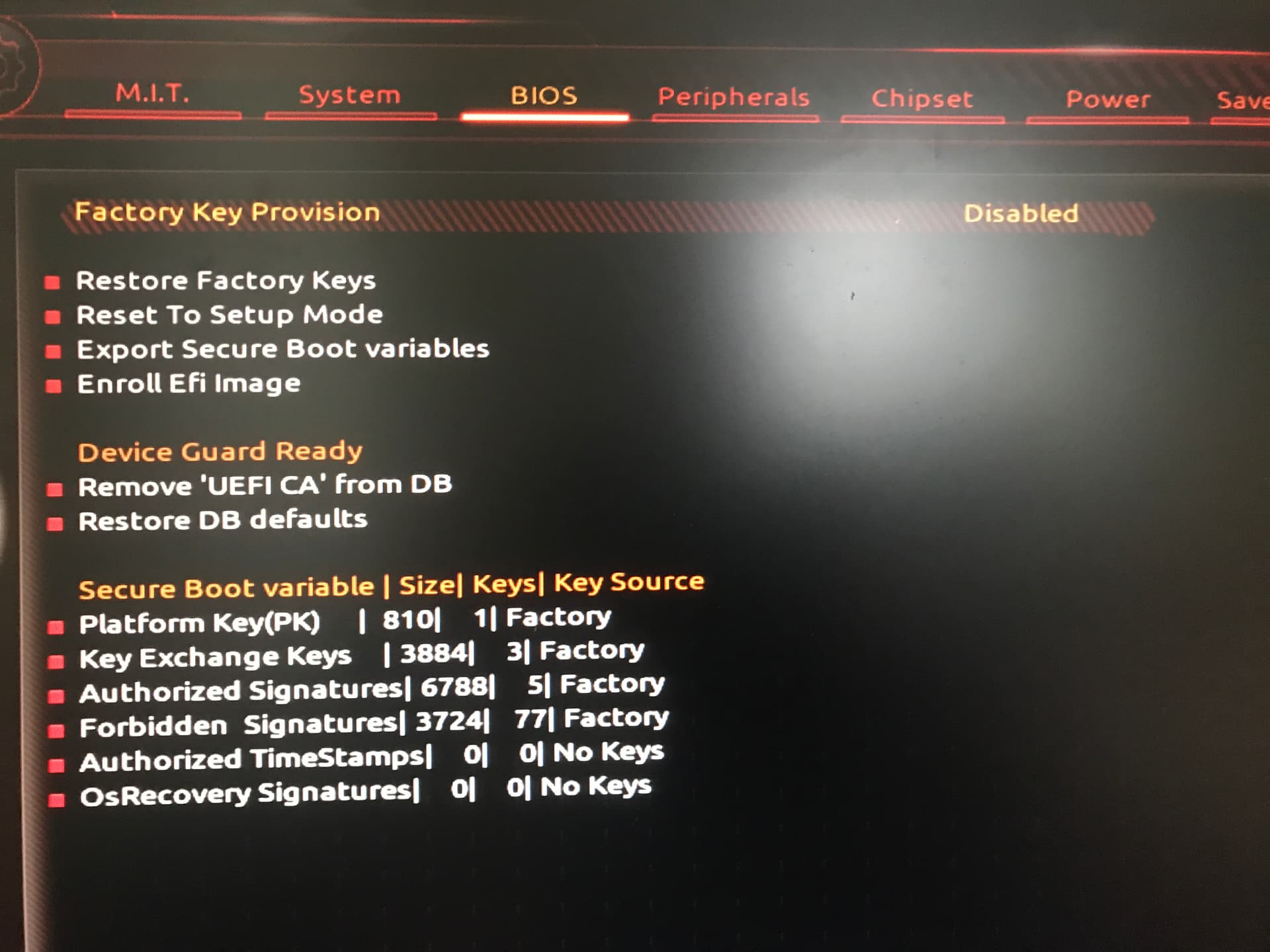
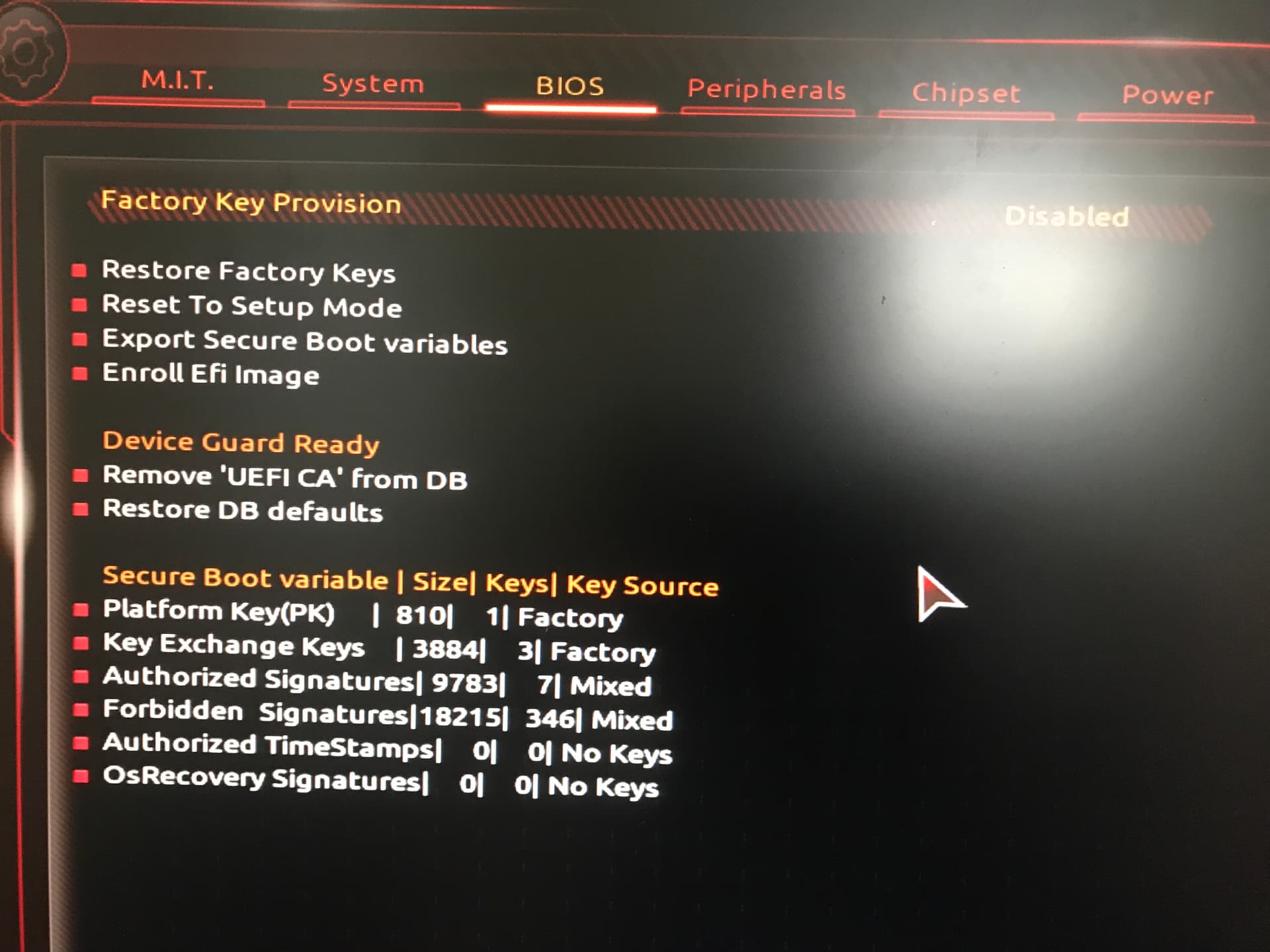
I have a feature in secure boot called device guard. it removes the UEFI cert, its for Linux, but when I remove, on a restart the PC motherboard speaker beeps 5 time, I get no post screen then 5-10 seconds later I get the Linux login or windows login. only way to get the bios post or login to the bios was by comos reset, then when i go in secure boot if i try the same thing but adding what was removed the system gives me a security protection issue. then the system starts to act a bit mad, with loading, like when booting in to x system it would just boot to bios, a bios reflash fix’s it.
If I Just update the Windows bootmgr, cdboot and wdsmgfw SVN, that again causing issues.
I’m not sure what gigabyte are up to, but what would cause it, not being implemented correctly, or to much data for the nvram, any idea’s?
The “Invalid Signature Detected” error occurs because a recent Windows Update forced a database change for Microsoft certificates (revoking old 2011 certificates and requiring new 2023 ones). When your Gigabyte motherboard has its updated Secure Boot policies active but lacks the matching updated factory keys stored in its NVRAM, it blocks Microsoft’s own brand-new Media Creation Tool boot files.(revoking old 2011 certificates and requiring new 2023 ones). When your Gigabyte motherboard has its updated Secure Boot policies active but lacks the matching updated factory keys stored in its NVRAM, it blocks Microsoft’s own brand-new Media Creation Tool boot files.
So is there anything i can do, I have forward some info to gigabyte, so manybe i’ll wait on them.
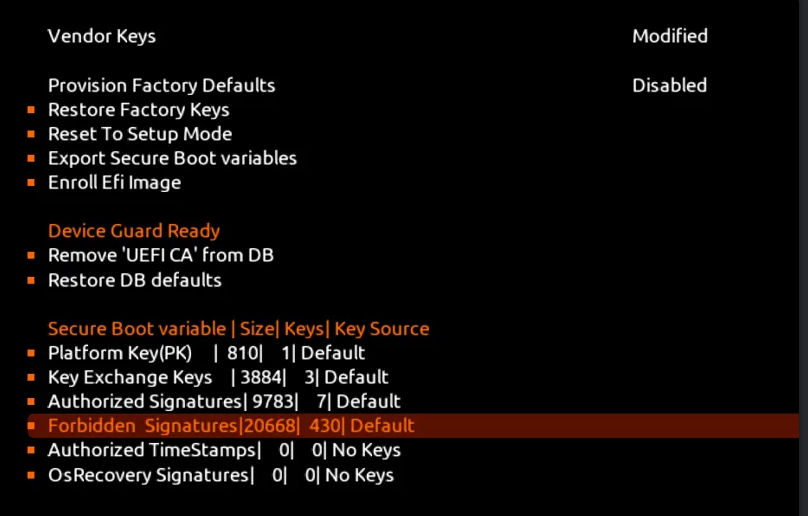
So it’s not fully updated, you can run the commands that it says at the bottom to update, yet you are missing a lot of certs, maybe you need to contact gigabyte and say can you update.
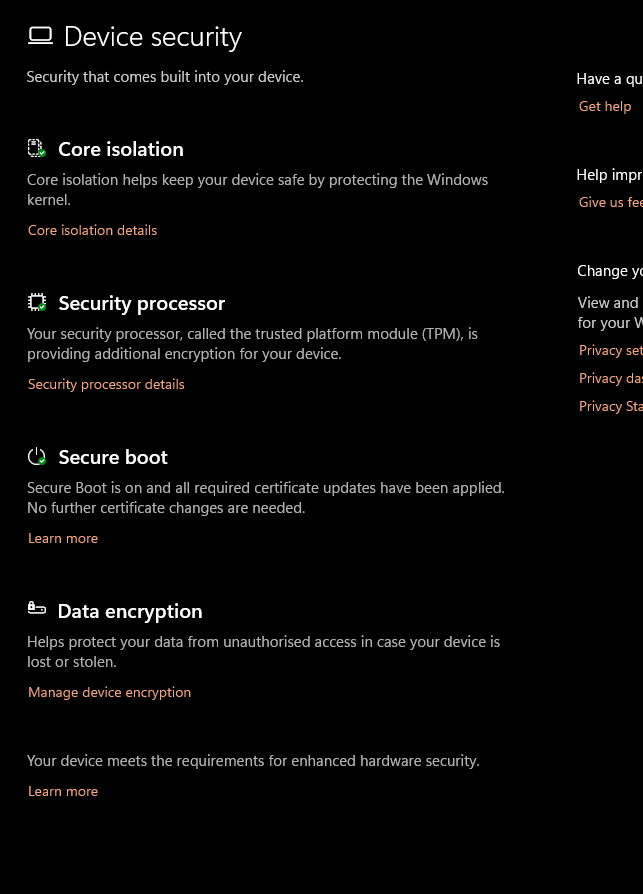
I have also noticed that too, where I have been messing around with secure boot, the only sign is some games and in the windows security, device security setting, secure boot is just not there how it is when its on. maybe its were they are doing these secure boot changes at the moment.
But If you do get any time to try the above, please report back, so I can then say its not just my gigabyte board with this issue, once the 2011 certs are revoked.
I think its the factory PK keys are not updated. some newer gigabyte boards have more keys.
This happened when using the Media Creation Tool,
as well as when using the official ISO image.
If Secure Boot is disabled, everything installs normally.
However, this doesn’t concern me, since I don’t use Secure Boot.
Can also just reload factory defaults. Also means it is more than likely the PK files.
Oh one last thing, in your bios picture, where it says device guard ready, if you click remove UEFI CA from DB, save and exit and then see what happens.
For me the pc went a bit nuts had to reset cosmos then secure boot would say security violation when trying to restore the UEFI dB. Had to reflash the bios.
@Trebleta How should I describe the problem to them? I honestly don’t know…
Should I say that I updated the keys and the system started behaving strangely, but when I reverted to the factory keys, everything worked perfectly?
They wouldn’t even consider issues like that.
By the way, they have a live chat service.
”Service is available Monday through Friday from 10:00–11:45 and 13:00–18:00 (GMT+8), excluding holidays.
GIGABYTE collects your information in accordance with our Privacy Policy. If you have any further questions or suggestions regarding our service, please contact us via the GIGABYTE eSupport system.”
If you are interested, you can ask them questions there.