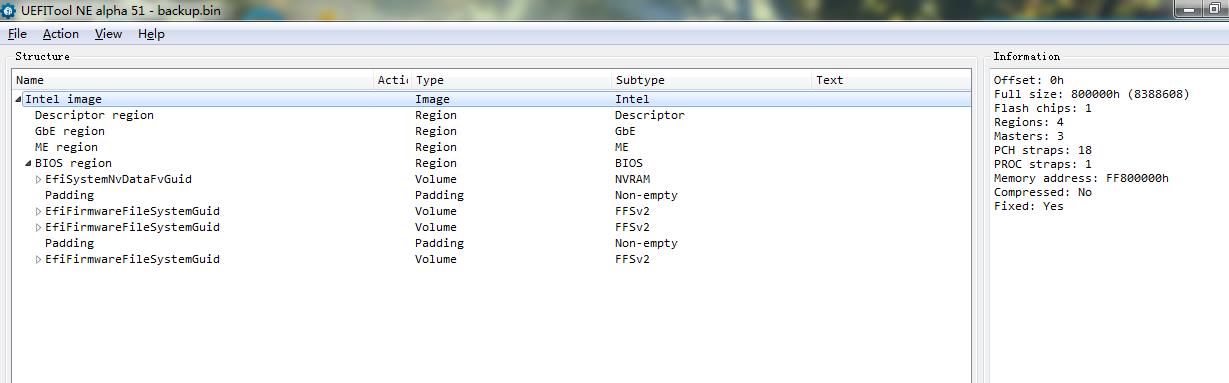
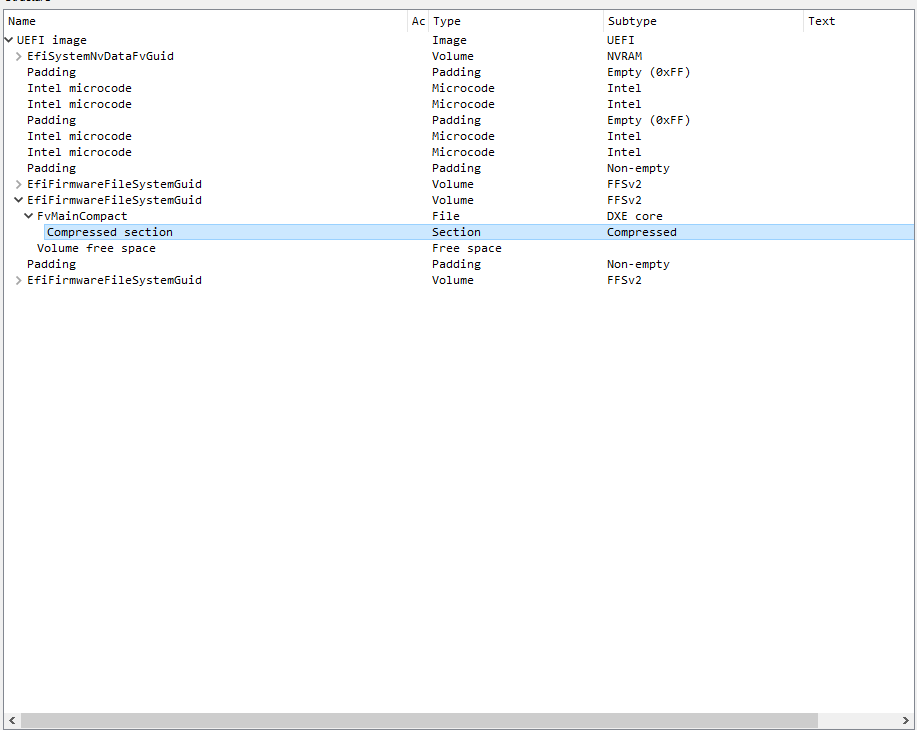
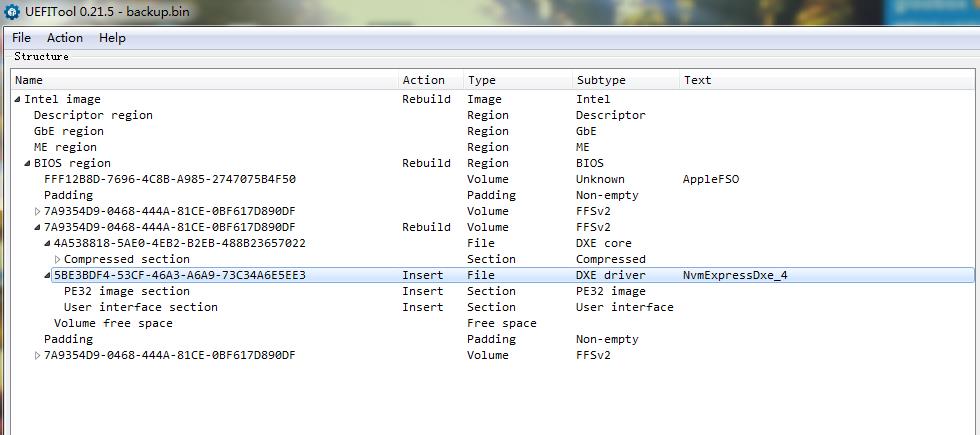
The section containing DXEs on DX79SR/SI/TO is compressed with an algorithm that UEFITOOL and MMTOOL don’t seem to understand. I’ve highlighted the correct section in the attached image. With a bit of modding you can transplant a readable/modifiable DXE section from the latest .bio file for the DX79SI to your dump (open the .bio in UEFITOOL version 0.21.5 to extract) - after you’ve done that you can add an NVME module.
@IntelModder Thanks! Is it the route of your method? 1.Down the newest bios file(format bio) from INTEl official website.(name it bios1) 2.Upgrade the newest bios version.Dump the bios by SPI programmer(name it bios2). 3.Open the bios1 and bios2 with UEFITool 0.21.5. 4.Replace the Compressed Setion of bios2 with the setion which is the same GUID in bios1. 5.Save the new bios2 file.Mod flash it.
What if I insert the NVME module directly after the DXE core? Because I think it belonging to the DXE drivers too.
@gloobox : Here is my answer to the thread title question: Intel DX79 BIOSes are disguised AMI Aptio UEFI BIOSes. That is the reason why they cannot be easily opened and processed by using the common UEFI BIOS modding tools.
Sorry to disturb your post @IntelModder , but I was going to open a new thread and I think this is very similar… I think
The question is, Can an AMI Aptio IV BIOS from one Samsung laptop be adapted to a Sony Vaio BIOS Laptop? Maybe it is a non sense, but if there is any possibility I will give you all the info.
@IntelModder Thanks,I tried to replace the section but there is not enough space to do it.Could you like to help me mod it and add the nvme module into the bios. Just use the bin file bios of yours–DX79SR.
You can’t use a uefitool editing program (MMTool, UEFITool) to do this mod. You must use a hex editor to insert/replace the volume in your dumped .bin with the one within Intel’s .BIO. There is enough room in your dumped bios in your first post to do this - I’ve just checked.
I can’t use mine because it will not have your board-specific details (serial, UUID, mac address). Do you have a hardware programmer yet?
is it possible to make a fresh bios of intel motherboards. intel provides bios in 3 packages .bio .exe .zip i extract thrice file one by one many MB files but not successed bcoz after extact these .bio file we gat data in complex state means sometime only header match some time footer match with original dump bios. so i m not able to make fresh bios file. if we have old bios dump we can clean me region, if problem is on me rgn side problem will be solve but mostly time bios region corrupt.now we need only bios rgn from new bios but we are not able to extract bios rgn in right way from .bio file so finally i want to ask is any possibility to extract bios region from intel .bio or .exe files i listen somewhere a tool (LBE) can make intel bios files but i did not tried it. i upload a dq77cp bios file with exracted data too. any solution to make bios region from it?
Its same location for all 3 models, if not mistaken.
SPI white label on the PCB near PCH.
EDIT: There’s quite a few users/posts on the forum related to the DX79 flashing/recover, on the forum and there’s a search box on the forum…last time i checked, the search was working presenting results.
I do not have such board model or had to recover one, to share my results here.
Good luck.
@Tomyx
This thread is about how to open and customize an Intel DX79 Series BIOS.
If you need a certain BIOS, you should better start a new thread within the “BIOS Modding Requests” Category.
Good luck!