I need modifed driver, becuase offical Windows 7 driver for it dosent exist
Edit by Fernando: Thread title shortened and customized
I still get stuck on Load Driver, I integreted NVMe Update too
Can I use modifed Samsung NVMe driver for Windows 7 in installation?
I tried and it was yelling at me for unsigned or smth
Mine ssd is SCSI\DiskNVMe__________________SAMSUNG_MZALQ512HBLU-00BL27L2QFXM7
That’s a chipset storage controller on the mboard (witch we DONT KNOW nothing about it…), nothing to do with an NVMe disk.
You have to integrate the related MS Hotfixes (as Hotfix, not as driver) into the BOOT.WIM and into the INSTALL.WIM of the Win7 ISO.
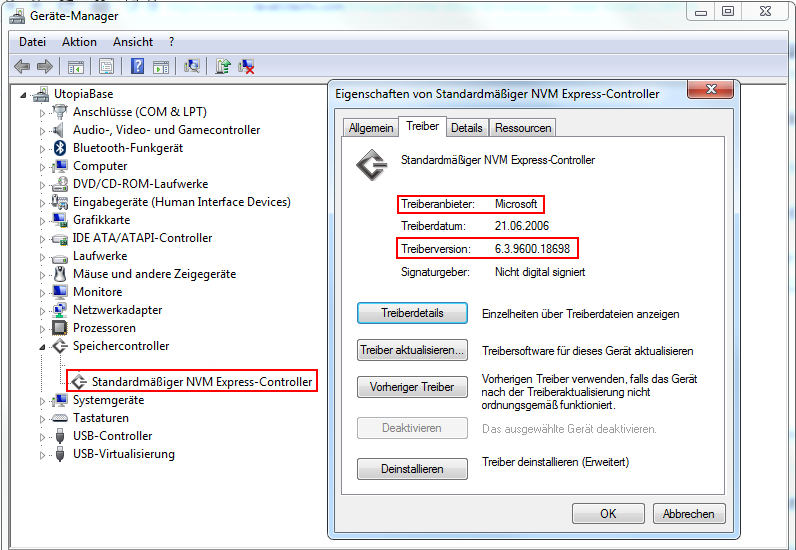
Have you tried the backported Windows 8.1 NVMe driver from Microsoft which should work for all brands?
See forum “My digital LIfe” nVME drivers in Boot.wim problem | My Digital Life Forums
You can also try the Phison’s generic NVMe drivers from this forum:
Do you already have Windows 7 installed or do you do a new installation?
If you do a new installation make sure these Microsoft updates / drivers are integrated in boot.wim (Index 1 and 2) / install.wim:
-KB3125574 Convenience Rollup for Windows 7 SP1 (install.wim)
-KB2864202 Security Update for Kernel-Mode Driver Framework (KMDF) version 1.11 (boot.wim, install.wim)
-KB3033929 Availability of SHA-2 code signing support for Windows 7 and Windows Server 2008 R2 or latest Monthly Rollup (available since KB5022338 2023-01 Monthly Rollup or newer) (boot.wim, install.wim)
-Chipset drivers for your mainboard (boot.wim, install.wim)
-NVMe driver (boot.wim, install.wim)
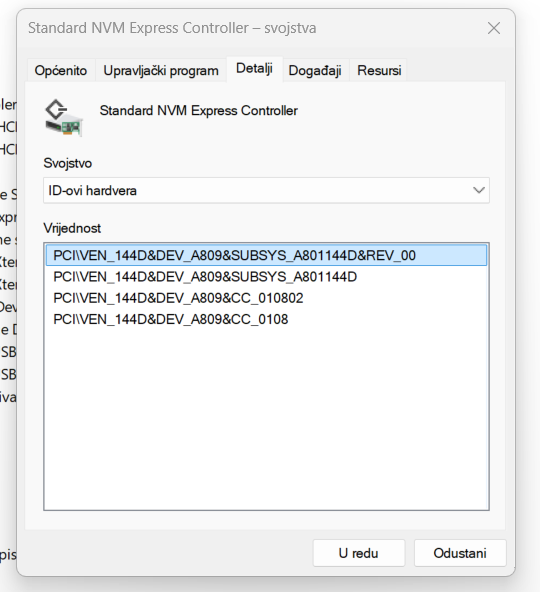
Not really… that identifies the controller used by the NVMe, in this case you have a SEC980.
The Samsung driver is intended for Windows environment and not primary as boot driver source (F6) setup.
The OS will use the standard MS NVMe controller when setting up a new installation, if this is the case, as the Fernando and Shodan2000 have already explain it in detail, because retail Windows 7 ISO’s do not have NVMe support by default.
What we dont know from you and your system is the motherboard chipset, Intel, AMD or old Nvidia platform, regarding the onboard storage controller, this is most likely the driver that is missing or at least tell us the mb model, a critical information that should have been provided in your initial post for this type of request.
And i could be wrong, but i bet you’re trying to install the old Windows 7 on a modern mb that never had storage/chipset drivers released for Windows 7…
UPDATE: I managed to get it working. Thanks for help