Hi, i have the same laptop with same specs and i am facing identical problems and errors as @kev1 . My bios version is also FE02 and as others have said reflashing bios doesn’t work. Tried to downgrade bios to any version possible even FB01 but no success. Is there any option to unlock that annoying FE02 bios?
Or I’m wasting my time.
Asking for any advice or help !!! Thanks!
 ,.,try RU.EFI + unlock
or on locked state - try only enable OC “offsets is above”
edit “RU.EFI example”
example
Alright.
Did you disable secure boot in the bios before using a grub shell?
- Go to Bios → Security → Delete all Secure Boot variables or try to toggle Enroll all Factory Default keys/Delete all Secure Boot variables.
- Boot the usb pen drive as uefi mode(you can make a bootable usb drive by rufus or just try to create needed folders with a grub shell file) at the root it looks like…yourdiskletter:\EFI\BOOT\bootx64.efi(rename your grub shell file to bootx64.efi)
- So, reboot your laptop and press F2 to enter bios, you need to enter/choose your usb drive.
- In the grub shell type commands(without quotes):
“setup_var PchSetup 0x1C 0x0” and press Enter, you’ll receive a msg with changes… Then type a second command “reboot” and press Enter again. - After that you can try to flash your bios
modvia FPTW tool: fptw64.exe -f biosmod.bin -bios
6. Check hidden menus in your bios and let me know about it(take a bios shot).
If you get an error 167 - your bios is still locked. However, we can try to change locked variables via RU.
Do the same steps. Make a bootable disk via rufus, but this time rename RU.efi to bootx64.efi.
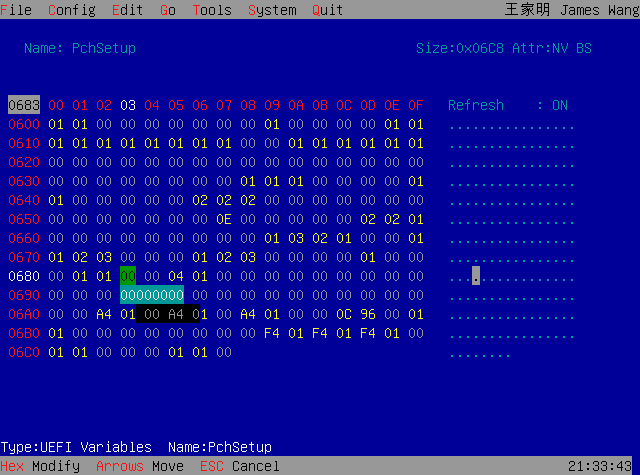
…ignore step 4, do it yourself. Change variables(PchSetup) 0x1C 01 to 00, then check next address 0x683 → 00 means that’s ok.
https://winraid.level1techs.com/uploads/default/original/3X/5/d/5deed7ee21ed81820ac5ea6361ac913c3c19d205.png
https://winraid.level1techs.com/uploads/default/original/3X/a/3/a3cbdf5e3d9d887f487bb72ec8b8ac5c82fdf57c.png
*In your case after step 4 make a new bios dump and try to flash it for a test. If it is successful, I will do a bios mod for you.
@Trelow Where did you buy the laptop? What is your OS? Did you try to unlock your bios via grub/RU?
@Zentsi
Thank you for this write up, very helpful. I followed your steps and realized a lot of this was done though the nifty script I had downloaded from the start, but I went through manually this time. So I tried again to install update the bios and unfortunately ran across the error 176 again. So I downloaded RU.efi and set it up in a boot drive. Went in and checked in PchSetup and found 0x1C, but it looks to me that it’s already set to 00. Here is my screen shot:
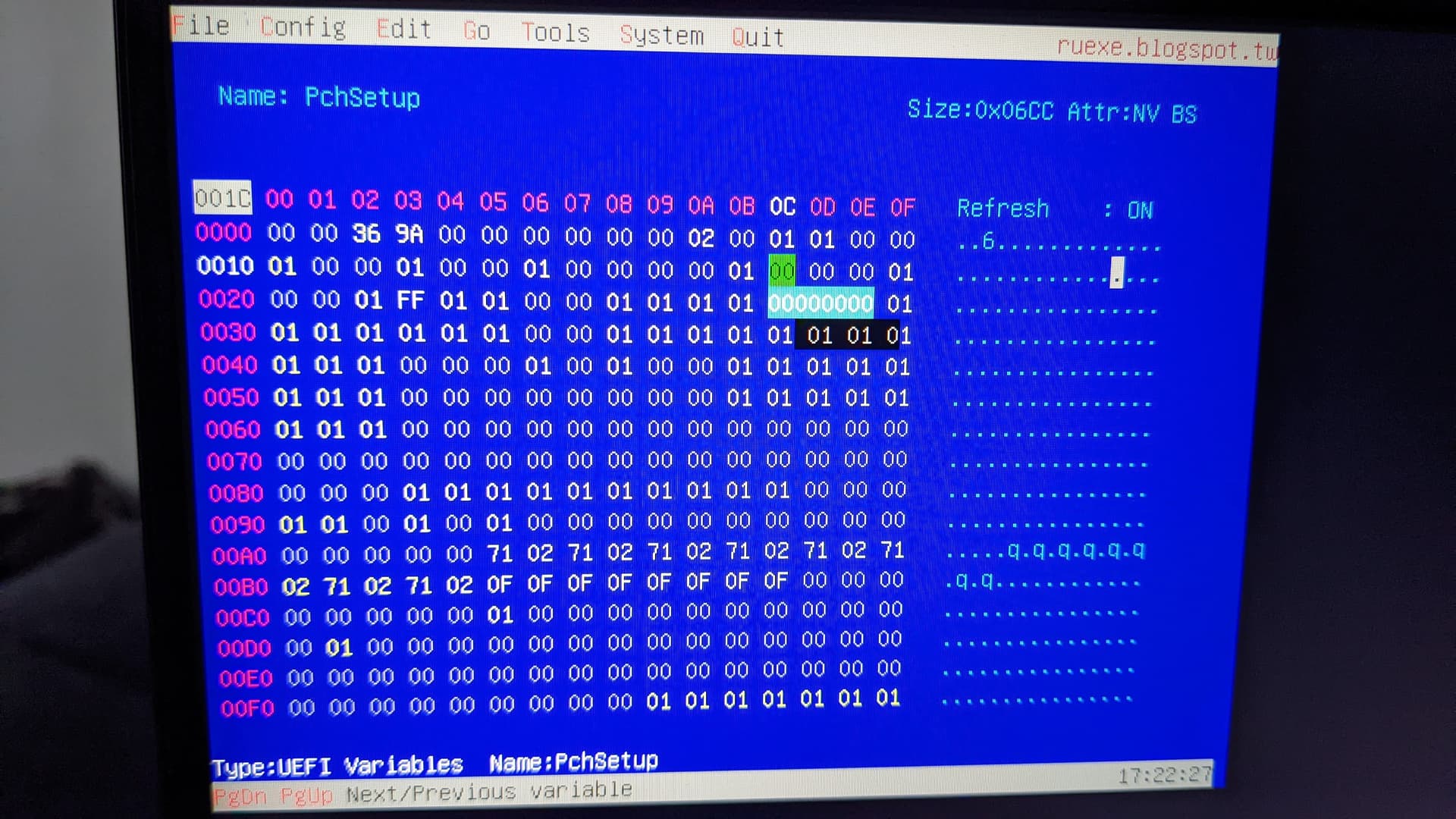
I couldn’t find 0x683 to check if it says 00, I messed around for a bit to try to find it but couldn’t figure out how. But finding 0x1C already being set to 00 makes me wonder if there is something else I’m missing. Now that I’m in RU.efi, I could make changes elsewhere.
It is very odd.
This string was taken from your IFR file - " Flash Protection Range Registers (FPRR), VarStoreInfo (VarOffset/VarName): 0x683". We do not have another FPRR hex-address.
You still have the same error because something block FPRR…even you unlock “Bios lock” hex-address(0x1C) 01 → 00. FE02 is a fresh version, nobody knows all details.
edit
repair “different FE02 - FB07”
try google !
RaceConditionResponse Policy - this is new FE02 “but setup look good” try verify offset in RU.EFI
RaceConditionResponse Policy | VarStore: CpuSetup, VarOffset: 0x249, Size: 0x1
      Disabled: 0x0 (default)
      Enabled: 0x1
// old
BIOS Guard ??
Enable Tools Interface | VarStore: CpuSetup, VarOffset: 0xE1, Size: 0x1
Disabled: 0x0
Enabled: 0x1 (default)
or this for compare
Downloads.rar (82.9 KB)
edit: windows compatibility
if you using Win11 ? try FPT in EFI / no secure boot ,.,.or win10 or latest system tools for you chipset 

FTP -f -BIOS that won’t work here !
check bios structure FB07 vs FE02
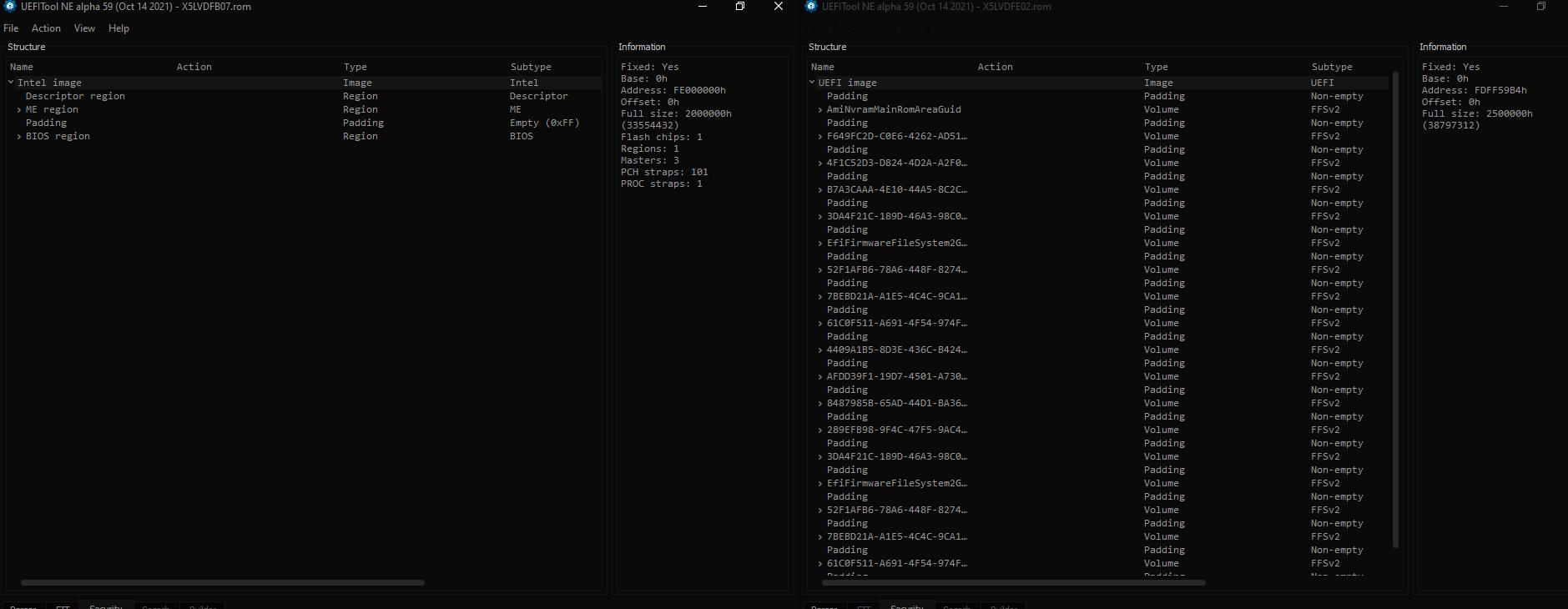
or you must try disable bios guard or all new protections - and try new DUMP file
and must looks identical like old FB07 or is risky flash this file / or is incompatible !!
it can be about encryption / new look of UEFI bios,.,.etc
,.but extreme risky for MOD ! “like old FB07 - looks like million others AMI bios-es ,.,.OK”
edit
or find more info about new flash-tool “from FE02” AMI BIOS Guard Firmware Update Tool
Hello, I need undervolt my cpu and gpu for comfortable playing, but as I know my bios is locked so I need help with unlocking my bios on Aorus 15p xd with 3070 and Intel i7 11th gen.
Thanks in advance
Hi! So what is your bios version?
You should make a bios dump.
hI,
SMBIOSBIOSVersion
FE02
I can help you to make a bios mod, but FE02 owners cannot re-flash it via fptw tool.
Try to downgrade/get another bios version. Preferred any FBxx versions.
Hi @Samuka, I have the same laptop and want to do the same things. Can I use the files from @Xperjo and flash it?
@iModes
This bios mod is user specific! If you do, you can loose your serial numbers, LAN MAC ID, UUID etc.
You need to flash your mod based on your bios.
Firstly, take a capture of your bios window and show it.
1 Like
Okay, thx for the answer. I will upload the pictures later.
@Zentsi
Edit: I’ve uploaded an pic from my Bios, hope it helps!
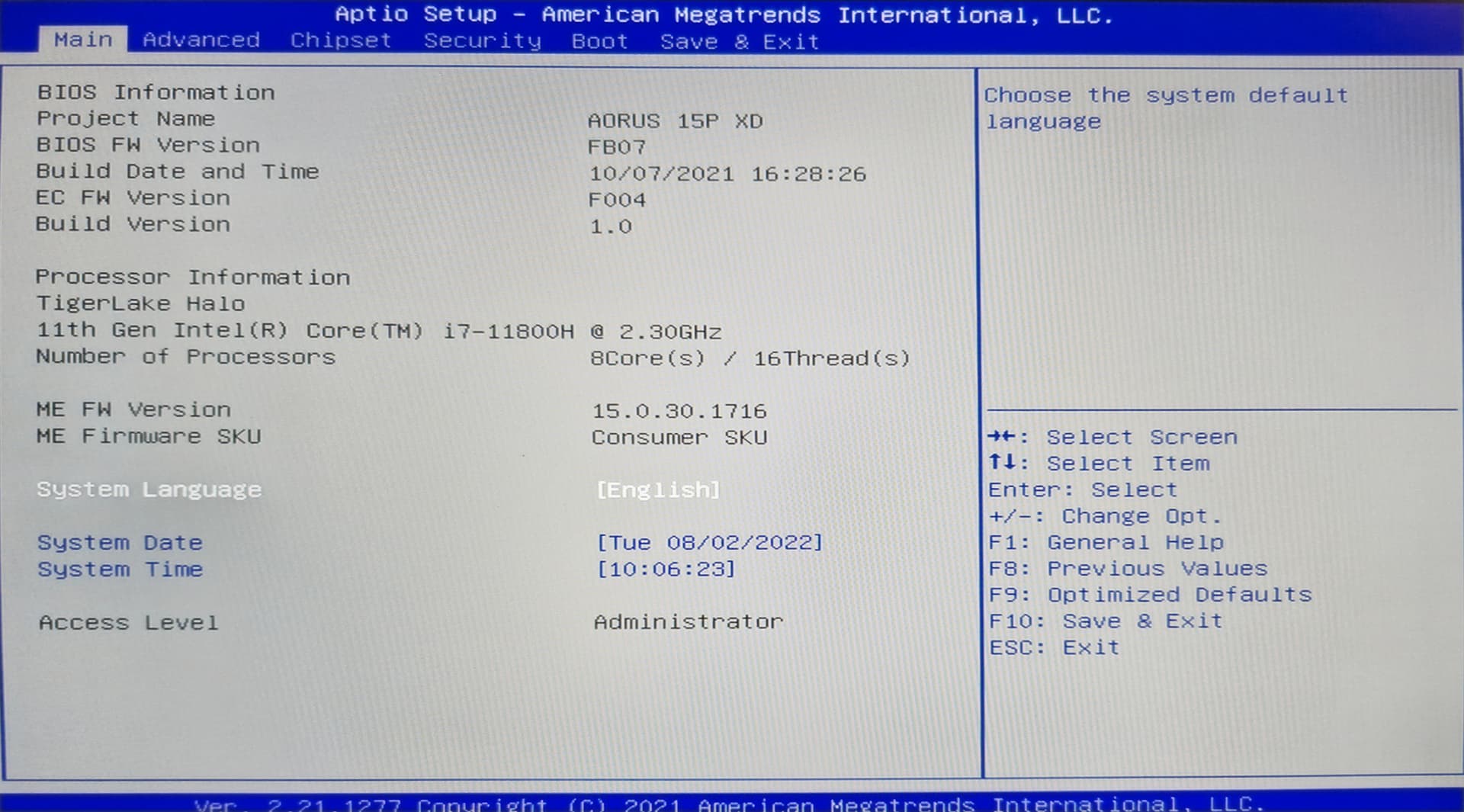

Well, good news!
You have a correct bios version and you can re-flash it without any problems. So, it makes sense to make a bios mod.
You need to make a bios dump via FPTW64 ver.15.0.30.1716 tool click:
*back up your original bios-region >>>
fptw64.exe -d biosreg-fb07orig.bin -bios
Save this copy to the safety place and send it to me… I’ll make a modded bios for you, or help you with it step by step.
@Zentsi
I’ve maked an dump but i don’t know ho to send here pm’s.
Or is it okay to upload it here?
It doesn’t matter. You can send it pm or this thread. But I prefer pm.
My bad that i don’t know how to send pm’s, I upload the file then here tomorrow.
Laptop is now off, and I am going to sleep
Good night an greetings from Germany 
Edit:
Uploaded Bios file. click (swisstransfer).
@iModes
Bios mod only for iModes
If you can’t find where disable secure boot, just ignore it. But if you can’t get access to the grub shell, I’ll explane how you can try to disable secure boot. Otherwise you will try RU.exe.
Please, respond to the result, take a shot of your bios 
1 Like
Do I flash this like an bios update?
Thx for the work @Zentsi !
Edit: I´ve seen the guide too late, thx for the work!