Hello, I have a HUANANZHI X99-TF Ver. 1.1 with Nuvoton NCT5532D and an Intel Xeon E5-2678 v3.
I would like to test the free TPM 2.0 BIOS for the old NCT5532D revision.
Could you please send me the BIOS file/link for the X99-TF?
Thank you!
Hello, I have a HUANANZHI X99-TF Ver. 1.1 with Nuvoton NCT5532D and an Intel Xeon E5-2678 v3.
I would like to test the free TPM 2.0 BIOS for the old NCT5532D revision.
Could you please send me the BIOS file/link for the X99-TF?
Thank you!
Does the new TF v6.0 BIOS not work?
i have not tested yet i have heard that it is working on boards with lpcio nct5567D-B
Yeah, the thing is I did try the BIOS on my Jingsha X99-8D3 (same NCT5532D IO as X99-TF early revisions) and it booted (haven’t done any extensive testing tho) so I think there’s still a chance. If you wanna be on the safe side just flash the BIOS region instead of the whole 16MB image (using -bios parameter in Intel FPT).
Thanks, good information sharing! I have planned to do some more testing with the new v6.0 BIOS later on this year. Would be great to unify all efforts on a single universal BIOS. So far the BD4 BIOS has worked on all 5532 boards I have tested myself. But I basically got nowhere in my attempts with 5567 based ones.
Hello and welcome!
Since you have an older board that is 5532 based, you could try my modded BIOS. It worked perfectly on for instance my Jingsha X99-D8I and X99E Max.
I just tried TF v6.0 BIOS once again on my JINGSHA 8D3 board and unfortunately, I have to say it’s not compatible. Even though Windows boots fine, opening any system information programs (AIDA64, HWinfo, CPU-Z, and maybe more) hangs the system.
Oh btw I just remember an interesting thing about the new TF v6.0 (the board for now, but could be also the BIOS if someone could try) – it is able to initialize DDR3 at 2133MHz natively. At that time I edited the SPD of my fake Kingston 8GB stick to DDR3-2133, booted up to memtest86+, and it was actually running at 2133MHz (it threw lots of errors tho, prolly due to the weak memory chips). Maybe someone with high-quality DDR3 sticks can take advantage of this.
hello
i have qd4 motherboard
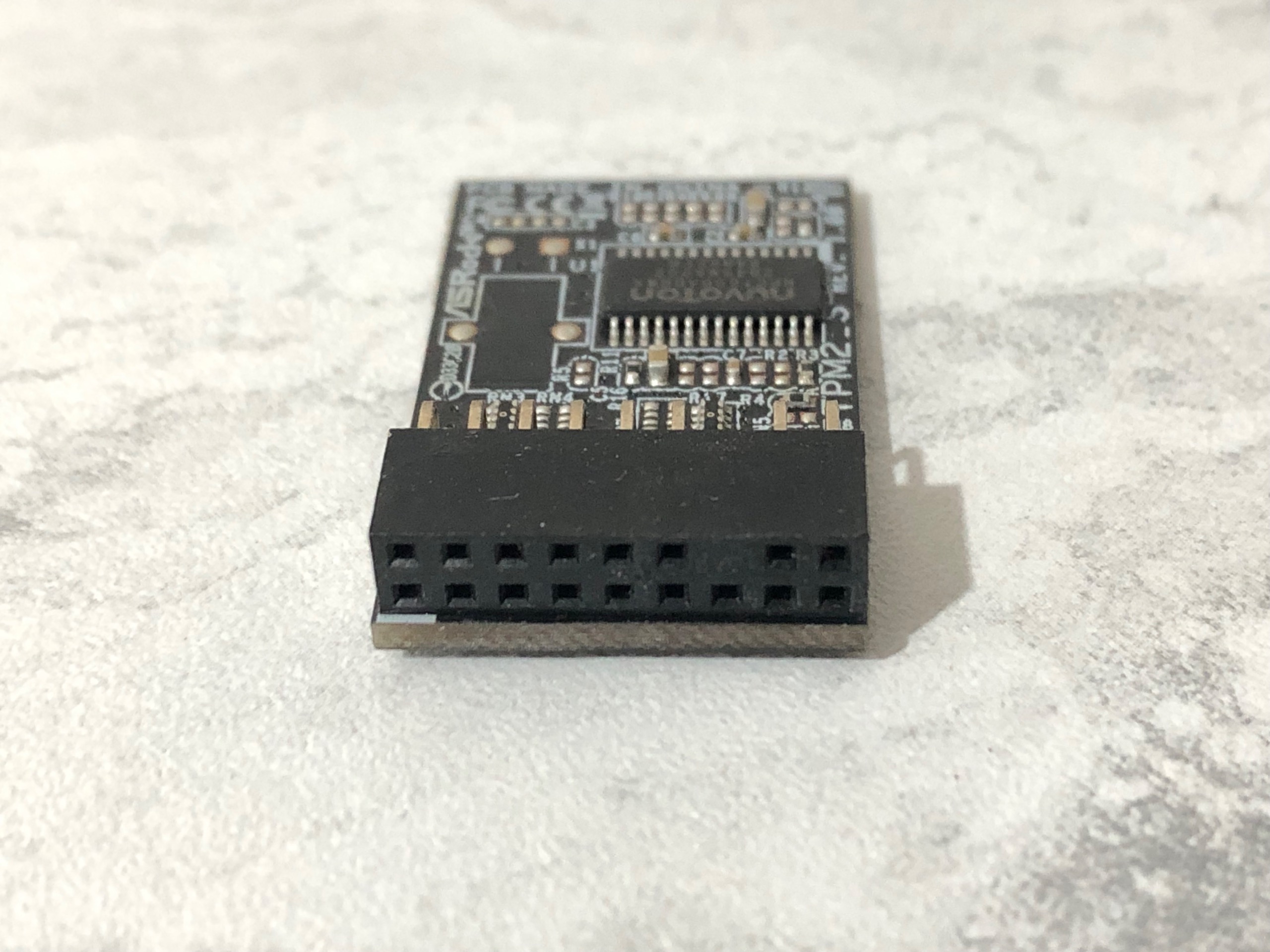
wolud like to know if i can make asrock tpm2-s rev1 to work on this motherboard
Hello and welcome! The short answer is: Yes, but you will need to do your own homework on this one.
From what I can find online, this is a Nuvoton NPCT650 based TPM, not the typical Infineon 9665. Anyhow it is LPC type interface, which means that it should be possible to make it work. The key questions that you need to answer by doing your own research/measuring are as follows:
i was thinking of wiring it
if i could find the exact pinout of the module
Hello! I hope I am not breaking any rules, i just wanted to thank you for this amazing guide and work. Thanks to you i managed to install tpm on a X99B9, soldering, modding the bios and flashing as a first timer were a breeze and fun project thanks to your guidance.
Thanks again and keep up the good work!
Right, this is indeed the homework you need to do yourself. The way I would approach it is as follows:
But once again, before doing anything more: What is the pitch width? 2.54 or 2.00mm?
Glad you got it working! Just did the same thing on the sibling board X99-D4M4 this week. Excellent way to re-use four 8G laptop SO-DIMM sticks.
wow you are amazing thanksss alot
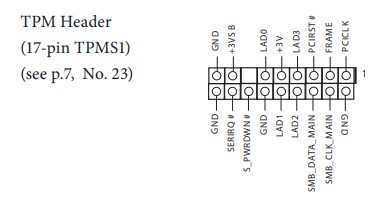
asrock Z170 Extreme4 has 18pin tpm header
the image is from the manual
i have not bought the module yet and i dont see any wiritings on it about pitch width
you want me to send other photos ?
going to order it now
thanks again
On my AsRock H81M-VG4 the TPM header uses 2.0mm pitch, so wiring it will likely be a pain.
If you haven’t bought a TPM module yet, then simply pause and think about the whole process from start to end before doing anything more. In short:
Sidenote: In the pictures provided in the above link, it seems that the earlier hardware revision of QD4 used the exact same LPC pinout I encountered on my Jingsha X99E Max.
i live in iran so unfortunately i dont have other options like aliexpress
tpm modules are not available here
found this second hand module by accident
motherboard has 2.54mm pitch width header measured it
these are the voltage readings
0.02 | 2.73 | 3.28 | 1 | 3.35
x | 2.99 | 2.69 | 2.79 | 3.35
Ok, understood, and I honestly hope that there will be peace as soon as possible. Based on your measurements, then it looks basically like the same pinout I found before. The only anomaly is for LCLK at 1V, which should be very close to 3.35/2~1.68V. But that is most likely just a measurement problem.
Based on the Z170 motherboard picture, my take is the following:
for alliexpress ou could use this one X99 Main Board Tpm 2.0
Welll i screwed everything
The module came i wired and connected it
It didn’t work (i think) tried both 3v and 3vsb like you said
I’m saying i think because i had the trusted computing option in advanced setting ! I thought it’s bios already has tpm support
Anyway i made another bios like your instruction andd after flashing it just kept restarting
The screw up started when i wanted to use ch341 to flash
For some reason it wasn’t staying on the chip and while i was trying i took out two smd
Now the chip is not being recognized and for some reason the buzzer start buzzing when i connect the ch341 !!!
Have to send it to repair shop …